P.13.11
Date Code 20151029 Protection Manual SEL-411L Relay
Time-Synchronized Measurements
Fault Analysis
Step 10. Upload the new settings to the relay:
a. Click File > Send.
ACSELERATOR QuickSet prompts you for the settings
class or instance you want to send to the relay.
b. Click the check box for Group 1 (or the settings group
that you are programming).
c. Click OK.
If you see no error message, the new settings are loaded
in the relay.
COMTRADE File
Information
Retrieve the COMTRADE files for the time-triggered data captures from each
relay with the FILE READ EVENTS command.
Parse the binary COMTRADE data for the power system currents and
voltages you need to calculate system quantities.
Fault Analysis
Use the relay measurement and communications capabilities to obtain precise
simultaneous measurements from the power system at different locations.
Combining system measurements from a number of key substations gives you
a snapshot picture of the phasor relationships in the power system at a
particular time. You can perform extensive fault analysis by evaluating the
simultaneous measurements gathered at a central computer or data server.
Power System
Measurements
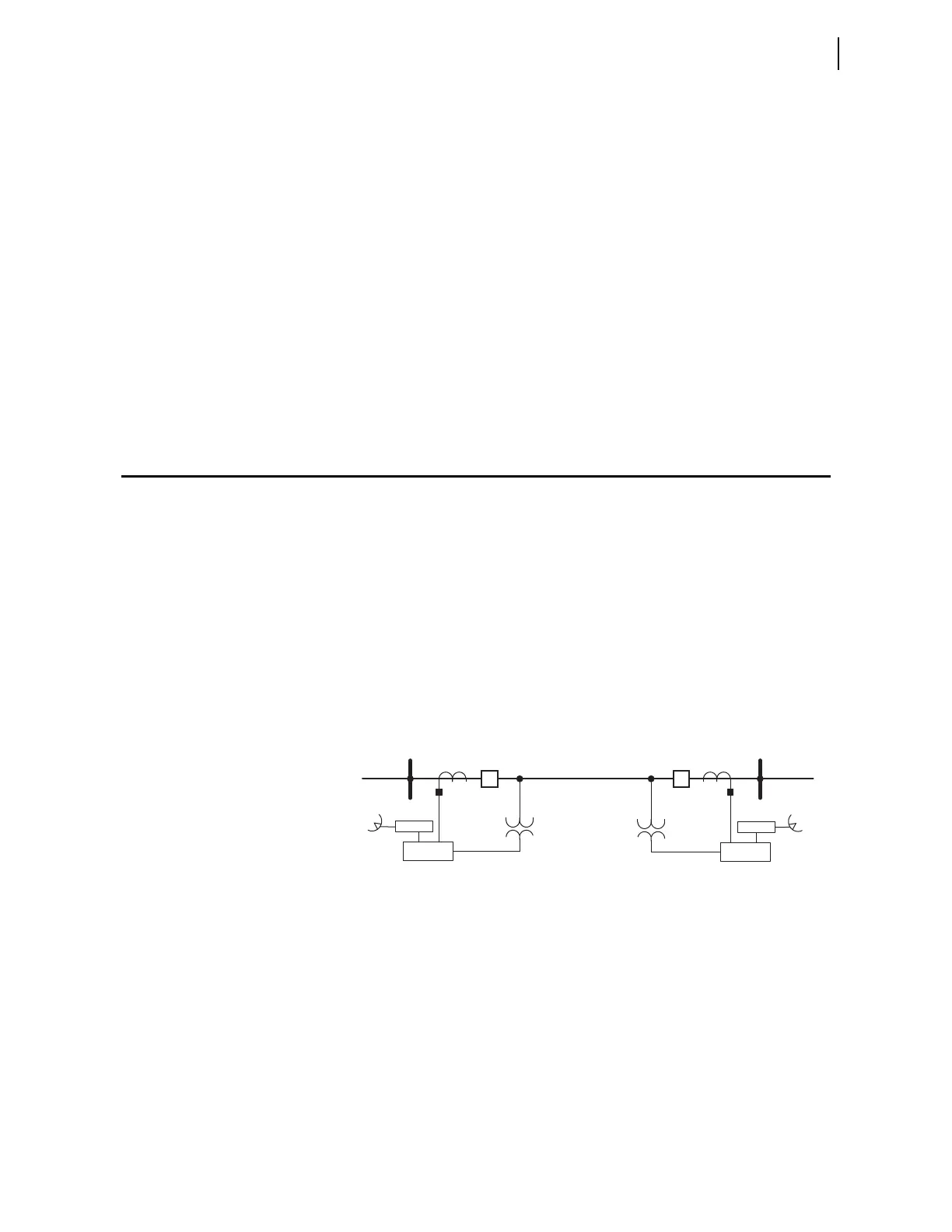
Install at least two relays in the power system to implement dynamic phasor
determination. Figure 13.8 shows an example of a 230 kV overhead
transmission line with a relay at each terminal. Connect GPS clocks (such as
the SEL-2407) at each substation to provide very high-accuracy time signal
inputs for each relay.
Figure 13.8 230 kV Transmission Line System
With synchronized and time-stamped binary COMTRADE data, you can
develop automated computer algorithms for comparing these data from
different locations in the power system.
In particular, you can use fault data extracted from two relays. Use third-party
software to filter the binary COMTRADE data so that the signals are
composed of fundamental quantities only (50 Hz or 60 Hz). You can also use
third-party software to convert the binary COMTRADE data to ASCII
COMTRADE files. Use the Phasor Diagram in the SEL-5601 Analytic
Assistant to select the appropriate prefault and post-fault quantities.
Relay
Relay
Z
1L
, Z
0L
Z
1S
, Z
0S
BK1
GPS Rx
S (Harvard) R (Princeton)
BK2
Z
1R
, Z
0R
GPS Rx



 To Next Page