P.10.23
Date Code 20151029 Protection Manual SEL-411L Relay
Basic Relay Operations
Operating the Relay Inputs and Outputs
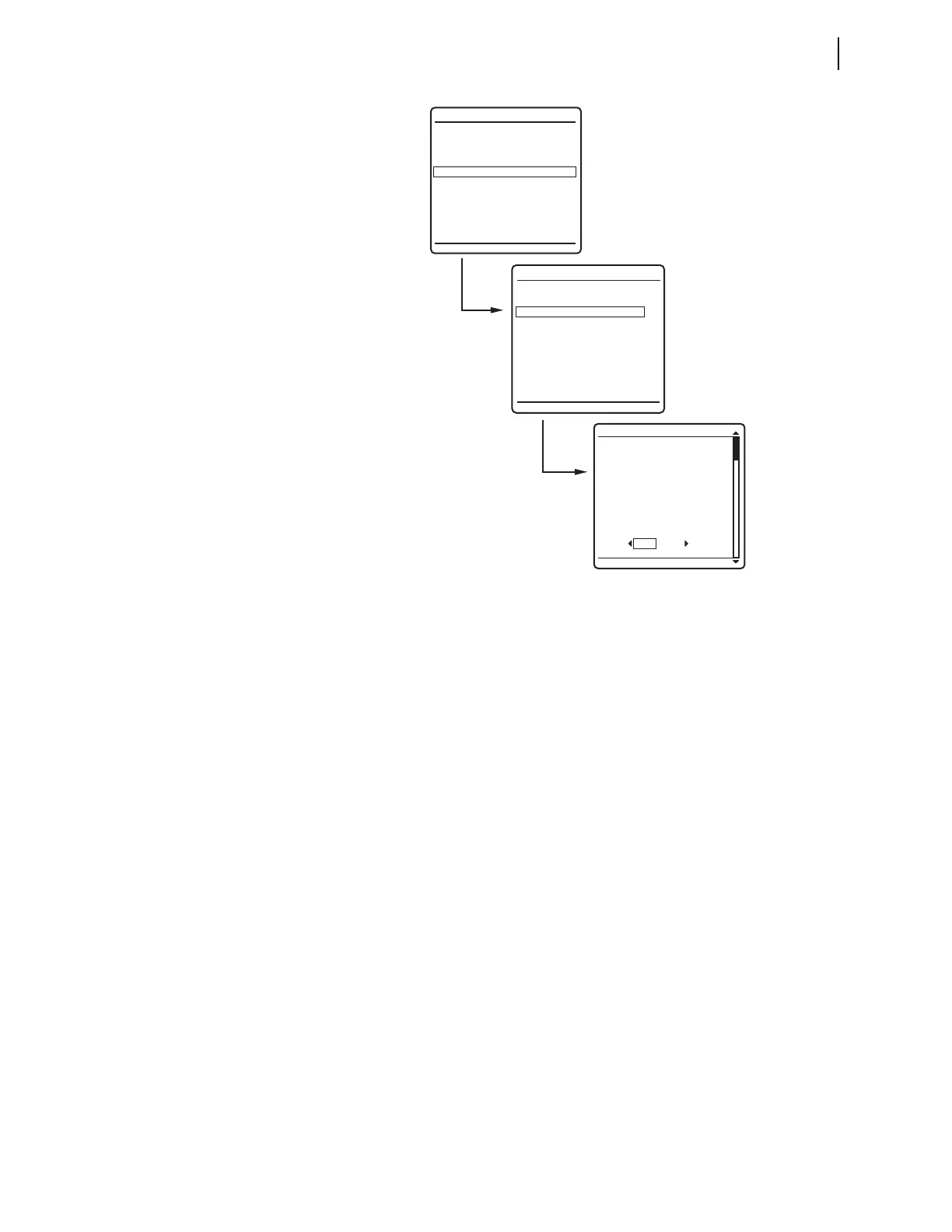
Figure 10.14 Front-Panel Menus for Pulsing OUT204
Step 4. View the local control screen.
a. Press the Up Arrow and Down Arrow navigation
pushbuttons to highlight the
LOCAL CONTROL action item
(see Figure 10.14).
b. Press the ENT pushbutton.
You will see the
LOCAL CONTROL submenu (the middle
screen in Figure 10.14).
Step 5. View the output testing screen.
a. Press the Up Arrow and Down Arrow navigation
pushbuttons to highlight the
--OUTPUT TESTING--
action item (see Figure 10.14, middle screen).
b. Press the ENT pushbutton.
The relay next displays the
OUTPUT TESTING submenu
(the last screen of Figure 10.14).
Step 6. Command the relay to pulse the control output.
a. Press the Down Arrow navigation pushbuttons to
highlight
OUT204.
b. Press the Right Arrow navigation pushbutton to highlight
YES under PULSE OUTPUT?
c. Press the ENT pushbutton.
The relay detects your request for a function at an
access level for which you do not yet have
authorization. Whenever this condition occurs, the relay
displays the password access screen of Figure 10.15.
OUT201
OUT202
OUT203
OUT204
OUT205
OUT206
OUT207
OUT208
PULSE OUTPUT?
OUTPUT TESTING
NO YES
METER
EVENTS
BREAKER MONITOR
RELAY ELEMENTS
LOCAL CONTROL
SET/SHOW
RELAY STATUS
VIEW CONFIGURATION
DISPLAY TEST
RESET ACCESS LEVEL
MAIN MENU
LOCAL CONTROL
--BREAKER CONTROL--
5 MVA XFMR Fans
--OUTPUT TESTING--



 To Next Page