P.6.13
Date Code 20151029 Protection Manual SEL-411L Relay
PC Software
ACSELERATOR QuickSet Settings
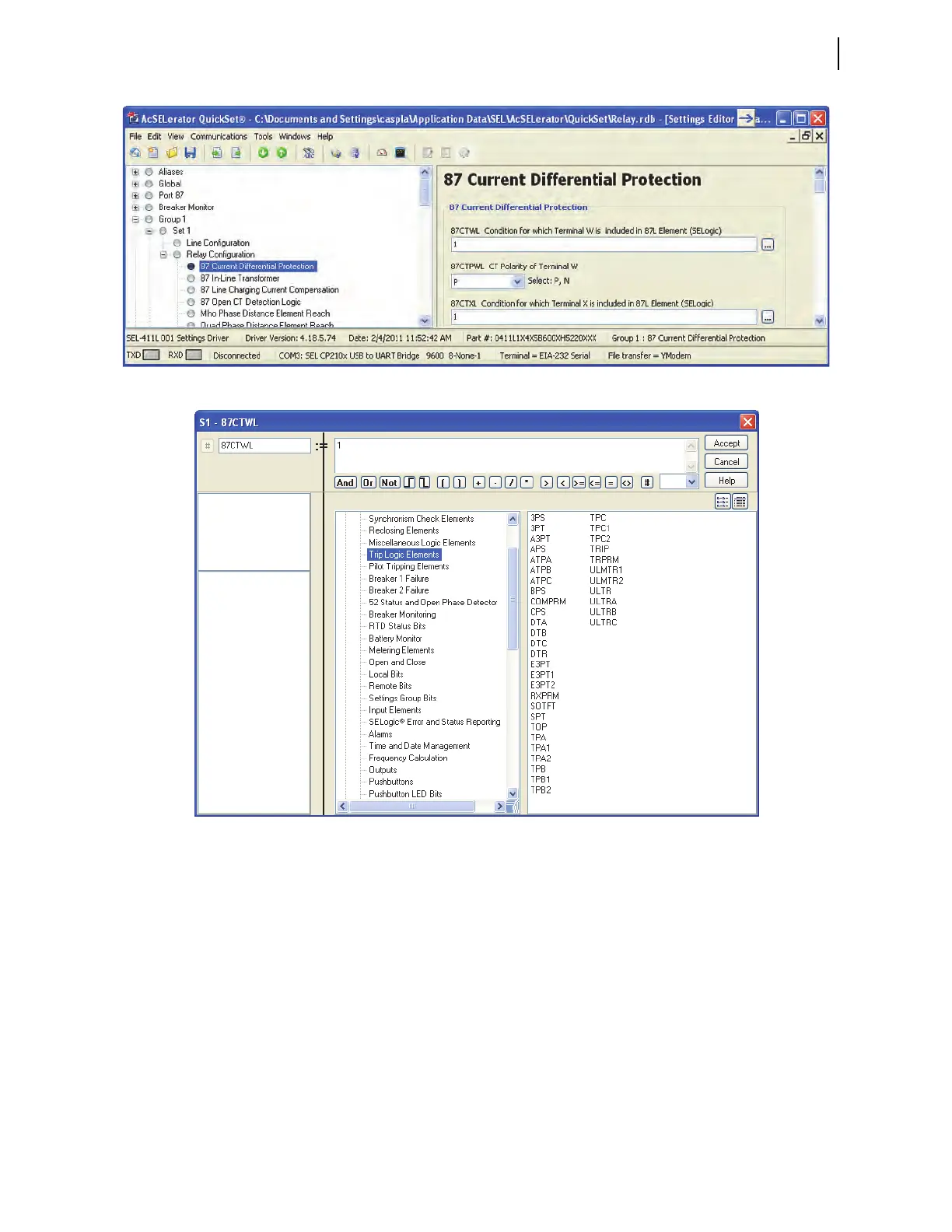
Figure 6.11 Settings Editor Window
Figure 6.12 Expression Builder
Using the Expression Builder
SELOGIC control equations can be built from a list of Relay Word bits. Select
the + for Relay Word bits in the lower left box of the Expression Builder to
expand the Relay Word bit tree. Relay Word bits are arranged in categories.
Select the individual categories to view the associated Relay Word bits within
the lower right box of the Expression builder. Double-click a Relay Word bit
to place it in the equation box at the top of the Expression Builder. Single-
click the SEL
OGIC operators below the equation box to add operators to the
equation. Equations may also be typed directly in the equation box. Click
Accept to exit the Expression Builder and save the equation, or Cancel to exit
without saving.
For more information on programming SEL
OGIC control equations, see
Section 14: SEL
OGIC Control Equation Programming.



 To Next Page