P.9.35
Date Code 20151029 Protection Manual SEL-411L Relay
Monitoring and Metering
Metering
NOTE: Changing EDEM or DMTC
resets the demand meter values to
zero. This also applies to changing the
active settings group where either
setting EDEM or DMTC is different in
the new active settings group.
(Changing demand current pickup
settings PDEMP, GDEMP, and QDEMP
will not affect the demand meters.)
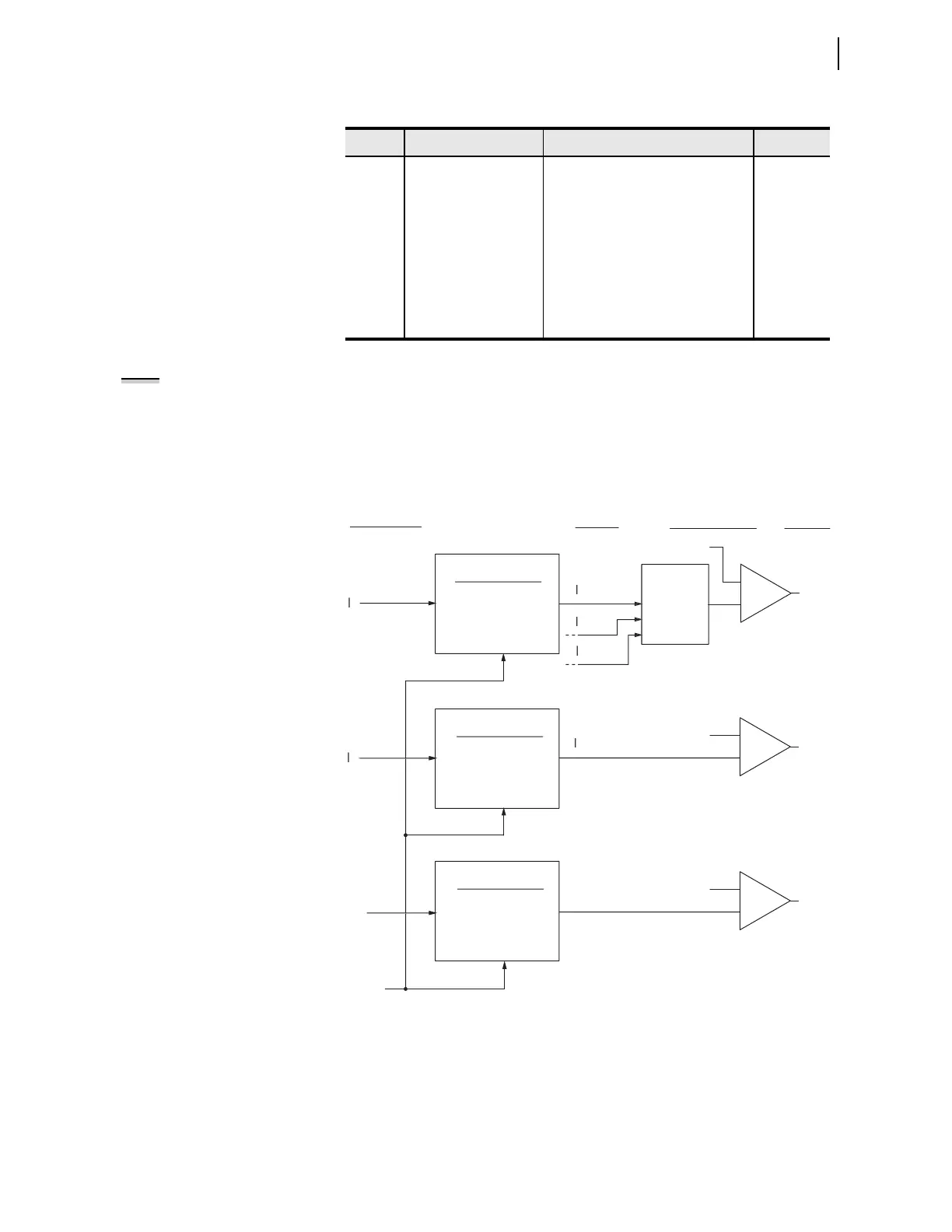
Figure 9.19 shows how the relay applies the demand current pickup settings of
Table 9.20 over time. When residual ground demand current I
G(DEM)
exceeds
the corresponding demand pickup setting GDEMP, Relay Word bit GDEM
asserts to logical 1. Use these demand current logic outputs (PDEM, GDEM,
and QDEM) for control or alarm for high loading or unbalance conditions.
Figure 9.19 Demand Current Logic Outputs
Table 9.20 Demand Metering Settings
a
a
Current pickup settings are in steps of 0.01 A, secondary.
Setting Description Range Default
EDEM Demand meter type N, THM = Thermal, ROL = Rolling N
DMTC Demand meter time
constant
5, 10, 15, …, 300 minutes 15 minutes
PDEMP Phase demand current
pickup
OFF, (0.10–3.20) • I
NOM
, secondary 2.00 • I
NOM
GDEMP Residual ground
demand current pickup
OFF, (0.10–3.20) • I
NOM
, secondary 0.40 • I
NOM
QDEMP Negative-sequence
demand current pickup
OFF, (0.10–3.20) • I
NOM
, secondary 0.40 • I
NOM
setting EDEM change,
or setting DMTC change
D
m
n
F
n
i
Thermal
EDEM := THM
Rollin
(EDEM := ROL
D
m
n
F
n
i
Thermal
EDEM := THM
Rollin
(EDEM := ROL
D
m
n
F
n
i
Thermal
EDEM := THM
Rollin
(EDEM := ROL
Residual
2
DEM
Residual
m
x
has
m
n
rr
n
Demand
Currents
Relay
Word Bits
Demand Currents
Pickup Settings
A
DEM
B
DEM)
C
DEM
G
DEM
GDE
DEM
Reset Demand
Reset Demand
Reset Demand
PDEM
GDEM
QDEM
Instantaneous
Currents



 To Next Page