P.6.12
SEL-411L Relay Protection Manual Date Code 20151029
PC Software
ACSELERATOR QuickSet Settings
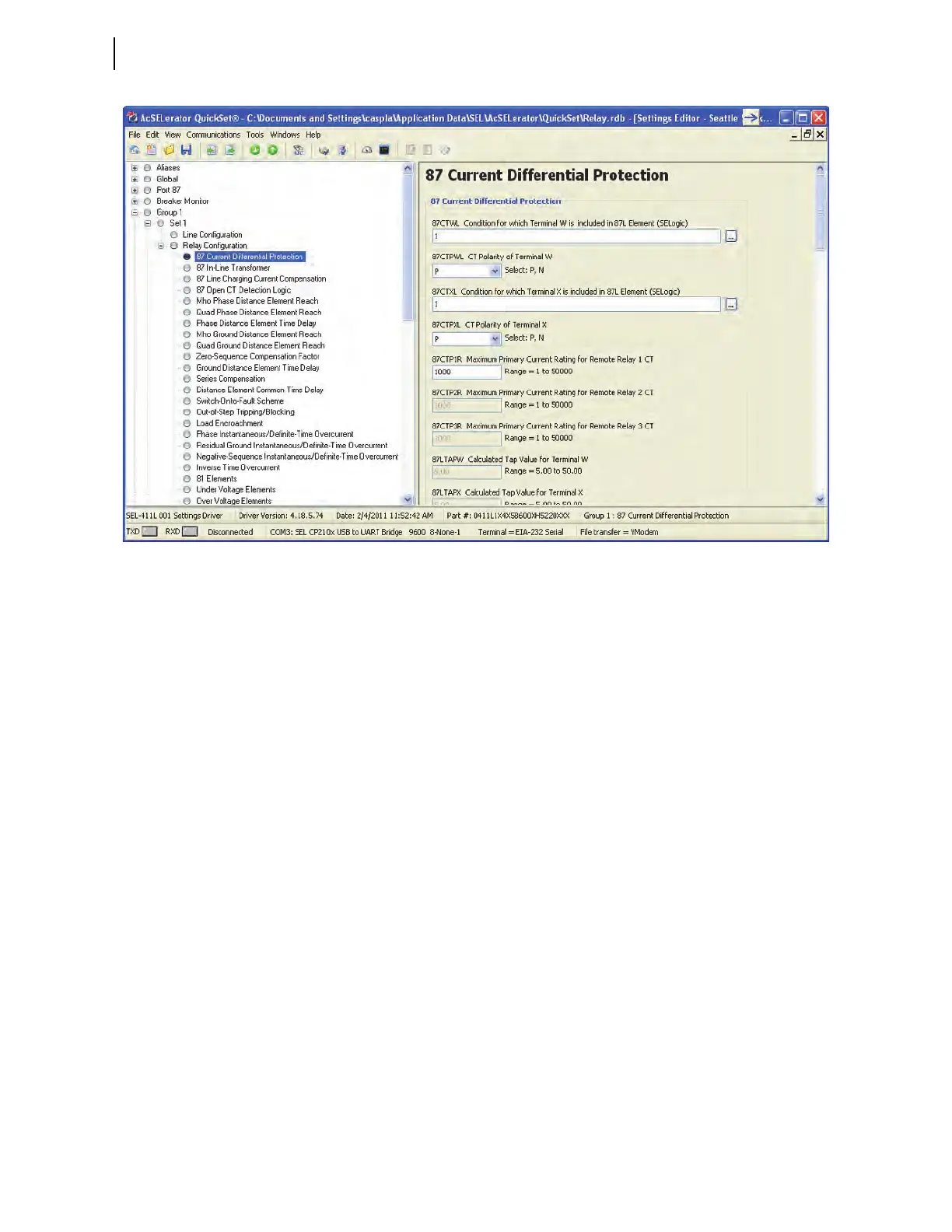
Figure 6.10 Relay Editor
Entering Settings
Click the + marks and the buttons in the Settings Tree View to expand and
select the settings you want to change. Use the Tab key to navigate through
the settings, or click on a setting.
To restore the previous value for a setting, right-click the mouse over the
setting and select Previous Value. To restore the factory default setting value,
right-click in the setting dialog box and select Default Value.
If you enter a setting that is out of range or has an error,
ACSELERATOR
QuickSet shows the error at the bottom of the Settings Editor. Double-click
the error listing to go to the setting to enter a valid input.
Expression Builder
SELOGIC control equations are a powerful means for customizing relay
operation.
ACSELERATOR QuickSet simplifies this process with the
Expression Builder, a rules-based editor for programming SEL
OGIC control
equations. The Expression Builder organizes relay elements and SEL
OGIC
control equation variables and focuses equation decision-making.
Access the Expression Builder
Click the ellipsis button to the right of each logic setting in the Settings Editor
window to start the Expression Builder (see Figure 6.11 for an example).



 To Next Page