P.11.39
Date Code 20151029 Protection Manual SEL-411L Relay
Testing and Troubleshooting
Relay Self-Tests
system remote alarm input and program the output SELOGIC control equation
to respond to NOT (SALARM OR HALARM). See Alarm Output on
page P.2.34 on connecting this alarm output for the relay.
If you repeatedly receive status warnings, check the relay operating conditions
as soon as possible. Take preventive action early during the development of
potential problems to avoid system failures. For any status failure, contact
your Technical Service Center or the SEL factory immediately (see Factory
Assistance).
The relay generates an automatic status report at the serial ports for a self-test
status failure if you set Port setting AUTO := Y. The relay issues a status
message with a format identical to the STATUS command output (see Status),
except that the power supply information from the STA A response is
included after the SEL
OGIC control equation error messages.
The relay also displays status warning and status failure automatic messages
on the front-panel LCD. Use the serial port STATUS and CSTATUS
commands, the
ACSELERATOR QuickSet HMI Status button, and the front-
panel
RELAY STATUS menu to display status warnings and status failures.
Status
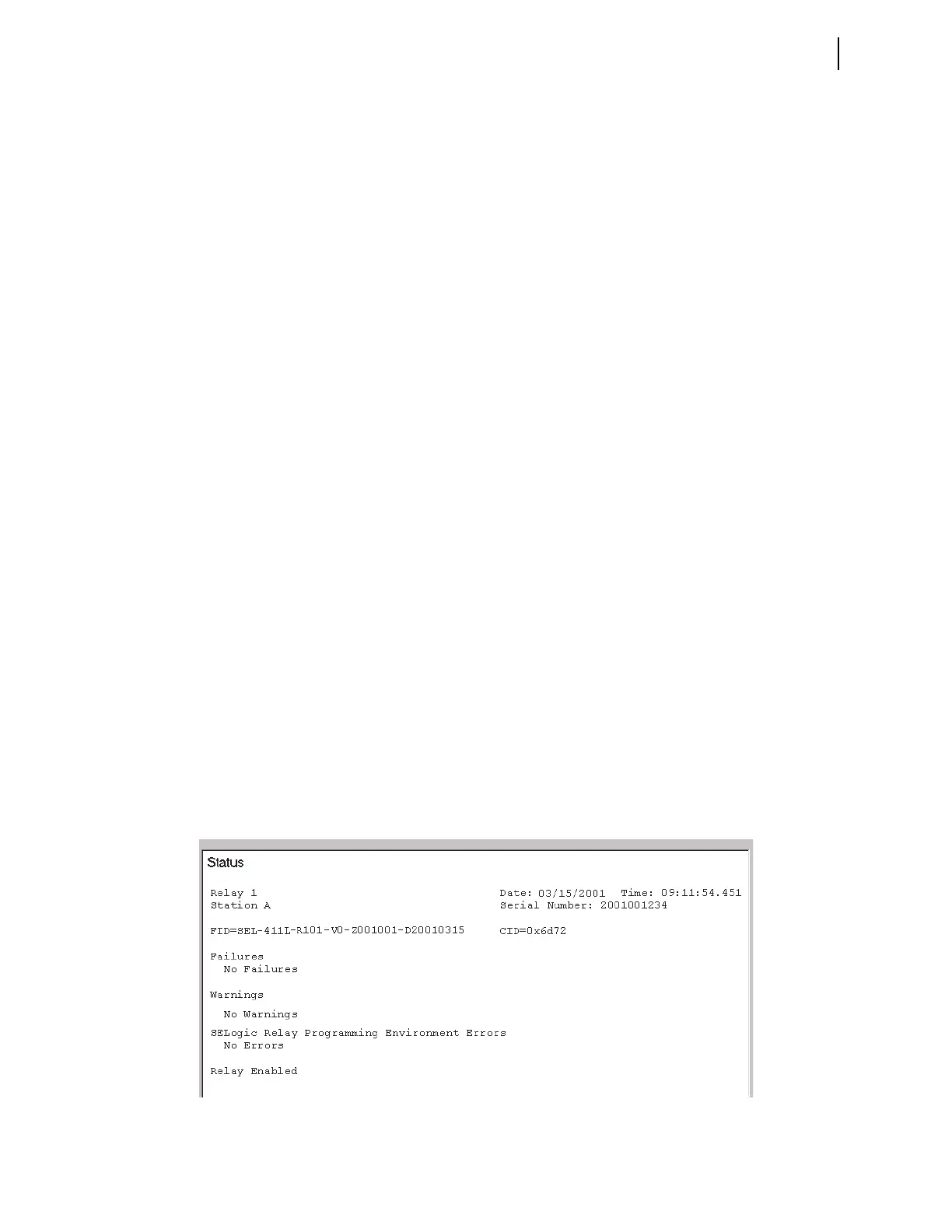
Figure 11.18 is a sample STATUS screen from the Status option of the
ACSELERATOR QuickSet HMI > Meter and Control tree view (the terminal
STATUS report is similar). Figure 11.19 is the STATUS A report showing all
status information on a terminal.
Firmware Version Number
At the top of each status report the relay displays the present firmware version
number that identifies the software program that controls relay functions. The
firmware version is the four-place designator immediately following the relay
model number (the first characters in the firmware identification string). The
first character in the four-place firmware version number is R (representing
Release).
For example, in Figure 11.18 and Figure 11.19, the firmware version number
is R101. SEL numbers subsequent firmware releases sequentially; the next
revision following R101 is R102. See Appendix A: Firmware and Manual
Versions for firmware version information.
Figure 11.18 Relay Status: ACSELERATOR QuickSet HMI



 To Next Page