P.8.14
SEL-411L Relay Protection Manual Date Code 20151029
Oscillography, Events, and SER
Event Reports, Event Summaries, and Event Histories
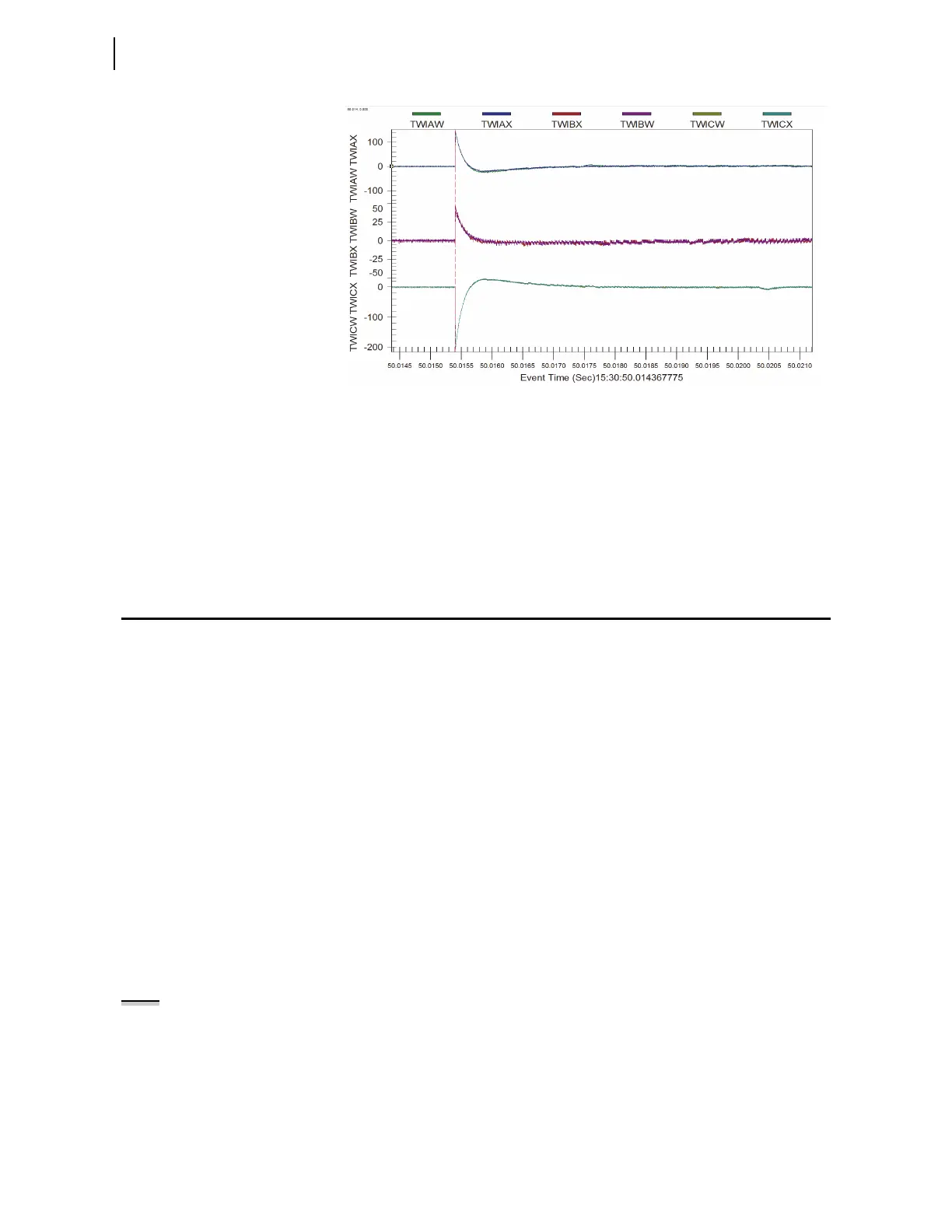
Figure 8.7 Example Traveling Wave Oscillogram
Event Report
Oscillography
Use a terminal or SEL-supplied PC software to retrieve filtered event report
files stored in the relay and transfer these files to your computer. Both
ACSELERATOR QuickSet and the ACSELERATOR Analytic Assistant read the
compressed event files that the relay generates for an event.
Event Reports, Event Summaries, and Event
Histories
Event reports simplify postfault analysis and help you improve your
understanding of protection scheme operations. Event reports also aid in
testing and troubleshooting relay settings and protection schemes because
these reports contain detailed data on voltage, current, and relay element
status. For further analysis assistance, the relay appends the active relay
settings to each event report. The relay stores event reports in nonvolatile
memory, and you can clear the event report memory on a port-by-port basis.
You decide the amount of information and length in an event report (see
Duration of Data Captures and Event Reports).
The relay records the filtered power system data that the relay uses in
protection and automation processing. You can view filtered information
about an event in one or more of the following forms.
➤ Event report
➤ Event summary
➤ Event history
Alias Names
To customize your event report, rename any Relay Word bit, analog quantity,
or default terminal name with more meaningful names to improve the
readability of fault analysis and customized programming. After renaming the
primitive quantities, the alias names rather than the primitive names appear in
the event reports and SER. The primitive names of the analog channels still
appear in the event reports.
NOTE: if Alias names were changed
after an event was recorded, the relay
uses the present alias names in
subsequent event reports.



 To Next Page