P.10.11
Date Code 20151029 Protection Manual SEL-411L Relay
Basic Relay Operations
Checking Relay Status
Step 3. Type STA A <Enter> to view all relay status entries.
For more information on relay status report items, see STATUS
on page P.15.53.
Checking Relay
Status:
ACSELERATOR
QuickSet
You can use ACSELERATOR QuickSet to check relay status. Use the HMI >
Meter Control menu to view status conditions.
The procedure in the following steps assumes that you have successfully
established communication with the relay (see Making an EIA-232 Serial Port
Connection). In addition, you must be familiar with relay access levels and
passwords (see Changing the Default Passwords: Terminal to change the
default access level passwords). You should also be familiar with
ACSELERATOR QuickSet (see Section 6: PC Software).
Step 1. Configure the communications port.
a. Start
ACSELERATOR QuickSet.
NOTE: The DTR parameter has no
effect on communications with the
relay.
b. On the top toolbar, click Communications >
Parameters.
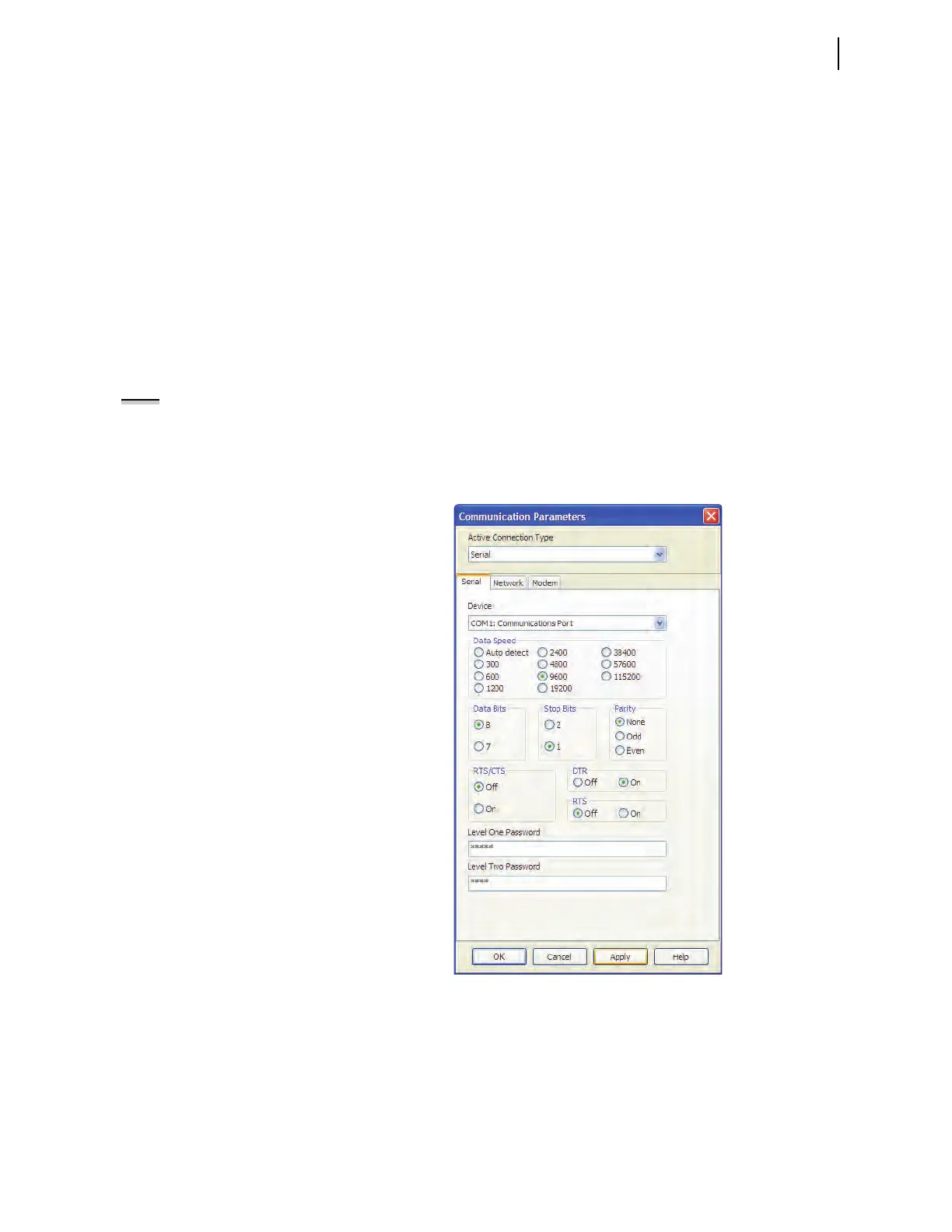
You will see the Communication Parameters dialog
box similar to Figure 10.7.
Figure 10.7 ACSELERATOR QuickSet Communication Parameters and
Password Entry
c. Select the Data Speed, Data Bits, Stop Bits, Parity,
and RTS/CTS that match the relay settings.
The defaults are 9600, 8, 1, None, and Off,
respectively.



 To Next Page