P.B.4
SEL-411L Relay Protection Manual Date Code 20151029
Firmware Upgrade Instructions
Upgrade Procedure
D Save Settings and Other Data
It is possible for data to be lost during the firmware upgrade process. Follow
the steps in this section carefully to ensure that important data are saved.
Step 1. Select Tools > Firmware Loader and follow the on-screen
prompts.
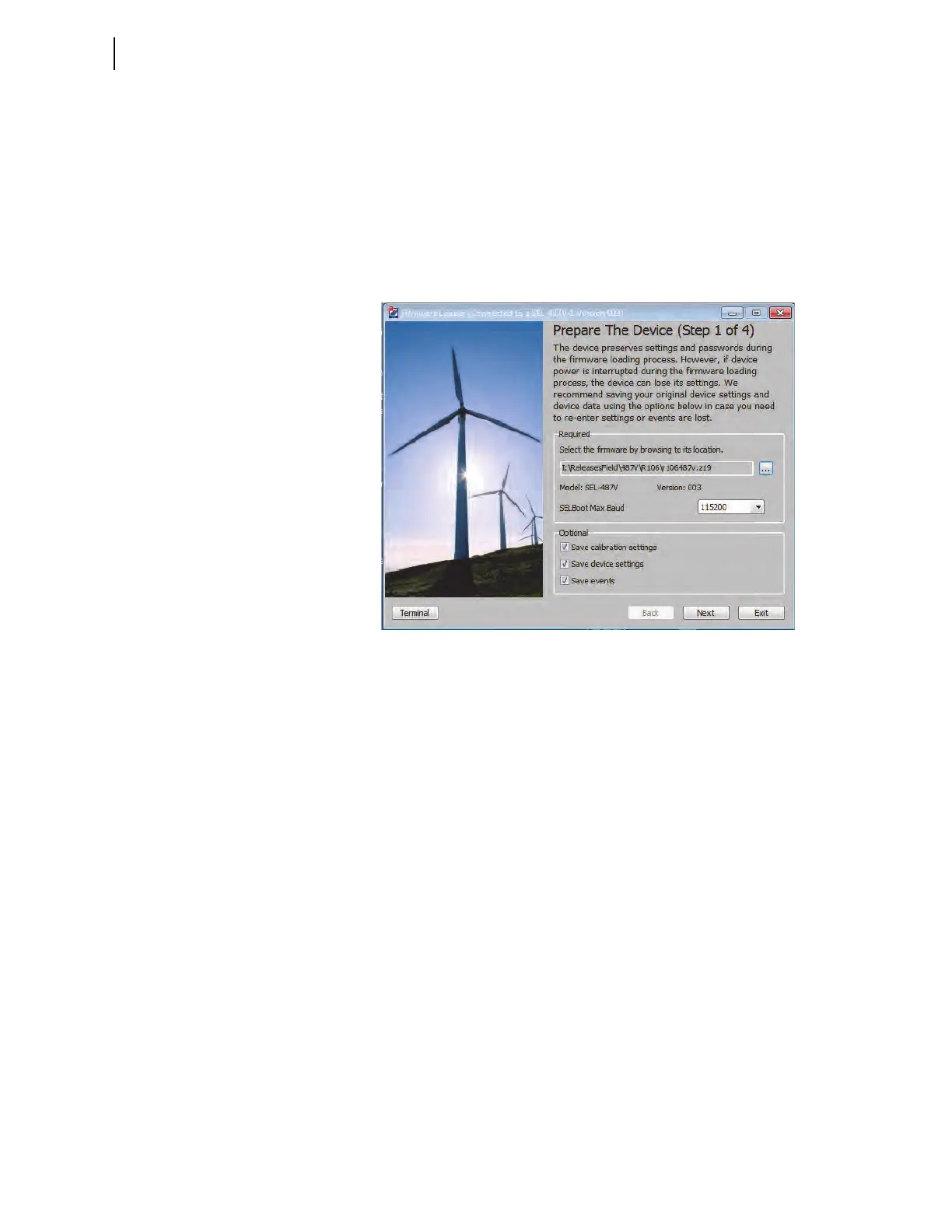
Step 2. In the Step 1 of 4 window of the Firmware Loader, click the
ellipsis button and browse to the location of the firmware file.
Select the file and click Open (see Figure B.1).
Figure B.1 Prepare the Device (Step 1 of 4)
Step 3. Check the Save calibration settings box in the Step 1 of 4
window of the Firmware Loader. These factory settings are
required for proper operation of the relay and must be reentered
in the unlikely event they are erased during the firmware
upgrade process. The Firmware Loader saves the settings in a
text file on the PC.
Step 4. Check the Save device settings box if you do not have a copy
of the relay settings. It is possible for relay settings to be lost
during the upgrade process.
Step 5. Check the Save events box if there are any event reports that
have not been previously saved. The event history is cleared
during the upgrade process.
Step 6. Click Next.
The Firmware Loader reads the calibration settings and saves
them in a text file on the PC. Make note of the file name and the
location.
If Save device settings was selected, the Firmware Loader
reads all of the settings from the relay. The software may ask if
you want to merge the settings read from the relay with existing
design templates on the PC. Click No, do not merge settings



 To Next Page