P.B.6
SEL-411L Relay Protection Manual Date Code 20151029
Firmware Upgrade Instructions
Upgrade Procedure
G Upload New Relay Firmware
This step is performed automatically by the software. The software will erase
the existing firmware and start the file transfer to upload the new firmware.
Upload progress will be shown in the Transfer Status window. The entire
firmware upload process can take longer than 10 minutes to complete.
When the firmware upload is complete, the relay will restart. The Firmware
Loader automatically re-establishes communications and issues an STA
command to the relay.
In cases where the relay does not restart within two minutes of the firmware upload
completion (as indicated by the PC application), and no error messages appear on
the relay HMI, cycle power to the relay. The firmware loader application should then
resume. Answer Ye s if the Firmware Loader prompts you to continue.
H Verify Relay Self-Tests
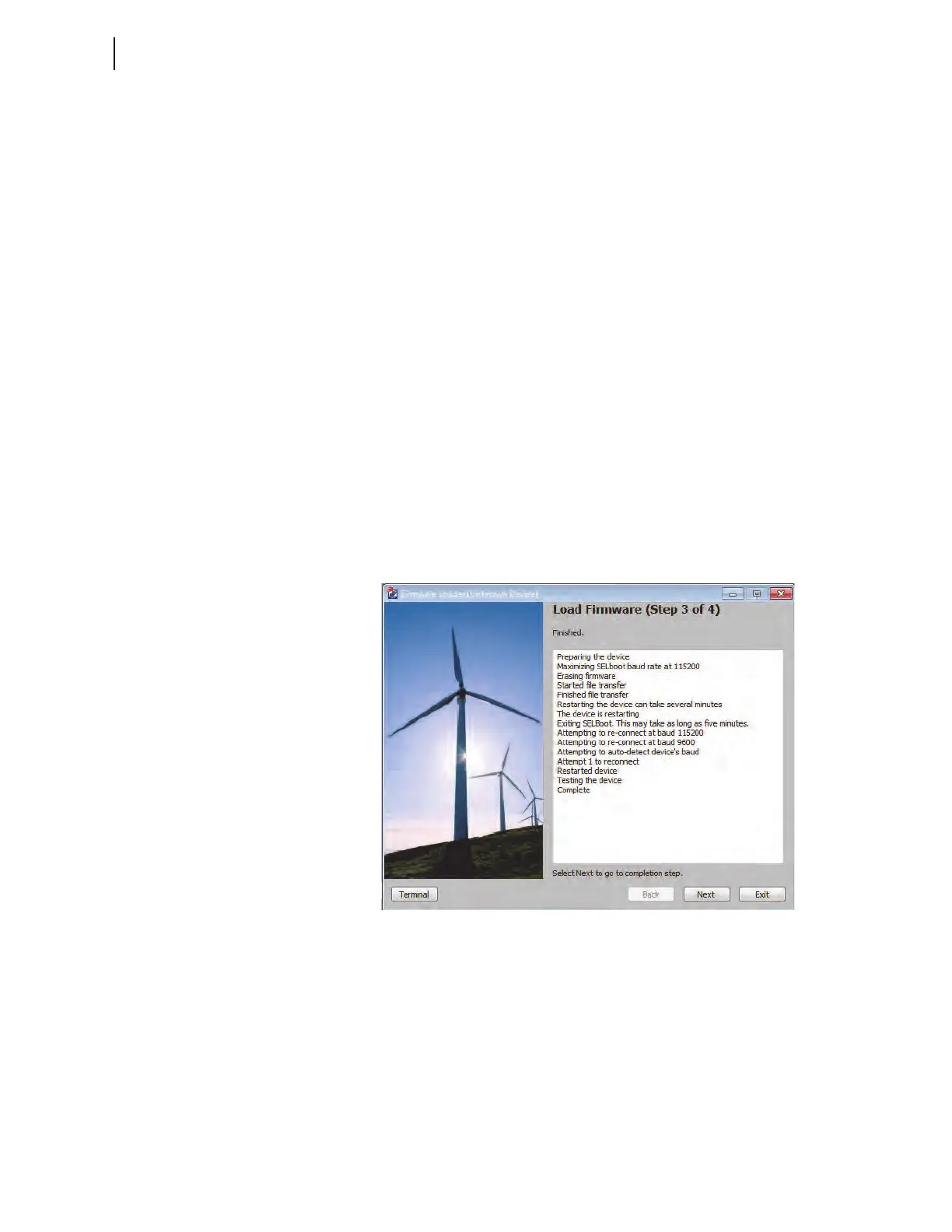
The Step 3 of 4 window of the Firmware Loader will indicate that it is
checking the device status and when the check is complete (see Figure B.2).
The software will notify you if any problems are detected. You can view the
relay status by opening the terminal using the Terminal button in the lower left
portion of the Firmware Loader. If status failures are shown, open the terminal
and see Troubleshooting on page P.B.16.
Click Next to go to the completion step.
Figure B.2 Load Firmware (Step 3 of 4)
I Verify Relay Settings
If there are no failures, the relay will enable. In the Step 4 of 4 window (see
Figure B.3), the Firmware Loader will give you the option to compare the
device settings. If any differences are found, the software will provide the
opportunity to restore the settings.



 To Next Page