REPLACEMENT AND ADJUSTMENT
B660 12 SM
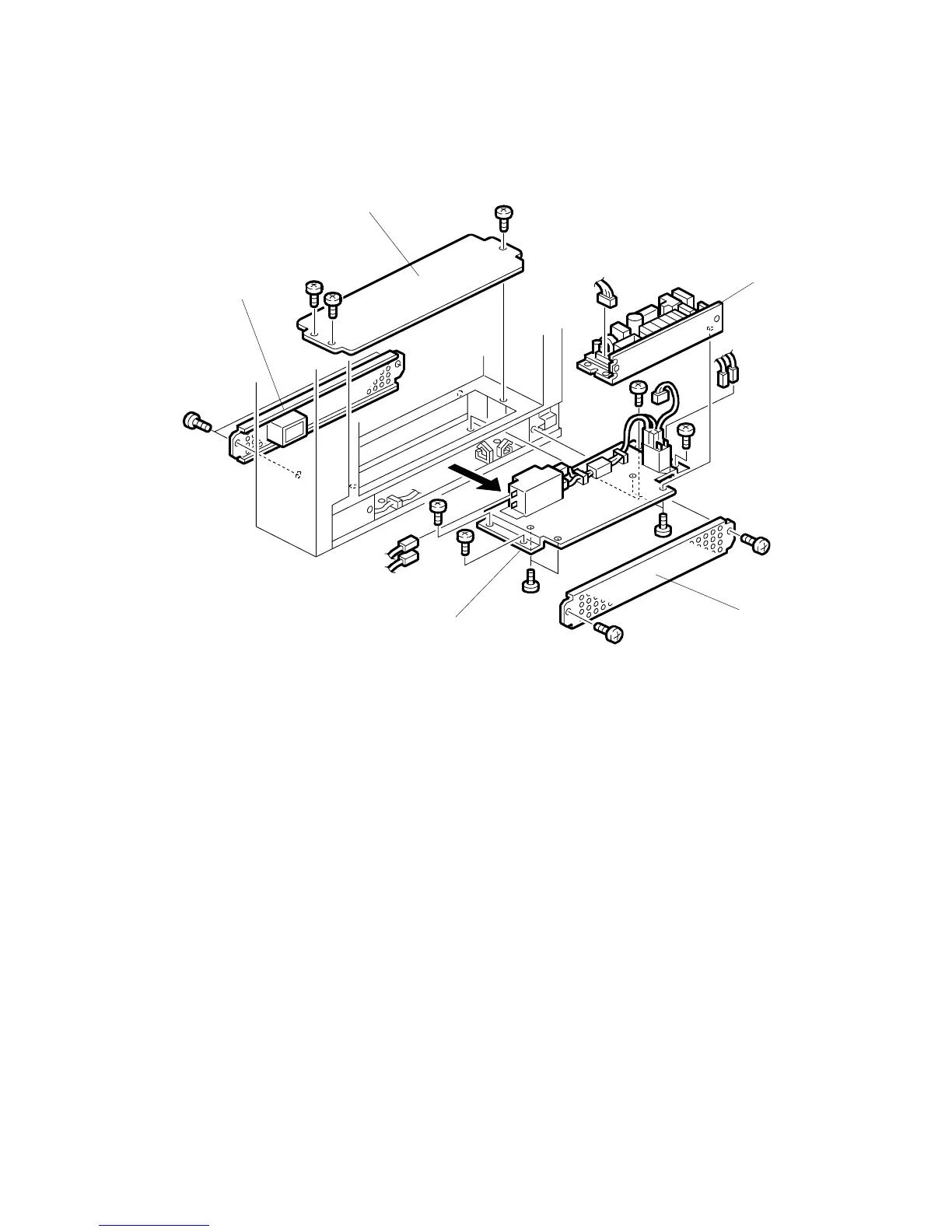
1.12 PSU
• Open the front door.
• Pull the Z-fold mechanism out of the unit.
Remove:
• Left cover and right cover. (
1.2)
[A] Base top cover (
x 3).
[B] Base left cover (
x 2).
[C] Base right cover (
x 2).
• Make a mark at the positions of the connectors, then disconnect them.
NOTE: These connectors do not have different colors. To help you connect
them again correctly, make marks on them.
[D] Power supply unit (PSU) (
x4,
x 4).
• Pull the PSU out of the right side of the bottom.
[E] Power supply board (
x 4,
x 1).
B660R112.WMF
[A]
[B]
[C]
[D]
[E]



 To Next Page