2000/3000 Sheet Finishers (D373/D374)
D014/D015/D078/D079 1-78 SM
Docking the Finisher to the Copier
1. The first step depends on whether you will install the Cover Interposer B704.
If you will not install the Cover Interposer B704:
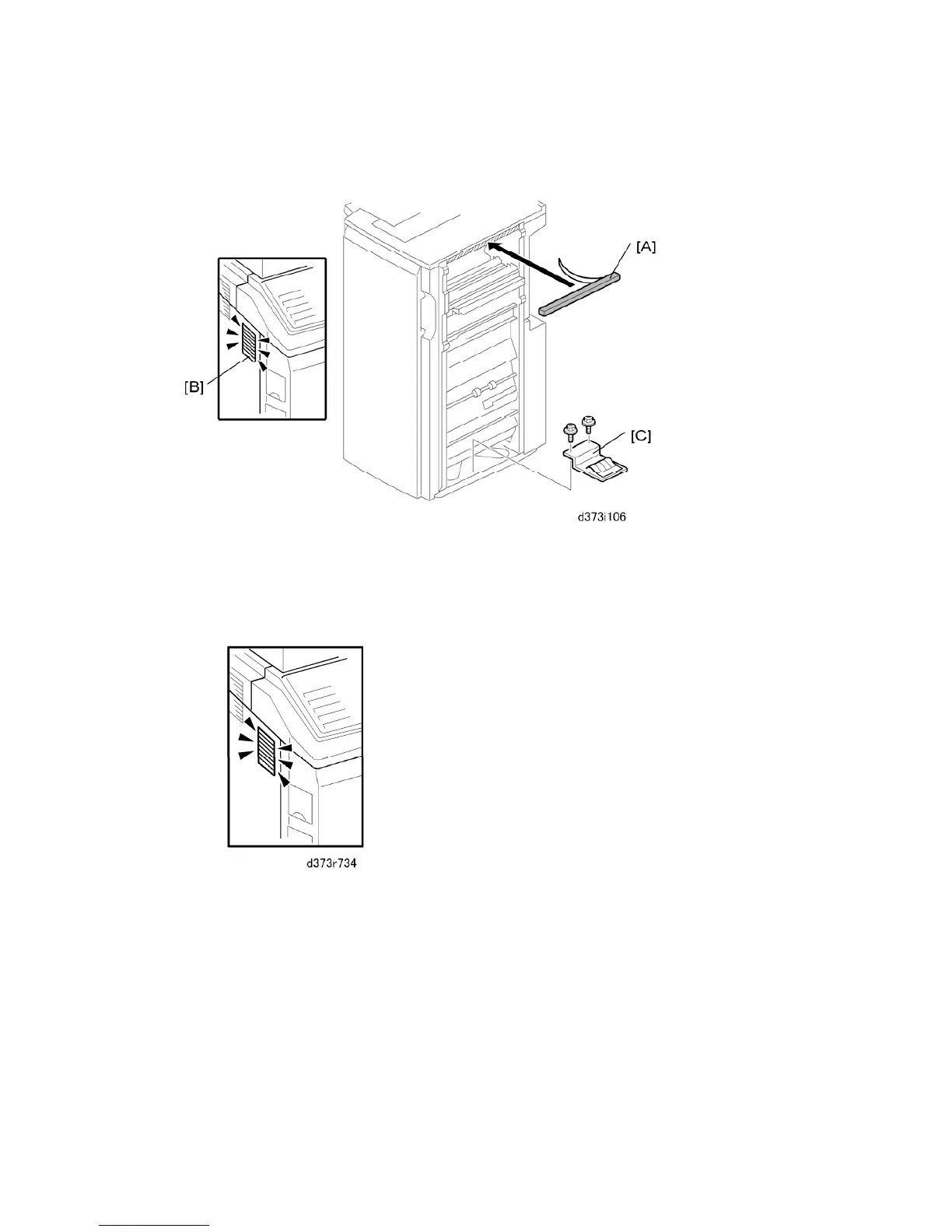
Remove the strip from the sponge cushion [A] and attach it to the finisher, then go
to Step 2.
Do not put the sponge in a position that will prevent air flow through the air duct [B]
on the copier shown above after the finisher is connected to the copier.
Use a short screwdriver to attach the grounding plate [C] ( x 2, M3 x 6).



 To Next Page