Boards
D014/D015/D078/D079 3-108 SM
3.8.2 CONTROLLER
The controller box cover should always be removed so that the controller board
can be disconnected before removal of the controller board.
Never attempt to pull the controller unit out of the machine until you have removed
the box cover and disconnected the controller board.
If you attempt to pull the controller unit out of the machine without first
disconnecting the board, you will break or damage the connectors.
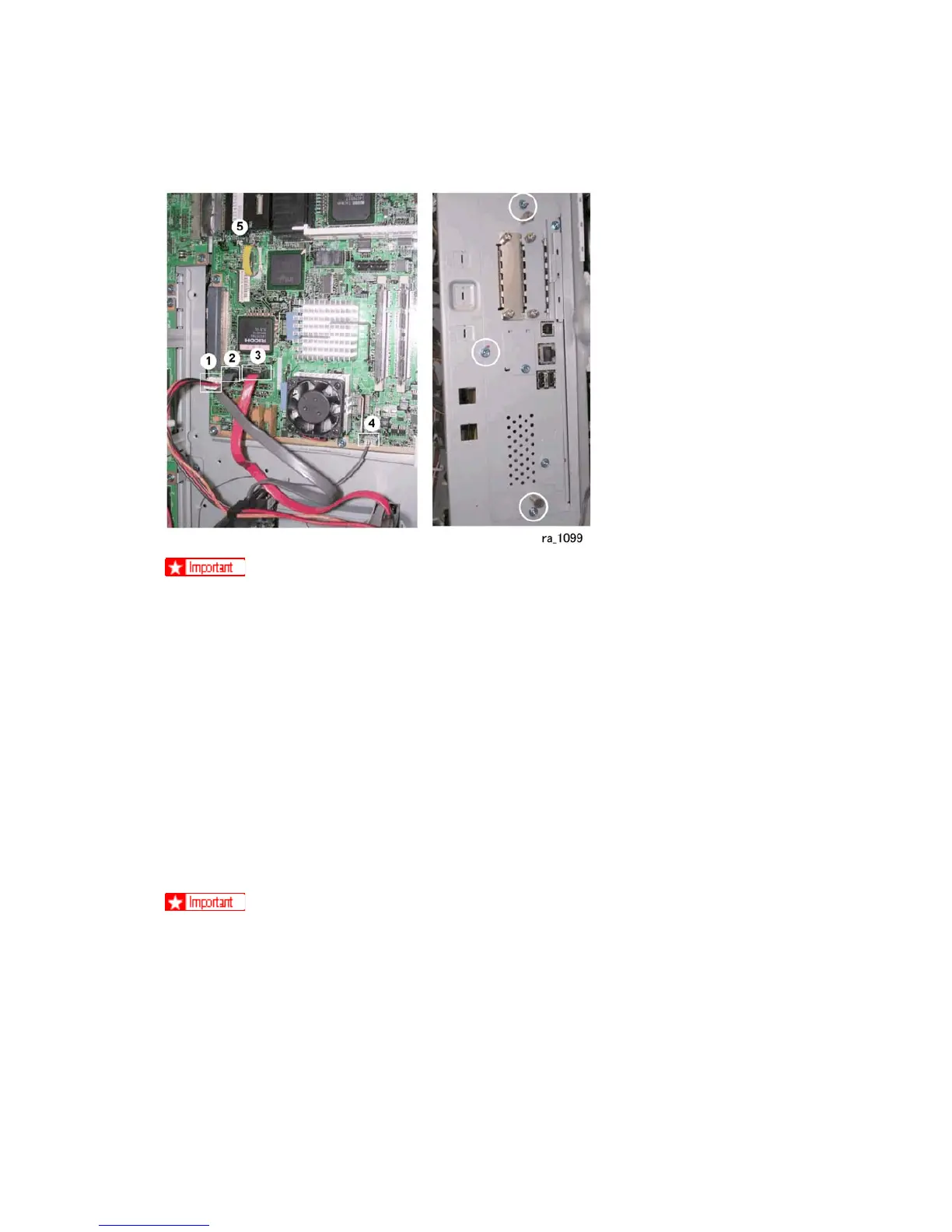
1. Remove the controller box cover ( x16)
2. Disconnect four connectors {, , }, ~( x4).
3. Remove the screws ( x3).
4. Remove the controller board.
When installing the new controller board
The machine will issue SC195 (Machine Serial Number Error) if you fail to do the
procedure below.
1. Remove the NVRAMs from the old controller board. (See previous illustration.)
2. Install them on the new controller board after you replace the controller board.
3. Replace the NVRAMs if the NVRAM on the old controller board is defective.



 To Next Page