LCIT RT4000 (D350)
SM 1-69 D014/D015/D078/D079
Installation
Installation Procedure for 120V
1. Confirm that the heater unit is the correct type for the machine:
120V Model: Both connector harnesses are WHITE. (Use for this installation.)
208 - 240V Model: Both connector harnesses are RED. (Do not use for this
installation.)
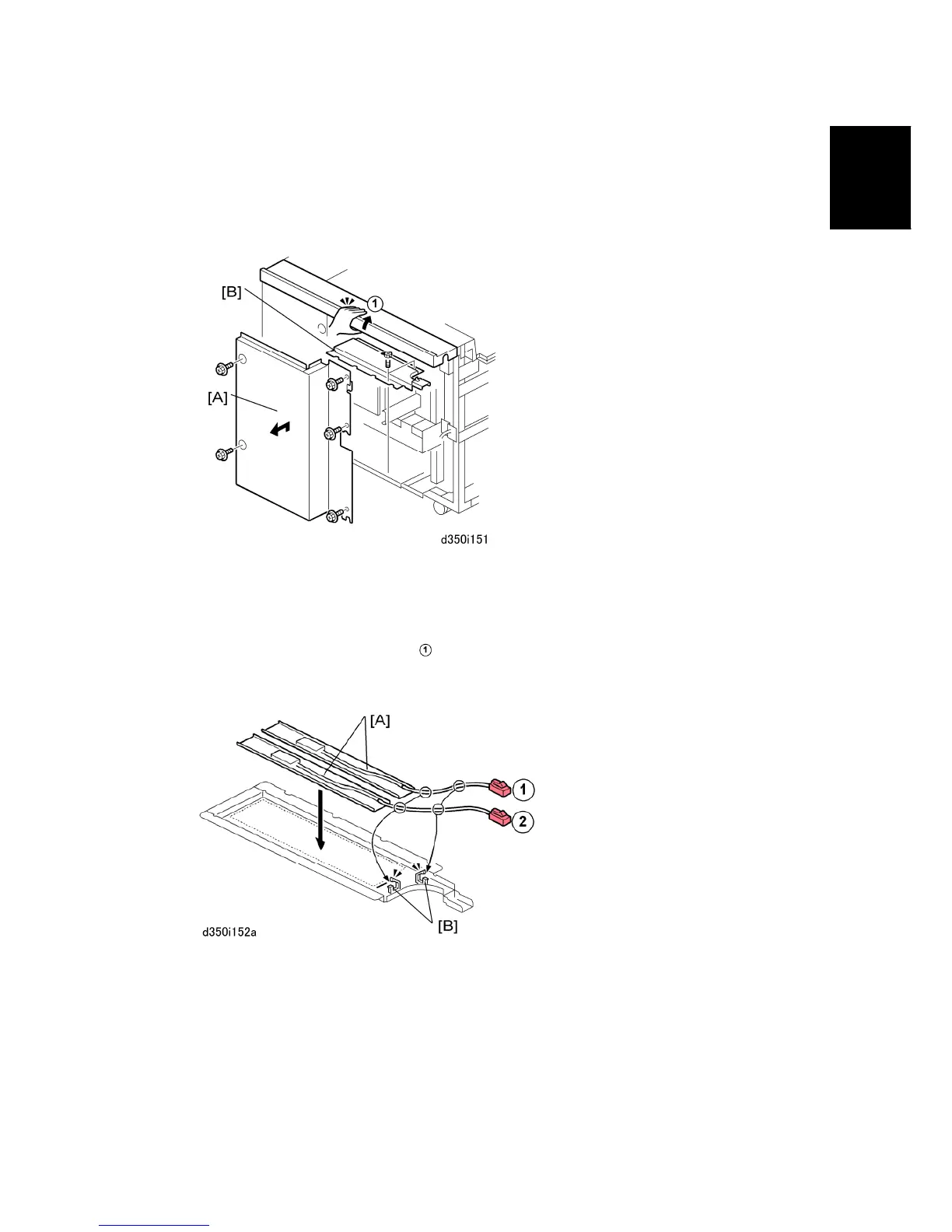
2. At the back of the LCIT, remove:
[A] Rear cover ( x5). Lift cover to remove rear cover.
[B] Heater cover ( x2)
3. Remove the seals from the bottom of the heater units [A] and attach the heaters to the
heater cover.
4. Confirm that the heaters are not touching or overlapping.
5. Route both harnesses through the clamps [B] and fasten the clamps.



 To Next Page