LCT (B473), LCT Adapter (B699)
SM 1-53 D014/D015/D078/D079
Installation
LCT Installation
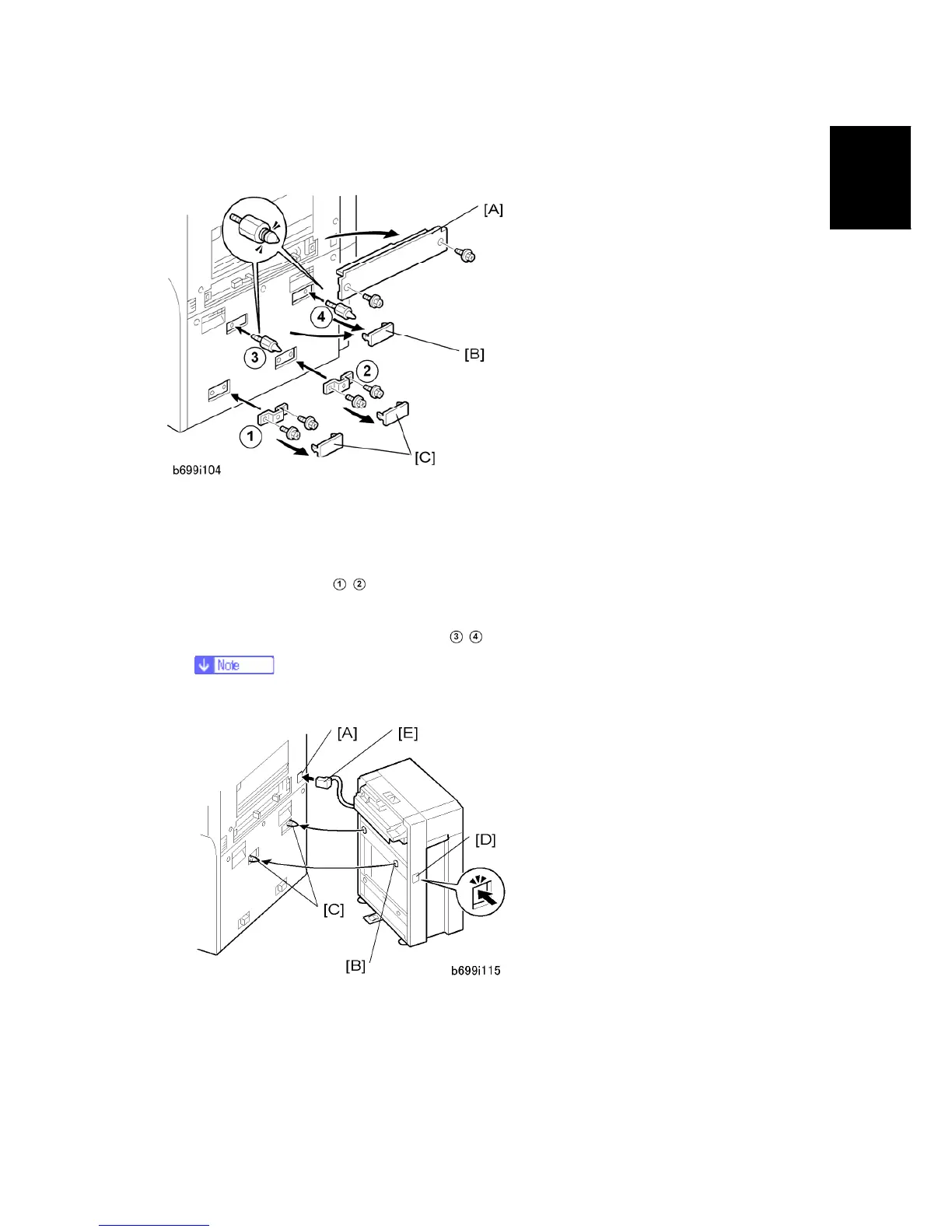
1. Remove the LCT installation cover [A] from the right side of the machine ( x 2).
2. Remove the upper covers [B].
3. Remove the lower covers [C].
4. Attach the brackets
, that are supplied with the LCT Adapter (B699) ( x 2 each –
M4 x 8).
5. Attach the two grooved docking pins
, .
The docking pin without a groove is not necessary for this installation.
6. Remove the connector cover [A].
7. Align the holes on the side of the LCT [B] with the docking pins [C] on the side of the
machine.
8. Slowly push the LCT onto the pins.



 To Next Page