General Cautions
D014/D015/D078/D079 3-2 SM
3.1.2 PCU
1. The PCU stand is stored in a rack attached to the bottom of the machine with strong
magnets.
2. Before pulling a PCU unit out of the machine, spread some clean paper to catch spilt
toner, remove the PCU stand from the bottom of the machine, clean it with a clean
cloth, and then set the PCU stand on the paper to hold the PCU as soon as it is
removed from the machine.
3. To prevent drum scratches, always set the PCU on the stand and leave it there as long
as it is out of the machine.
4. Remove only one PCU at a time for servicing. Only one PCU stand is provided with the
machine.
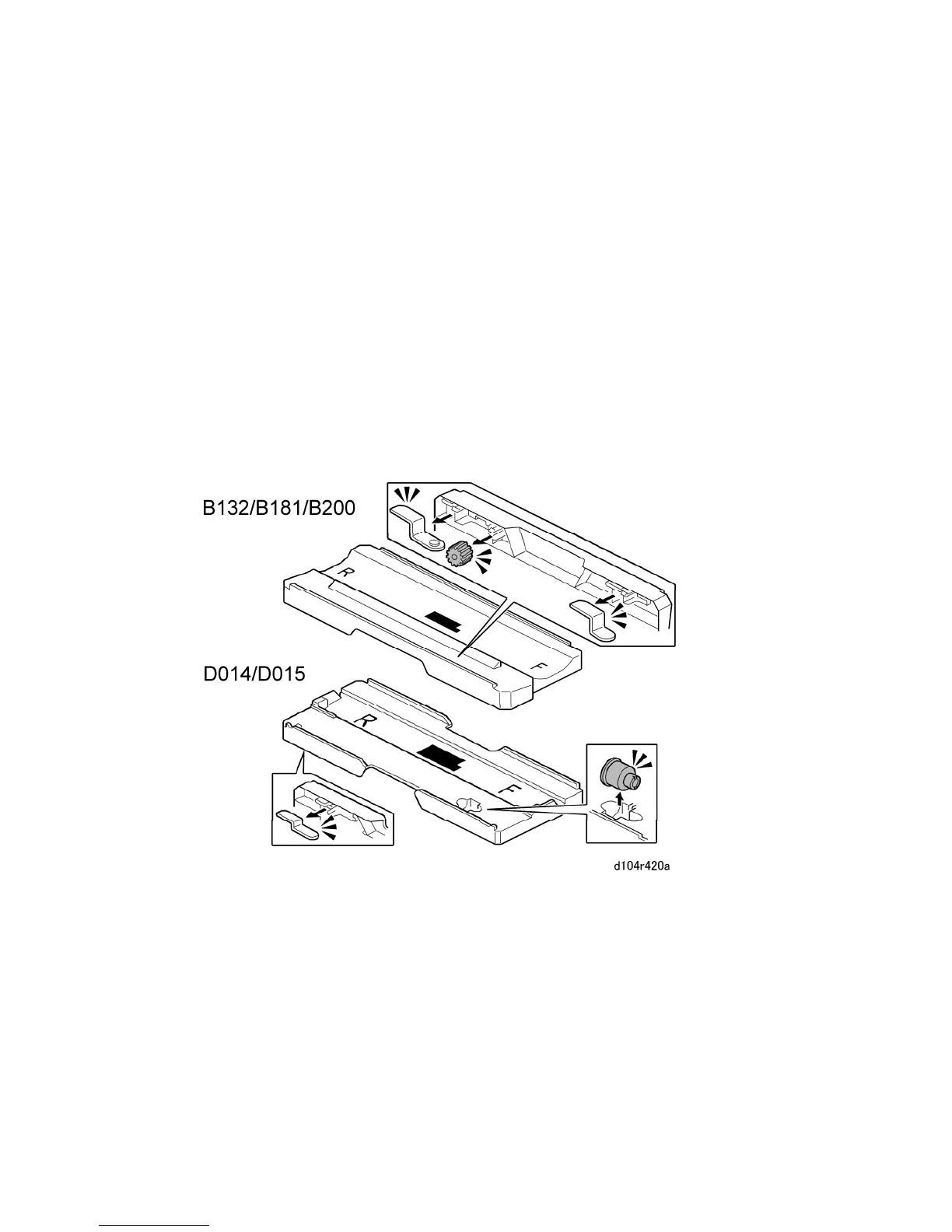
The D014/D015/D078/D079 PCU stand is not the same as the PCU stand of the
B132/B200. As shown above, the B132/B200 PCU stand holds two jigs and one gear.
The D014/D015/D078/D079 PCU stand holds only one jig and a coupler. Also, the
shapes of these PCU stands are not the same.



 To Next Page