Common Procedures
SM 3-15 D014/D015/D078/D079
Replacement
Adjustment
Reinstalling PCU, Faceplate, Toner Hopper
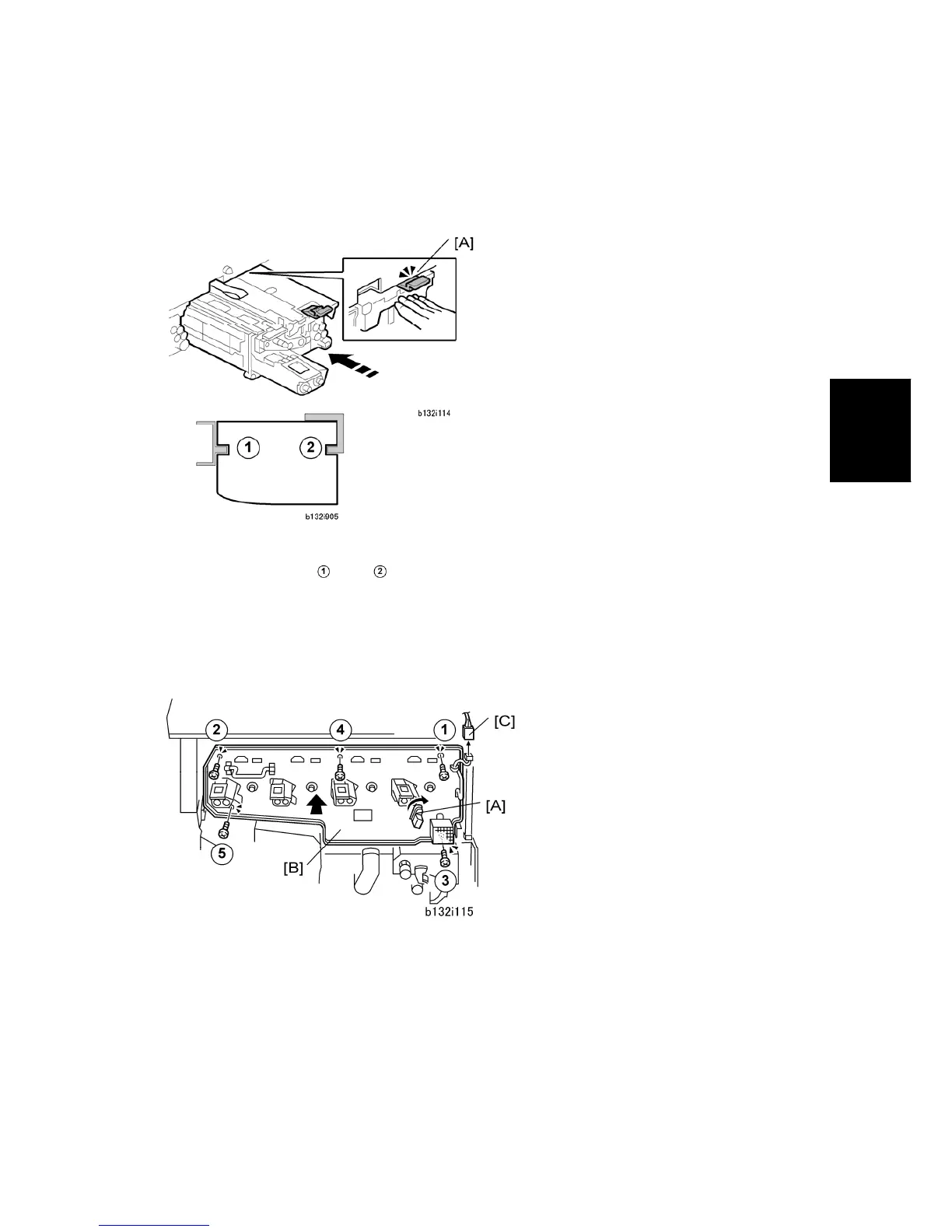
To reinstall a PCU
1. Hold the PCU [A] in front of the slot where you removed it
2. Engage the slots
and in the sides of the PCU with the rails. The PCU will not
slide smoothly into the machine until the slots and rails are engaged properly.
3. Slowly push the PCU into the slot.
4. Make sure the release tab [A] above the PCU is locked.
To reinstall the faceplate
1. Rotate the transfer belt release lever [A] clockwise to lock it.
2. Attach the faceplate [B] with the screws in order as shown above (x5).
3. Reconnect the fan connector [C] ( x1).



 To Next Page