Image Transfer Unit
D014/D015/D078/D079 3-76 SM
3.6.2 SEPARATING THE BELT UNIT AND BELT CLEANING
UNIT
Disassembly and ITB Replacement
1. Put a clean sheet of paper on a flat surface.
2. Remove the ITB from the machine.
3. Place the ITB unit on the sheet of paper.
To prevent spilling used toner, always hold the unit level when you remove it, lift it,
carry it, or set it down.
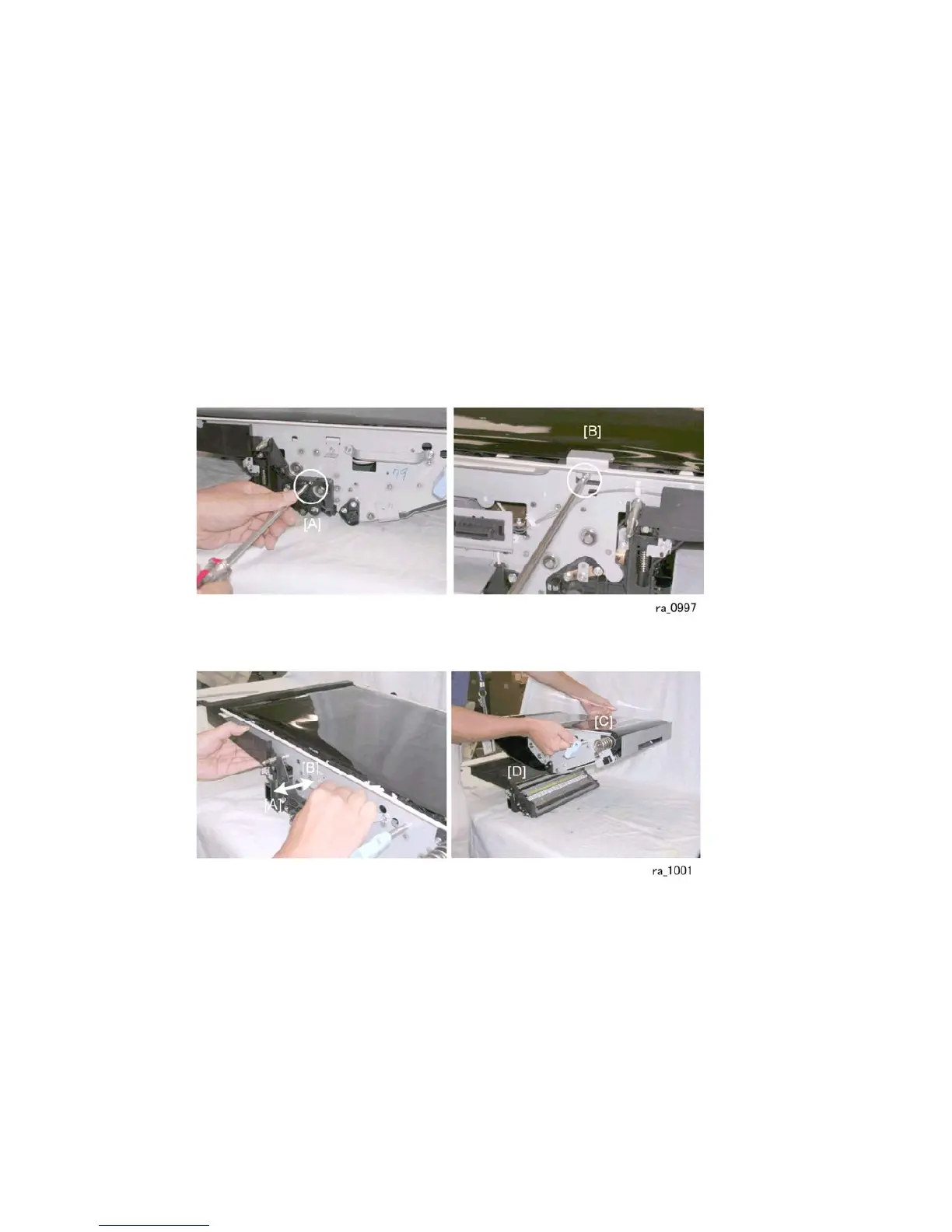
4. Remove screws [A] and [B] ( x2).
5. Pull the ITB cleaning unit [A] forward while pushing the ITB belt unit backward to
separate the cleaning unit from the belt unit.
6. Lift the belt unit [C] off the cleaning unit [D].



 To Next Page