Copier D014/D015/D078/D079
D014/D015/D078/D079 1-24 SM
STC (Soft Toner Cartridge) Installation
Before you begin:
You must use the V-C2 STCs with this machine.
The STCs of the previous model (or any other model) cannot be used with this
machine (the V-C2 STCs contain 90% toner and 10% carrier).
Make sure that you install each STC in the correct bin.
The label on the toner cartridge must face the front of the machine.
From left to right, the bins are for Y, C, M, K.
The name of the color for each bin is on the decals that are attached to the bin release
levers.
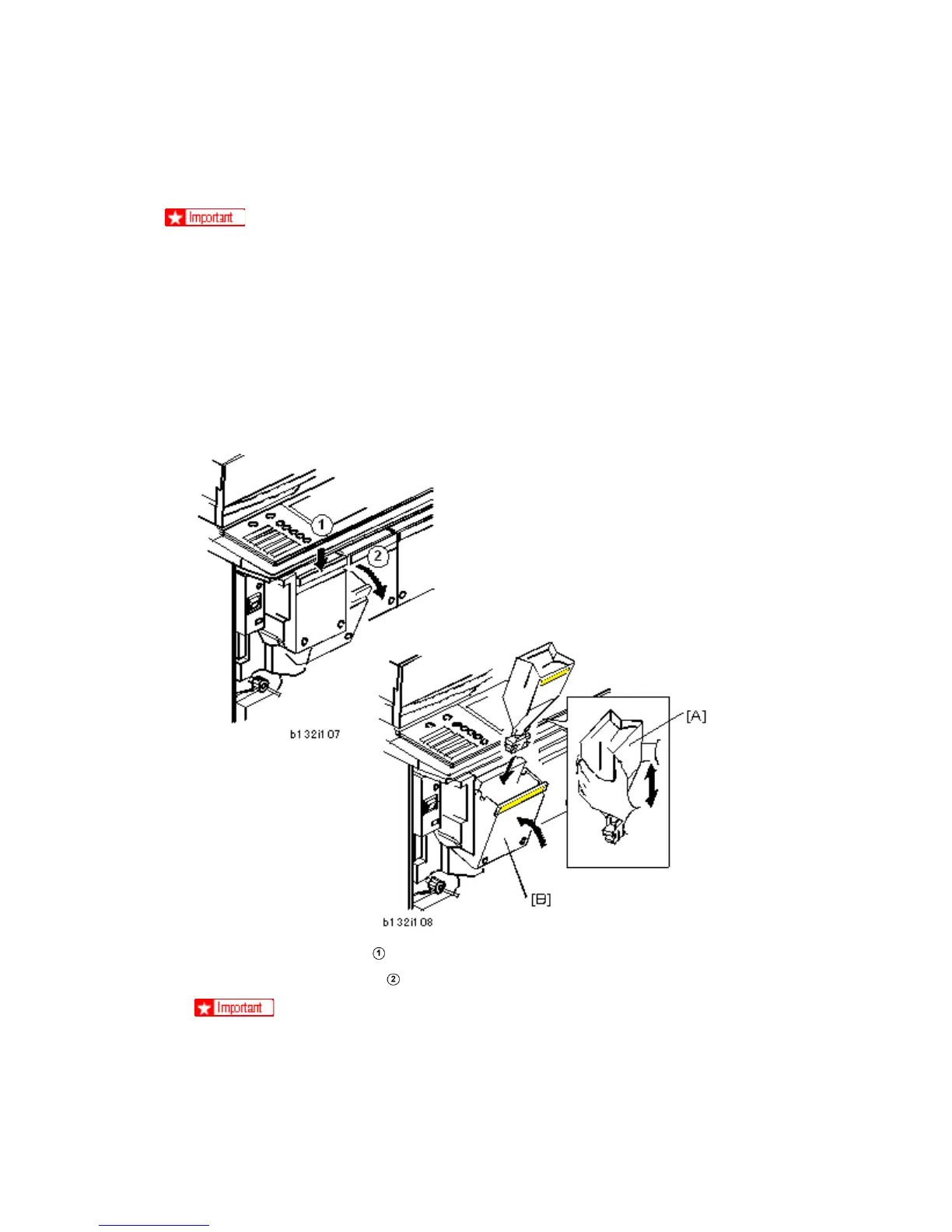
1. Push down the lock lever
on the top edge of the Yellow bin (the bin at the far left) to
release it. Then pull the bin
in the direction of the front to open it.
To prevent damage to the bin door, do not try to pull a bin directly out. Push
down on its top edge first to release it, then pull it to open it.
2. Remove the Yellow STC (Soft Toner Cartridge) from its box.



 To Next Page