Boards
SM 3-113 D014/D015/D078/D079
Replacement
Adjustment
3.8.4 HDD
The HDD contains two separate hard disks (160 Gigabytes each x2 = 320 Gigabytes).
The two disks are always replaced together as a unit. Never attempt to replace a
single disk.
Before replacing the HDD unit
Copy the address book data to an SD card from the HDD with SP5846-051 if possible.
Replacement Procedure
1. Remove:
Rear covers
Controller box cover
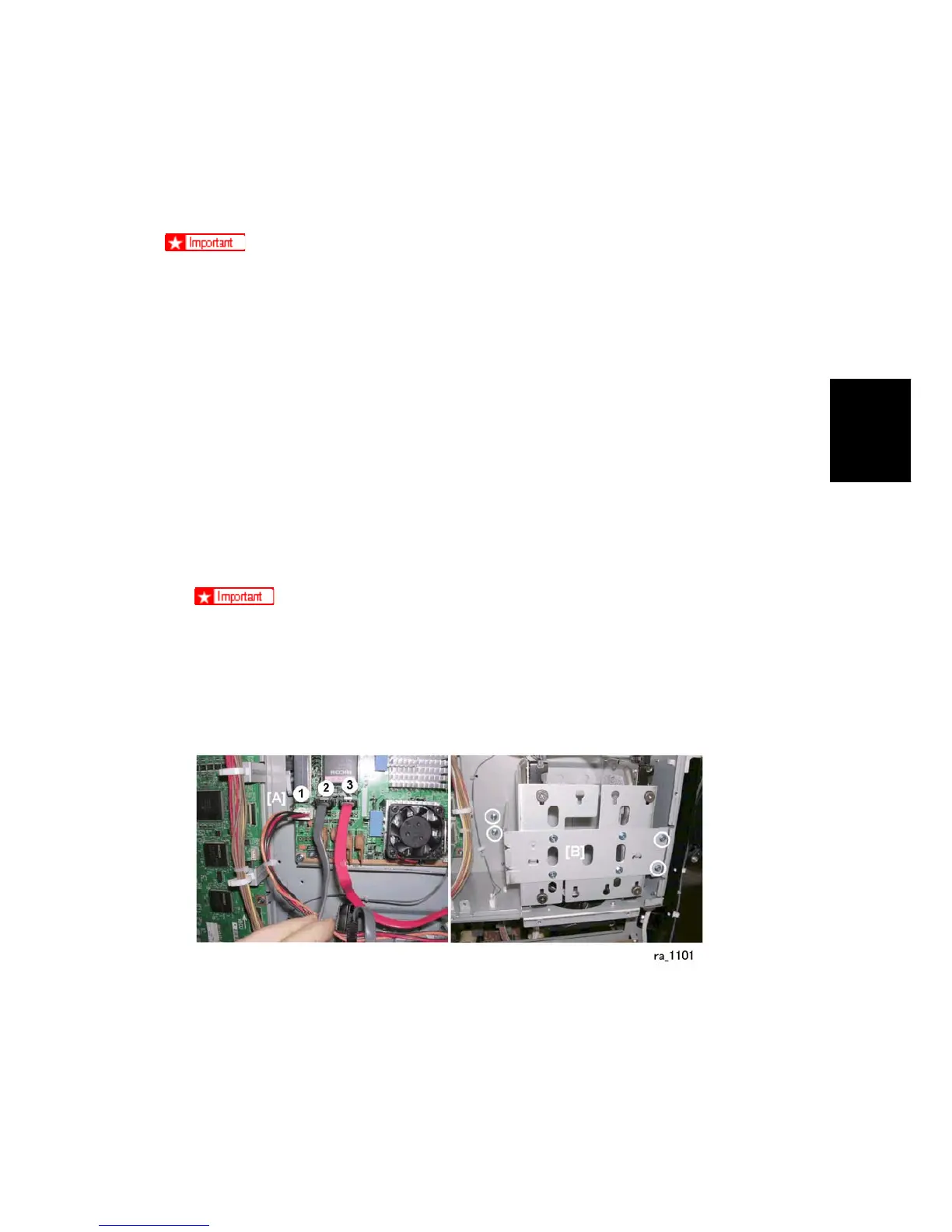
2. Mark the harness connectors before you disconnect them:
Gray: Left
Red: Right
The connectors fit either socket but they must be connected in the correct
order as shown above: Gray: Left, Red: Right
If the connections are reversed, the machine will issue an error at startup.
If this occurs just reconnect the HDD correctly and start again. The HDD will
not be damaged by such an incorrect startup.
1. Disconnect the HDD unit from the controller board [A] ( x3).
2. Remove the HDD unit [B] ( x4).



 To Next Page