MFP Controller Options
D014/D015/D078/D079 1-154 SM
Moving Applications
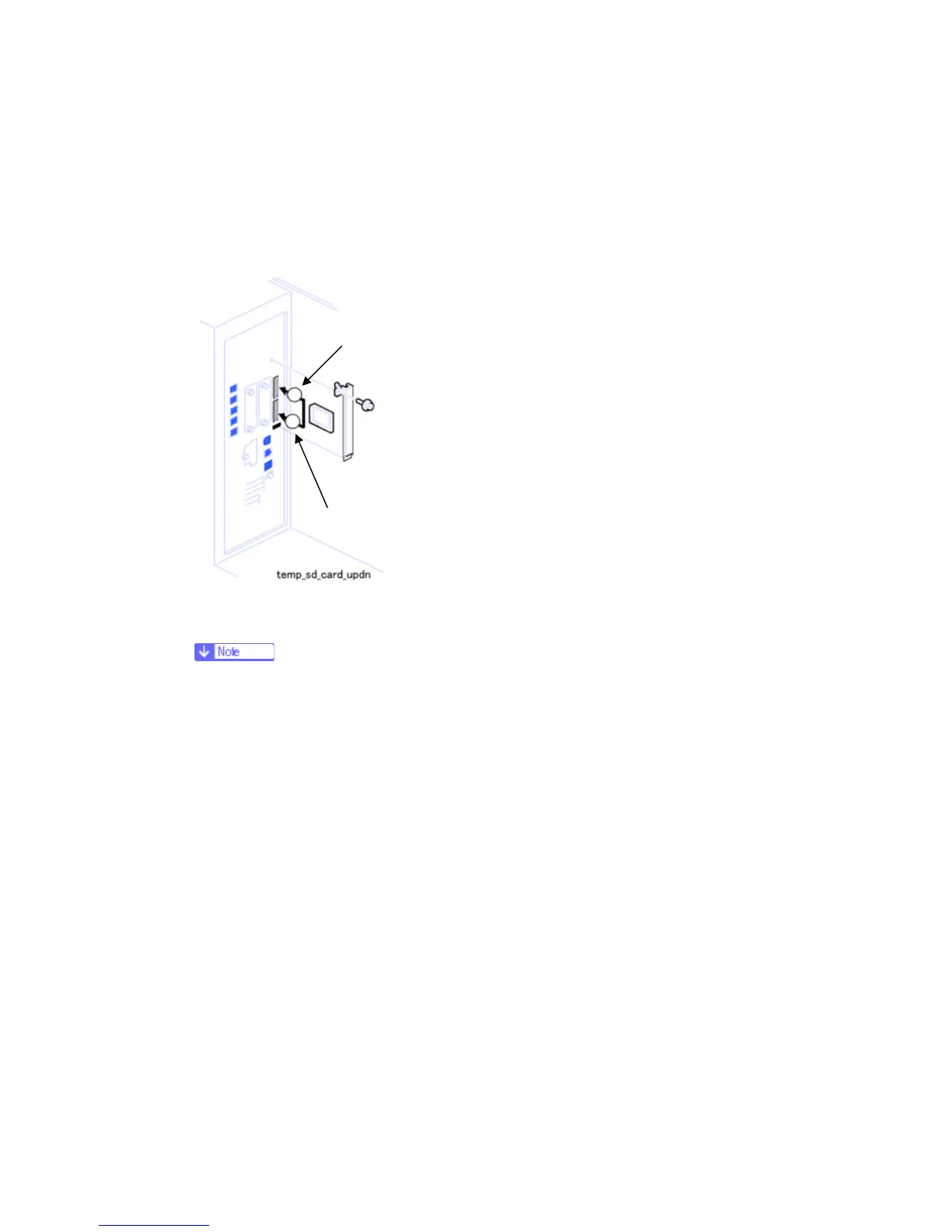
Do this procedure to put more than one application on one SD card.
1. Turn off the copier.
2. Remove the SD card slot cover ( x 2).
3. Insert the Source SD card in the Slot 1 (lower slot). This card contains the application
that you want to move to the other SD card.
The PostScript3 SD card cannot be the source card because it cannot be
copied.
4. Put the Target SD card in Slot 2 (upper slot).
5. Open the front door.
6. Turn the copier on.
7. Go into the SP mode and do SP5873-1.
8. Follow the instructions on the display and touch "Execute" to start copying.
9. When the display tells you copying is complete, touch "Exit".
10. Turn the copier off.
11. Remove the Source SD card from the Slot 1 (lower slot), and leave the target SD
card in the Slot 2 (upper slot).
12. Turn the copier on.
13. Go into the User Tools mode and confirm that all the applications on the SD card in the
Slot 2 (upper slot) are enabled.
User Tools> System Settings> Administrator Tools> Firmware Version> Next (5/5)
Rev. 04/13/2009
2
1
Upper slot
Lower slot
⇒



 To Next Page