Fusing Unit
SM 3-91 D014/D015/D078/D079
Replacement
Adjustment
3.7 FUSING UNIT
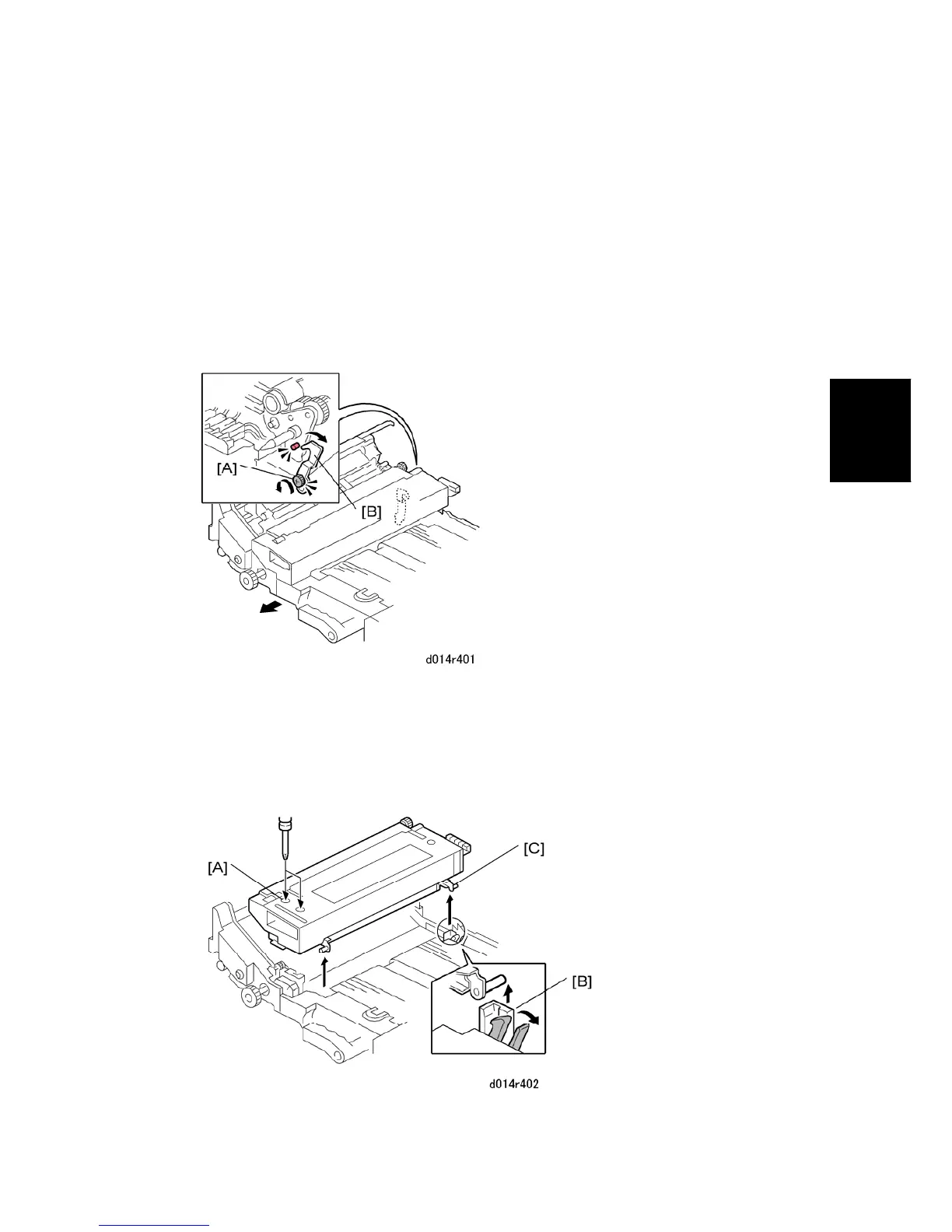
3.7.1 REMOVING THE FUSING UNIT
1. Turn off the copier and disconnect the power cord at the power source.
2. Open the front door.
3. Pull out the drawer unit.
4. Allow the machine to cool for at least 10 minutes.
5. At the back of the fusing unit, loosen the screw of the lock/release lever [A]. (Do not
remove the screw.)
6. Rotate the lever [B] away from the pin, then tighten the screw with the lever in the open
position. (Tightening the screw keeps the lever at the open position so that the fusing
unit can be reinstalled easily.)



 To Next Page