Firmware Udate
SM 1-109 D014/D015/D078/D079
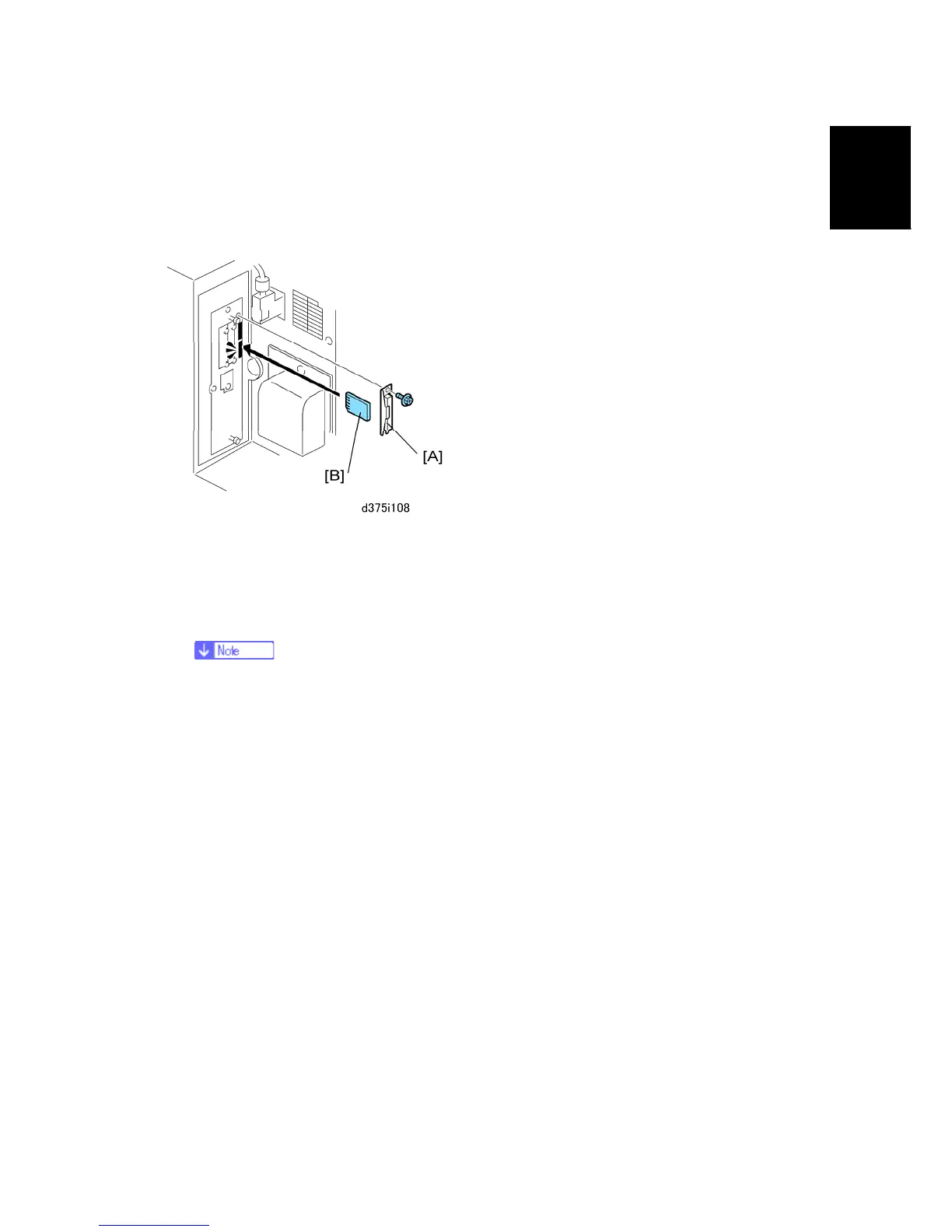
Installation
1.13.6 UPDATING THE FIRMWARE
FIRMWARE UDATE
1. If the machine is on, switch it off.
2. Remove the SD card slot cover [A] from the main machine ( x 1).
3. Insert an SD card [B] that contains the latest firmware for this finisher, downloaded
from the web site. Insert this SD card into the service slot (lower slot).
If you do not have the latest firmware, use the SD card that is provided with
the finisher adapter kit. But the firmware on this card may be old.
4. Open the front door of the main machine.
5. Switch on the machine. A message prompts you to wait for the update procedure to
begin, then the initial screen appears.
6. Write down the NEW version numbers. (You will need these later to confirm the
success of the firmware update.)
7. Touch "Finisher" then touch "Update".
8. Wait for the update procedure to begin.
The update may not start for 2 or 3 minutes.
When the first asterisk (*) appears in the progress bar this means the update has
started.
The update procedure is very slow. Wait for all the hyphens (-) to be replaced by
asterisks (*) in the progress bar.



 To Next Page