Cover Interposer Tray CI5000 (B835)
SM 1-127 D014/D015/D078/D079
Installation
1.16.2 INSTALLATION
Setting up the Unit and Docking to the Copier
Unplug the power cord before starting the following procedure.
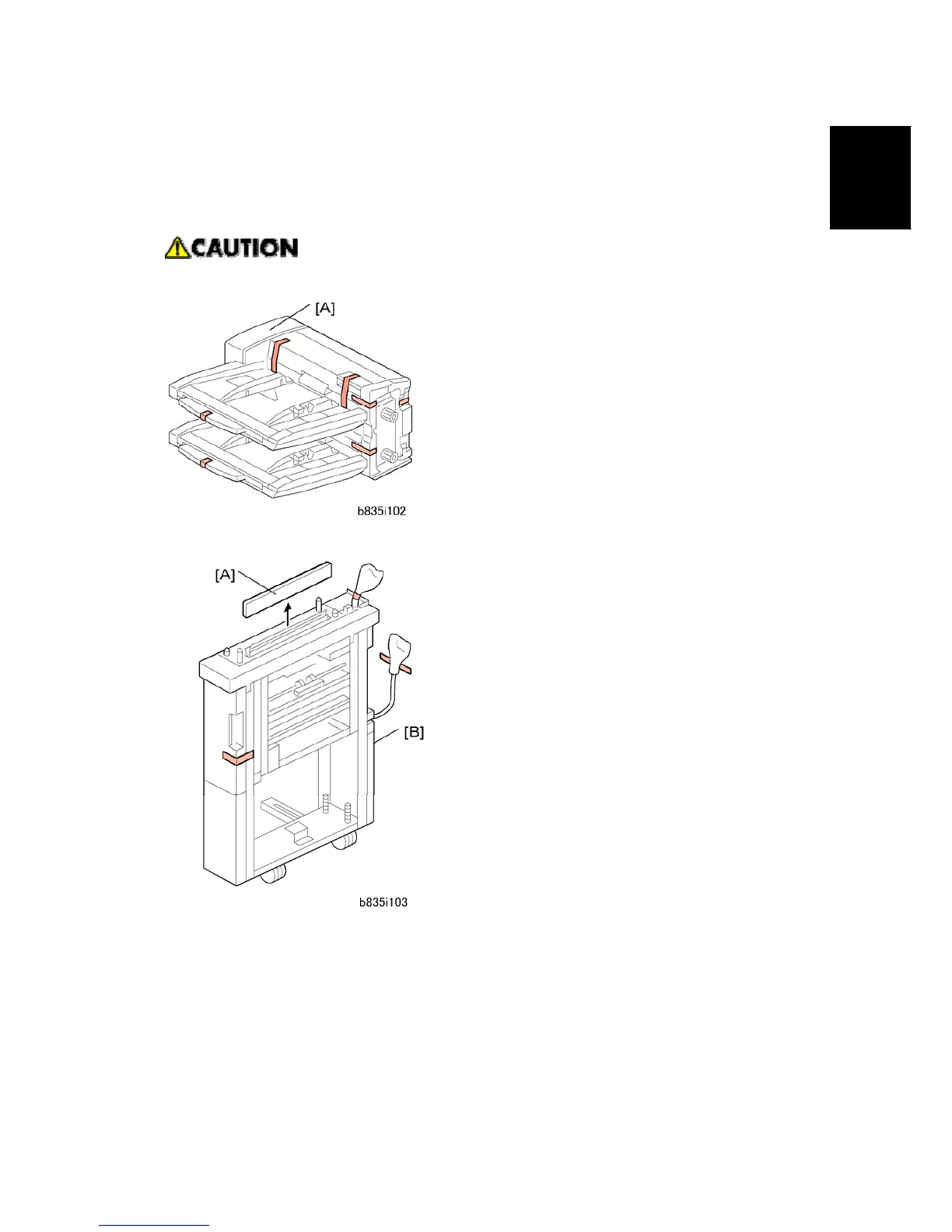
1. Remove all the tape and shipping materials from the tray unit [A].
2. Remove cover [A].
3. Remove all tape and shipping materials from the transport unit [B].



 To Next Page