Cover Interposer Tray (B704)
D014/D015/D078/D079 1-118 SM
1.15.2 INSTALLATION
You can install the Cover Interposer Tray B704 on these finishers only:
2000-Sheet Booklet Finisher D373
3000-Sheet Finisher D374
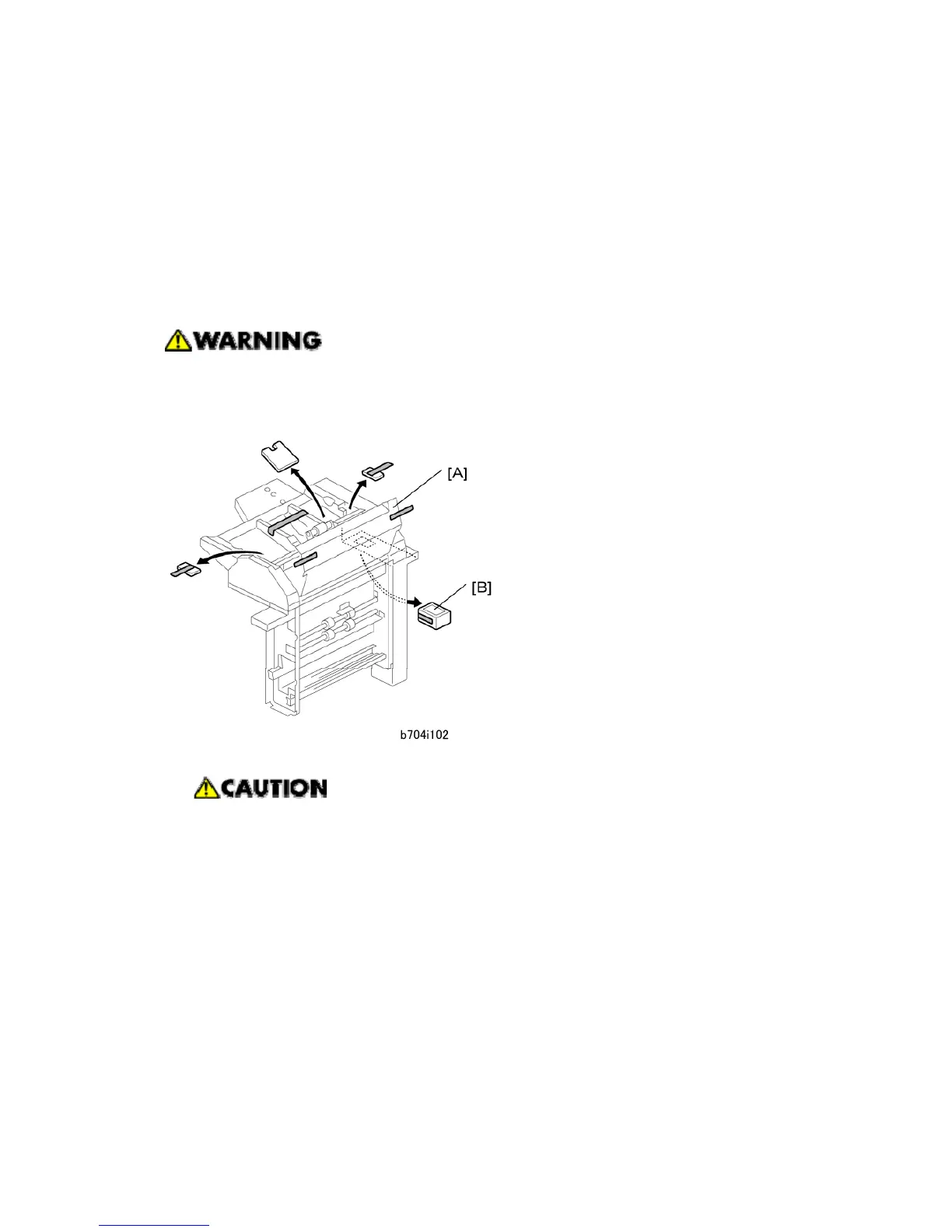
Removing Tapes and Packing Materials
Make sure that the finisher is disconnected from the main machine, and that the
copier is turned off and the power cord is disconnected, before you start this
procedure.
1. If the finisher is connected to the machine, disconnect it.
After disconnecting the finisher, for safety remove the front and rear finisher
connectors from the copier. Reattach them just before docking the finisher to
the copier.
2. Remove all tape and retainers from the cover interposer tray [A].
3. Remove the tape and packing material [B] from the ground connector.



 To Next Page