Motors
D014/D015/D078/D079 3-128 SM
3.9.3 DRUM MOTOR
Drum Motor Removal
1. Remove the Toner Hopper, Faceplate, PCU.
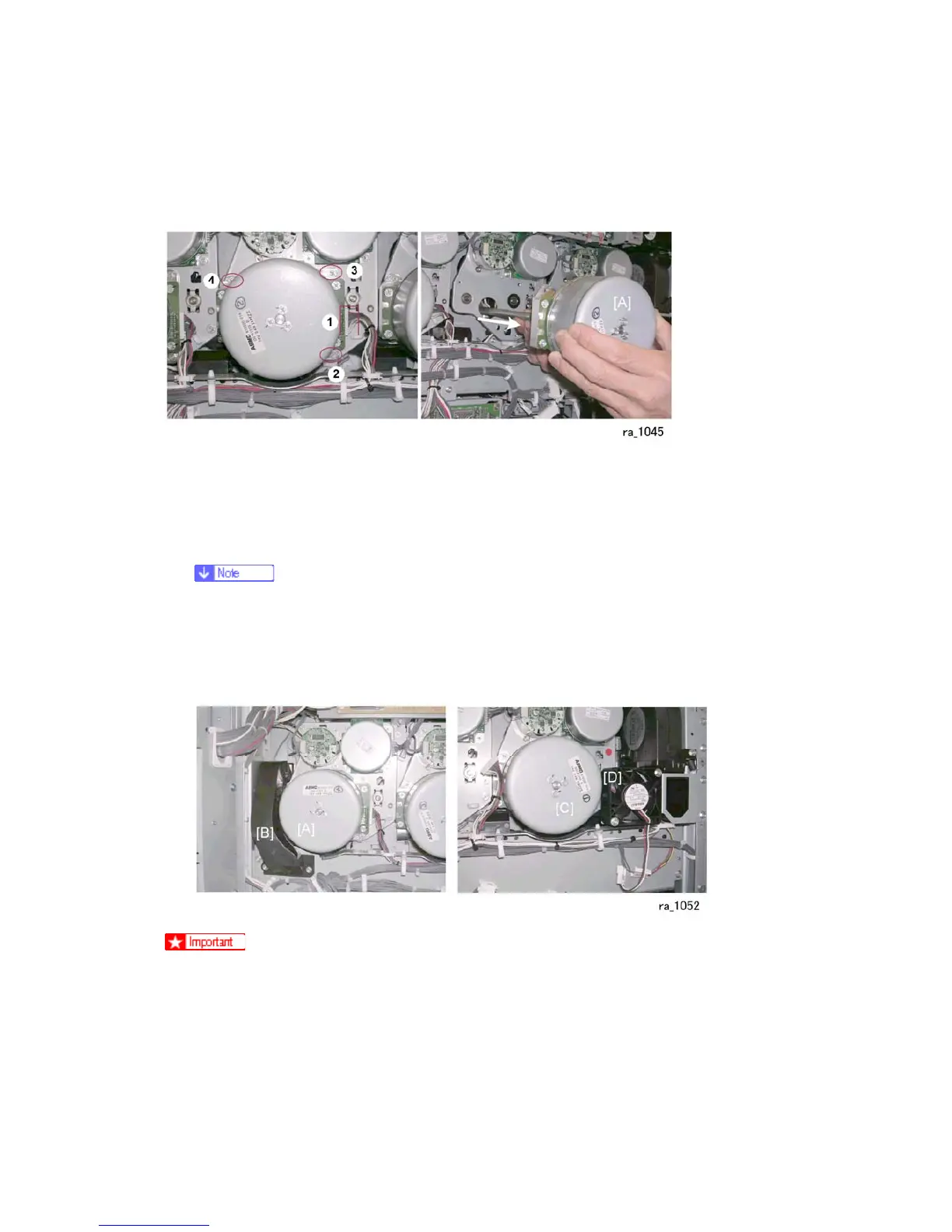
2. Disconnect the connector { ( x1).
3. Remove screws , }, ~ ( x3).
4. Remove the ITB unit.
Removing the ITB unit is recommended to prevent the tip of the drum motor
shaft from scratching the surface of the ITB when the motor is removed or
reinstalled.
5. Pull out the motor [A] with its drive shaft.
In order to remove the K PCU motor [A], you must first loosen the duct [B].
Before removing the Y PCU motor [C], you must first loosen the fan [D].



 To Next Page