MFP Controller Options
D014/D015/D078/D079 1-180 SM
1.18.17 BROWSER UNIT TYPE D (D377)
Accessories
Check the accessories and their quantities against the table below.
Description Qt'y
1. Browser Unit B828 SD Card 1
2. Keytops 2
Installation
1. Switch the machine off.
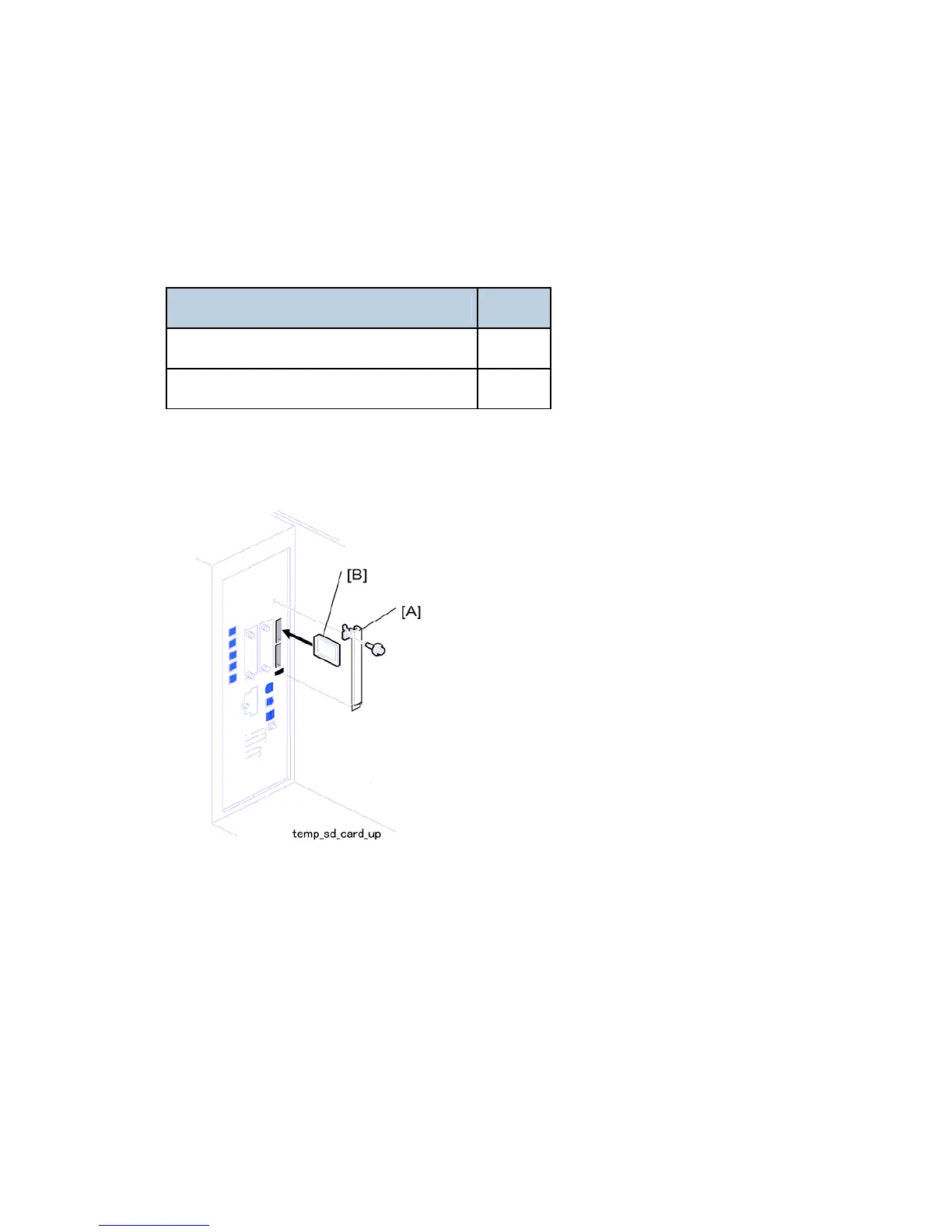
2. Remove the SD card slot cover [A].
3. Insert the browser SD card into The upper slot [B] (upper slot).
4. Turn the machine on.
5. Push [User Tools]> [Login/Logout].
6. Login with the administrator user name and password.
7. Touch "Extended Feature Settings" twice.
8. Touch "SD Card" then touch the "Browser" line.
9. Under "Install to:" touch "Machine HDD"> "Next".
10. When you see "Ready to Install" check the information on the screen to confirm your



 To Next Page