DETAILS
SM 47 B830
Finisher
B830
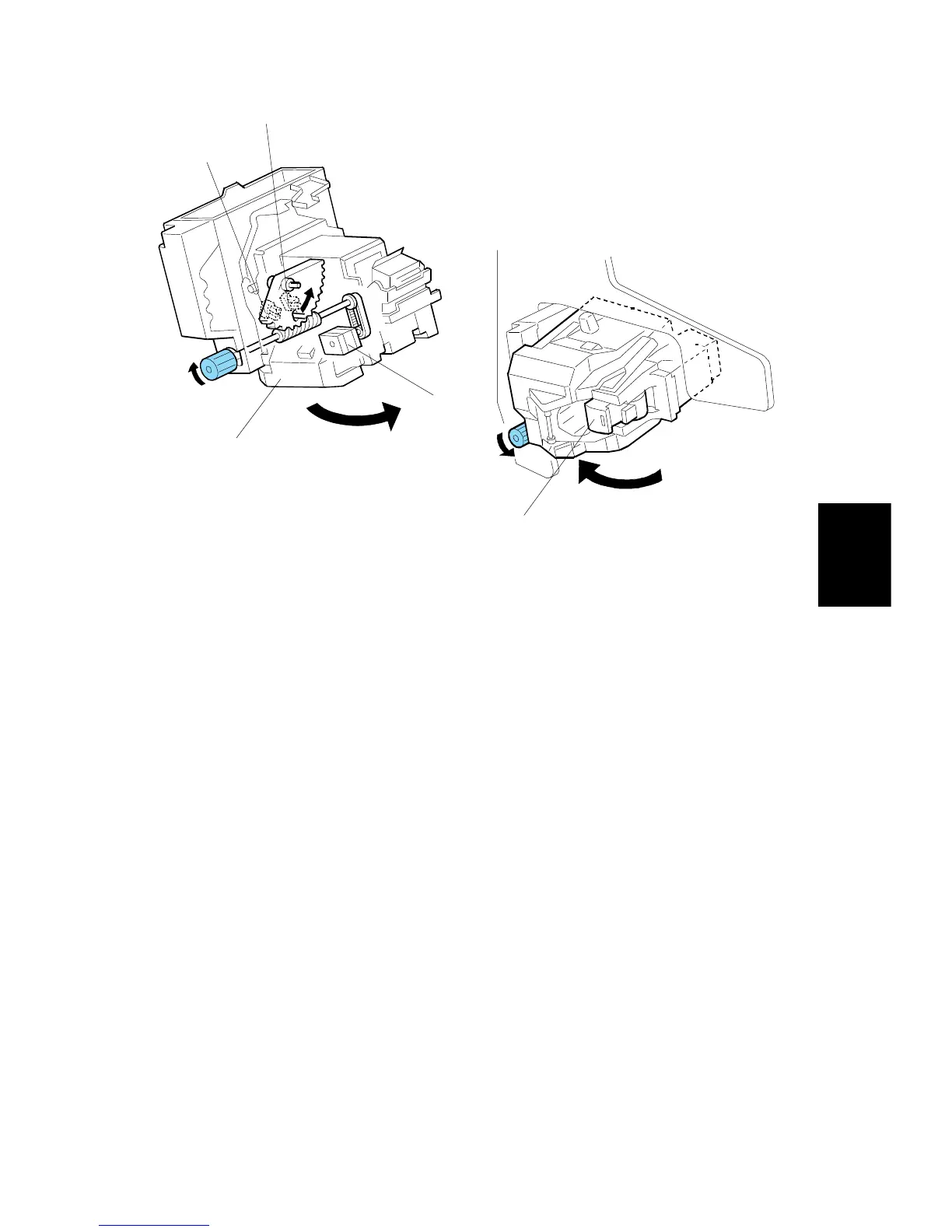
Rotation (1)
In the oblique staple position mode, the stapler rotation motor [A] rotates the
stapler unit [B] 45° to counterclockwise after it moves to the stapling position.
Rotation (2)
When the staple end condition arises, the stapler motor moves the stapler to the
front and the stapler rotation motor rotates the stapler unit to clockwise to remove
the staple cartridge [C]. This allows the user to add new staples.
Once the staples have been installed, and the front door closed, the stapler unit
returns to its home position.
Sensors
Two sensors [D] and [E] detect the angle of the stapler. There are three positions:
horizontal, 45 degrees, 75 degrees.
B830D514.WMF
B830D515.WMF
[A]



 To Next Page