PCU
D014/D015/D078/D079 3-36 SM
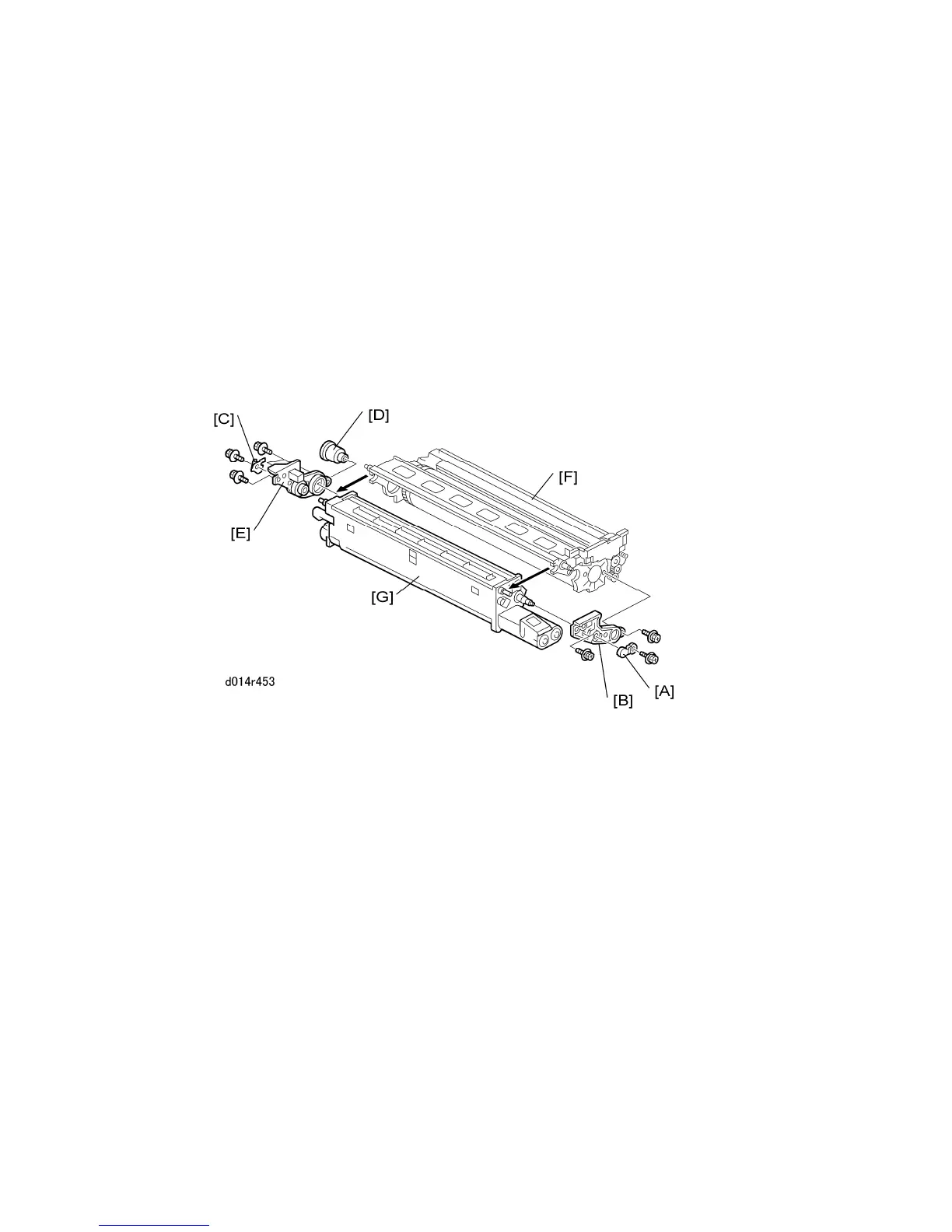
3.4.2 SEPARATING DRUM/CLEANING UNIT, REMOVING THE
OPC DRUM
Before doing maintenance on a PCU:
Separate the development unit and cleaning unit.
Remove the drum and cover it with a sheet of clean paper to protect it from light.
1. Remove:
PCU
Charge roller unit (or charge wire unit for K PCU)
2. At the front, remove:
[A] Small lock plate ( x1)
[B] Large lock plate ( x2)
3. At the rear, remove:
[C] Small lock plate ( x1)
[D] Brown coupling
[E] Large lock plate ( x3)
4. Separate the drum unit [F] from the development unit [G].



 To Next Page