Copier D014/D015/D078/D079
D014/D015/D078/D079 1-30 SM
Counter Display Setting
The default setting for the counter is "0" (development). Do the SP setting below to set the
counter for copy/print (paper count).
1. Enter the SP mode.
2. Do SP5045-1.
3. Select the counter to use:
0: Development counter (Default)
1: Page counter
This setting can be done only once. After it is set to "1", the counter setting
cannot be changed. If the wrong setting is selected by mistake, contact your
technical supervisor.
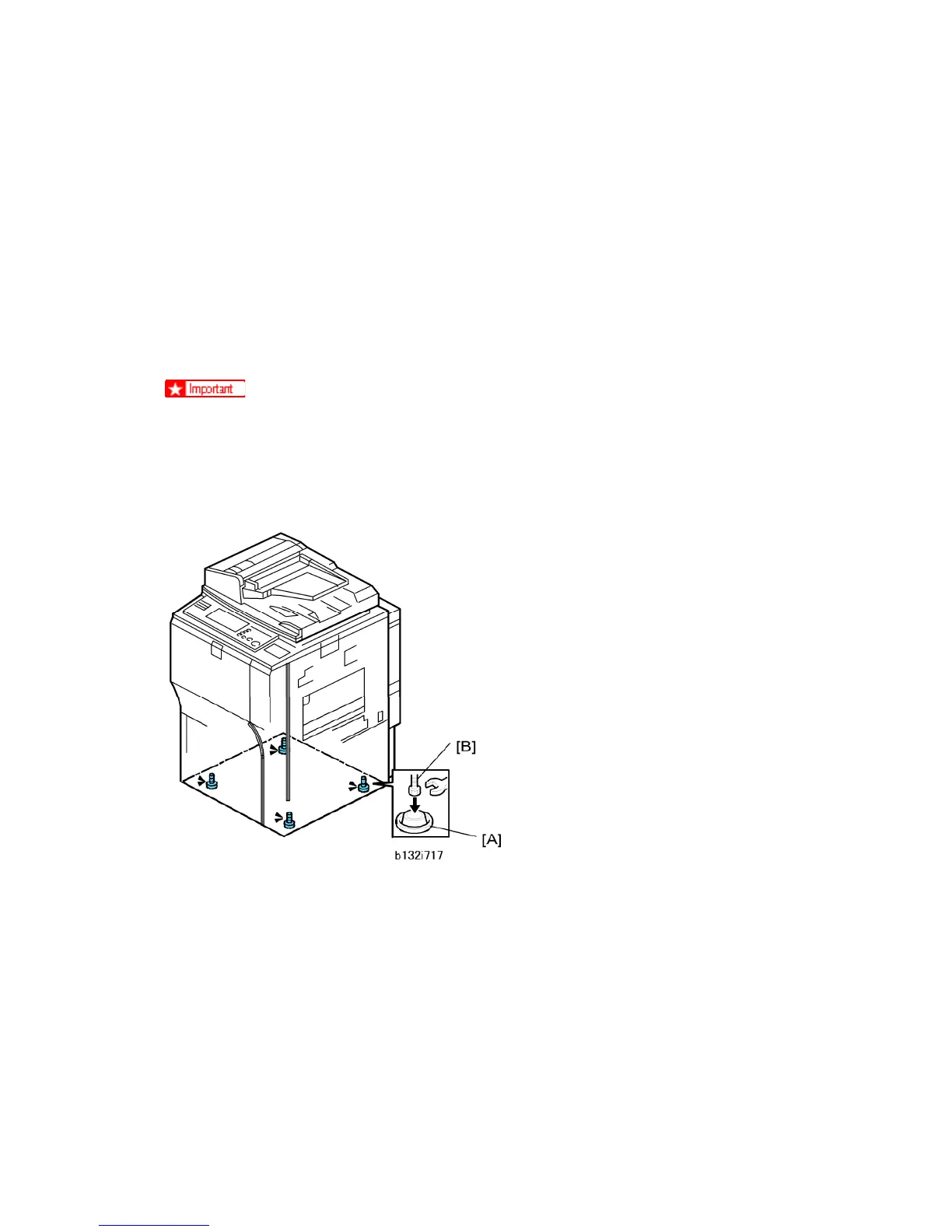
Make the Machine Level
1. Place the leveling shoes [A] under the machine.
2. Place a level on the exposure glass.
3. Use a wrench to raise or lower the nuts [B] on the leveling shoes until the machine is
less than 5 mm from level (measure from front-to-rear and left-to-right).



 To Next Page