Punch Unit B831
D014/D015/D078/D079 1-112 SM
1.14.2 INSTALLATION
• This punch unit is for the B830 (SR5000) finisher only.
Switch the machine off and unplug the machine before starting the following
procedure.
1. If the finisher is connected to the machine, disconnect it.
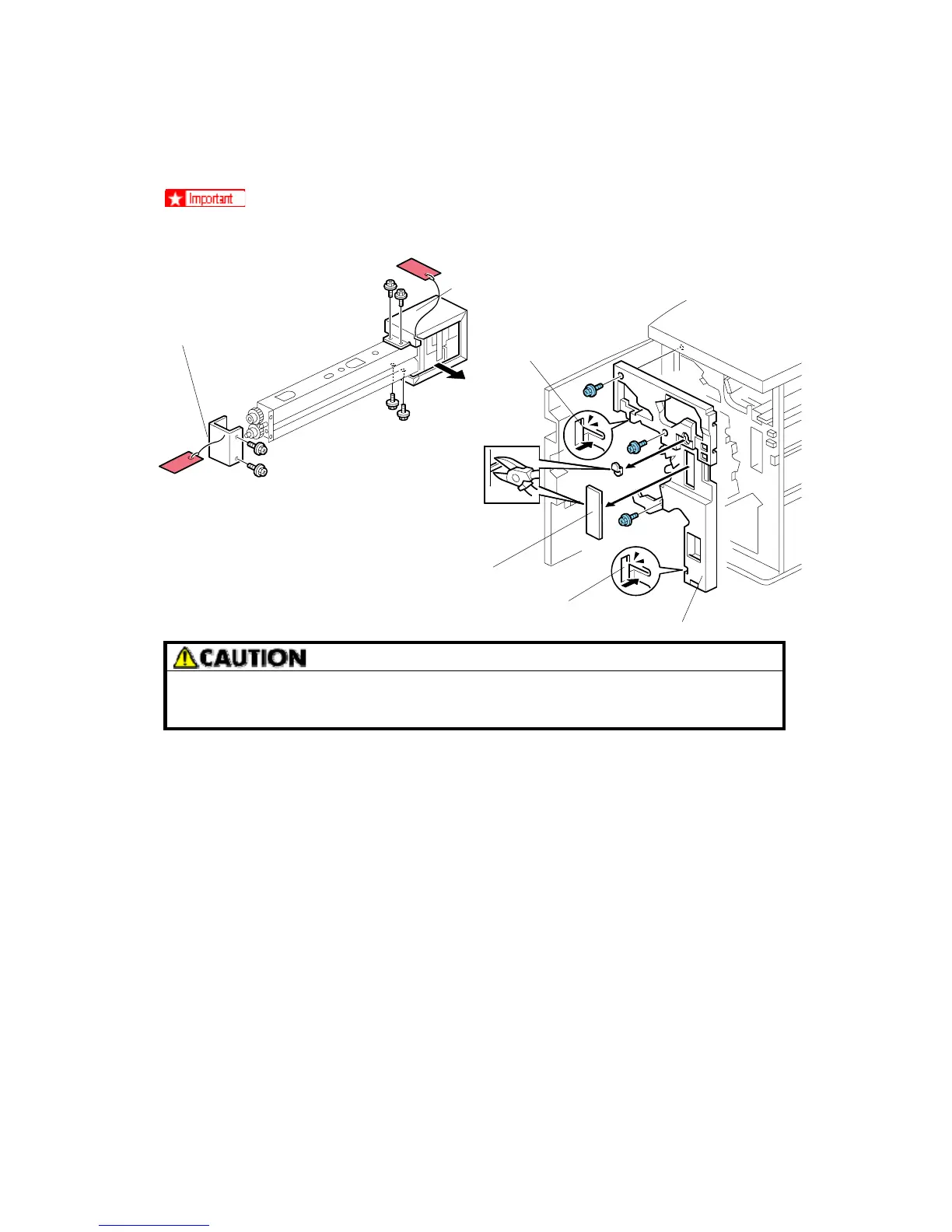
2. Open the front door and remove the rear cover (Screw x 2 screws).
3. Unpack the punch unit and remove the motor protector plate [A] ( x 4, Step screw
x1).
4. Remove the cam lock plate [B] (Screw x 1).
5. Remove the inner cover [C] (Screw x 3).
6. Behind the inner cover at [D] and [E], press the lock tab to the right to release the inner
cover from the frame.
7. Remove the plastic knockouts [F].
B831I102.WMF
B831I103.WMF
[A]
[B]
[C]
[D]
[F]
[E]
Rev. 03/2008



 To Next Page