Cover Interposer Tray (B704)
D014/D015/D078/D079 1-120 SM
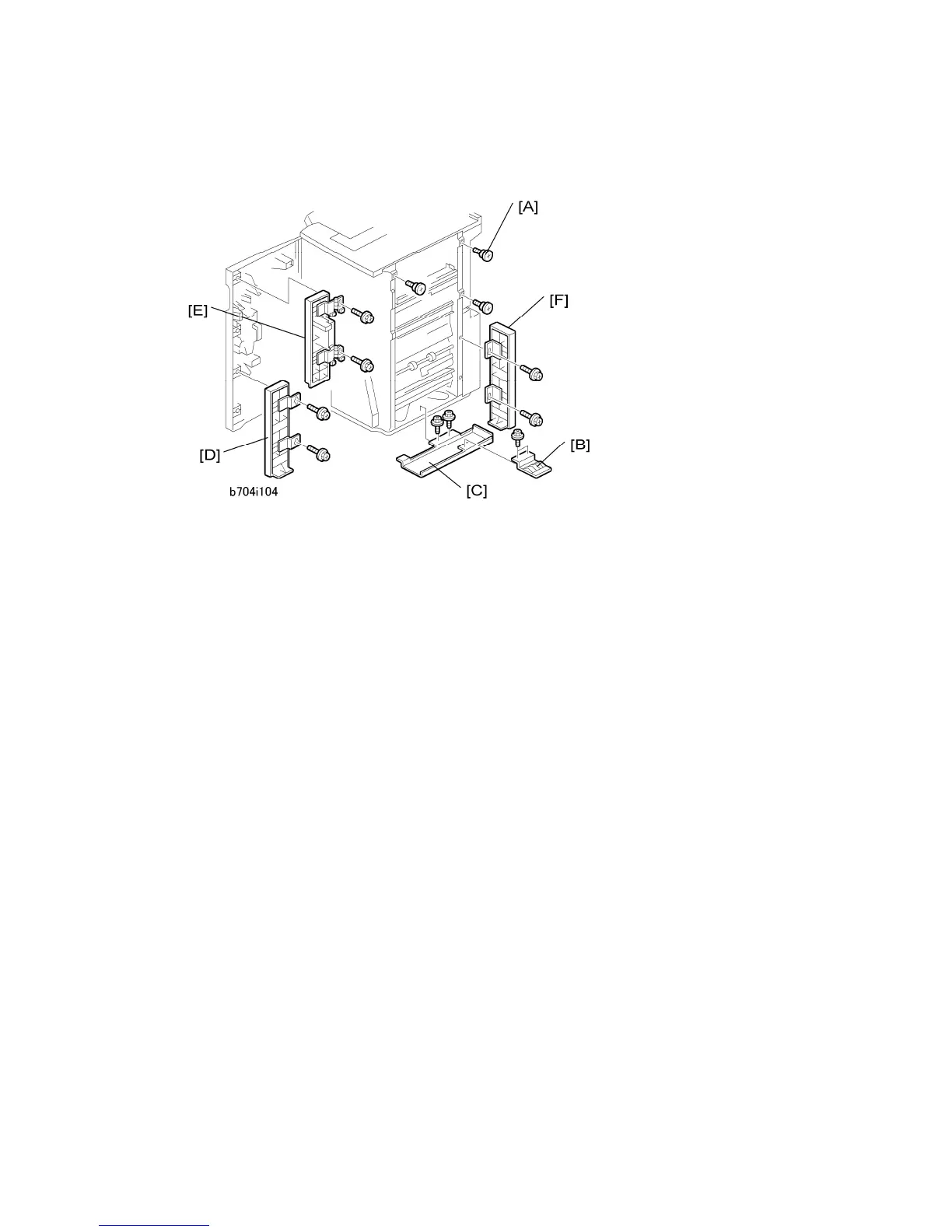
Attaching the Extensions
1. Attach the three shoulder screws [A] ( x 3).
2. If the finisher was previously installed, remove the ground plate [B] from the finisher
and keep the screws.
3. Attach the bottom plate [C] ( x 2, M3 x 6) then attach the ground plate to the bottom
plate ( x 2).
4. Attach the bottom front cover extension [D] ( x 2, M4 x 8).
5. Attach the top front cover extension [E] ( x 2, M4 x 8).
6. Attach the rear cover extension [F] ( x 2, M3 x 6).



 To Next Page