MFP Controller Options
D014/D015/D078/D079 1-148 SM
moved to the same SD card with SP5873-1.
The PostScript3 application cannot be moved to another card. However, other
applications can be moved to the PostScript3 SD card.
1.18.2 ENABLING USB
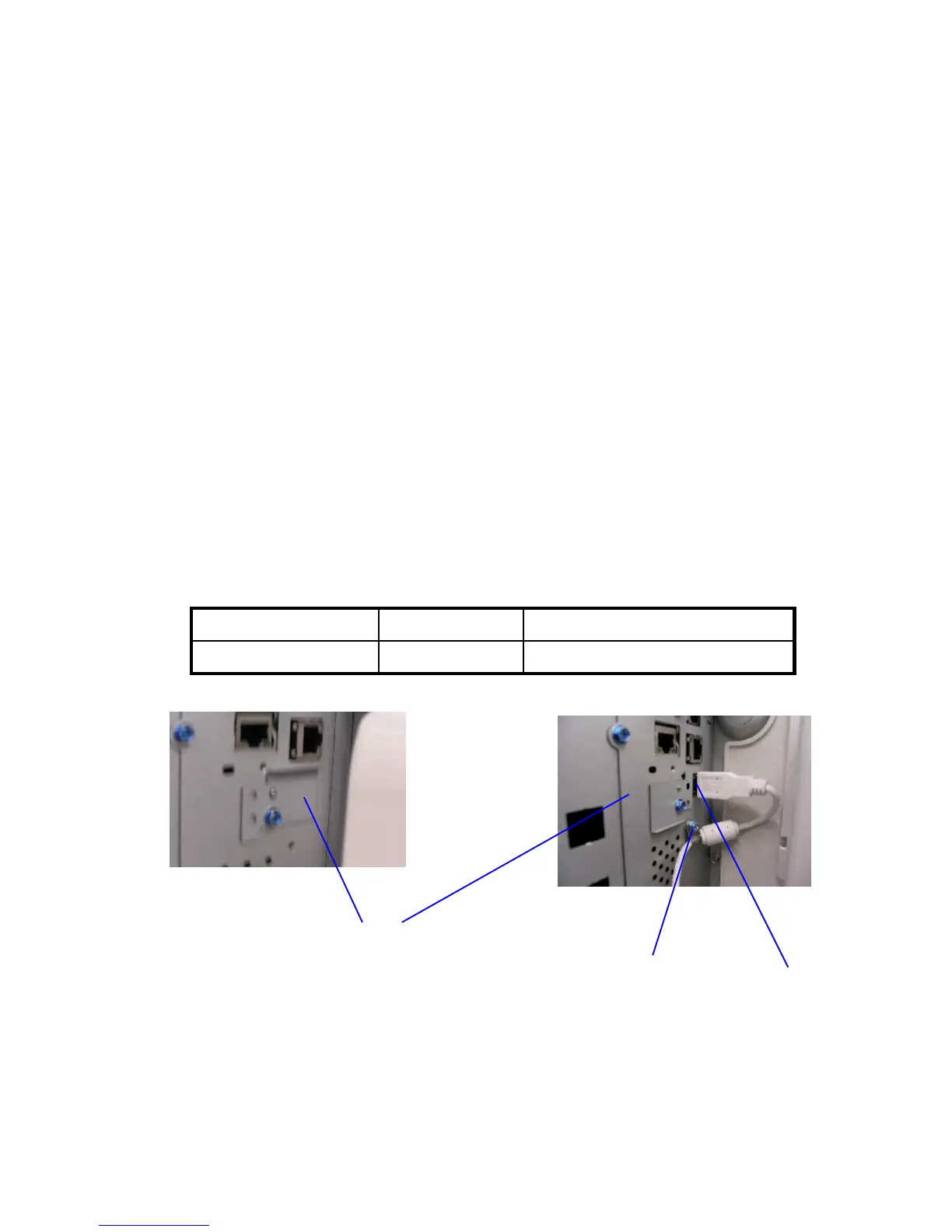
The USB I/F on the rear face of the machine is covered by a small bracket ([A]).
Use the procedure below to uncover the I/F and enable the built in USB device.
PROCEDURE
1. Loosen the screw and turn the bracket [A] 180 degrees, so that the USB I/F [B] is
uncovered. Then, fasten the bracket in this position.
2. Connect the USB cable.
3. Fix the cable in place using a nylon clamp [C] (1 screw), as shown.
Note
: The nylon clamp is available as a service part (P/N 11050323).
4. Set SP5985-002 (On board USB Device Setting) to a value of “1” to enable the USB
device. Then, turn the main power OFF/ON.
SP5985-002: On board USB Device Setting
Model Default setting: Setting to Enable the USB device:
D014/D015/D078/D079
0 (disabled)
1
[A]
[B]
[C]
⇒
Rev. 03/2008



 To Next Page