MFP Controller Options
SM 1-147 D014/D015/D078/D079
Installation
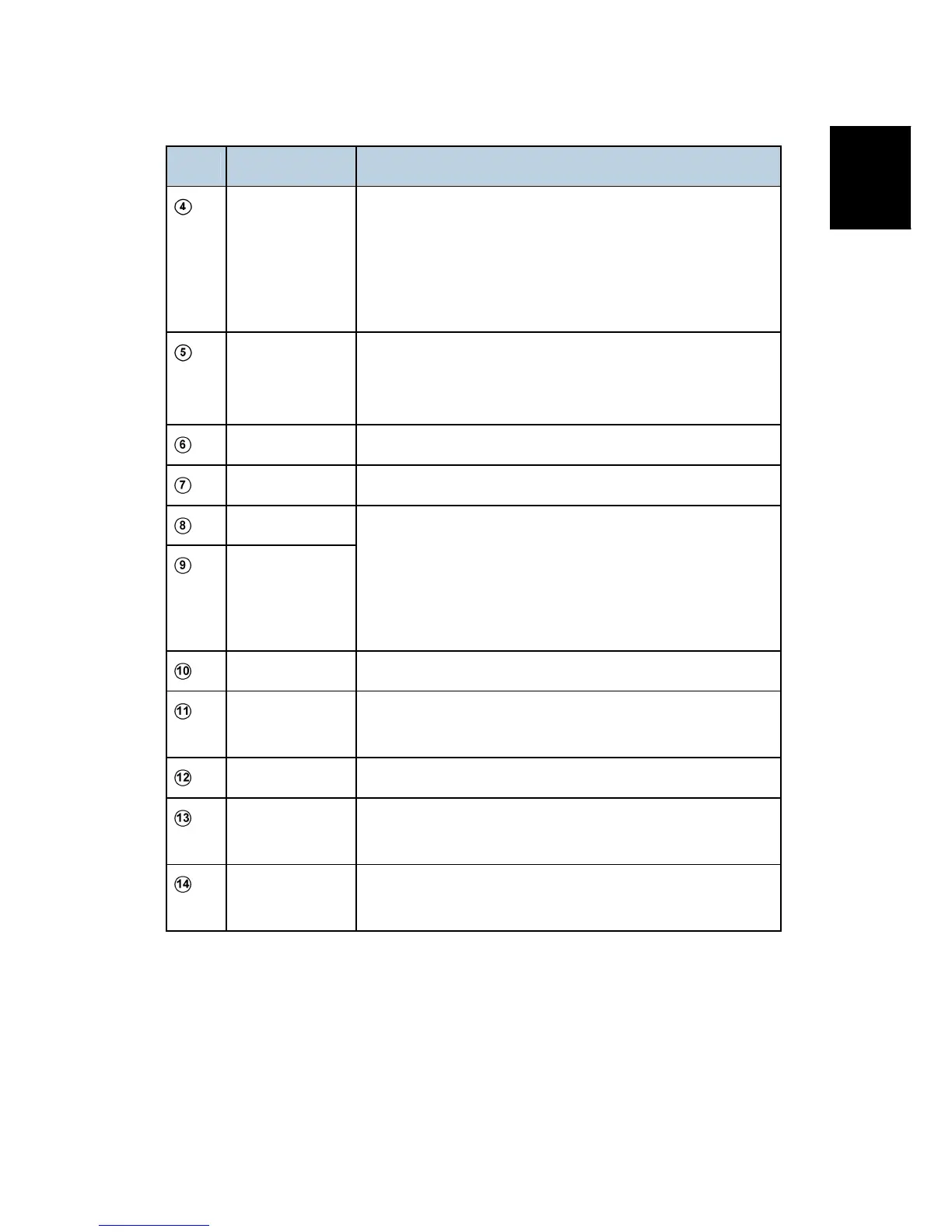
No. Name Description
Upper Slot
Slot#2
Option Slot
Browser Unit (D377)
Data Overwrite Security (D377)
HDD Encryption Unit (D377)
PostScript3 (D378)
Printer/Scanner Unit (D376)
Lower Slot
Slot#1
Service Slot
VM Card (D377)
Also used as the Service Slot for firmware updates, moving
applications to another SD card with SP5873 (Apli Move).
USB 2.0 Built-in for connection of USB devices.
100BaseT LAN Standard LAN connection point.
USB Ch1
USB Ch2
For future use (PictaBridge, other application devices).
Note: These connection points are covered with a plate.
Remove the screw, rotate the plate and reattach it with the
screw so that the slots are exposed, then attach the
connector.
TEL Jack for telephone connection
Line 1 Jack for main telephone line from the outside for connection
to Fax Option (D356).
ISDN
Jack for ISDN connection Japan Only
Line 2
Jack for a 2nd line connection to G3 Interface Unit Type
C7500 (D357) when this option is installed.
Line 3
Jack for a 3rd line connection to G3 Interface Unit Type
C7500 (D357) when this option is installed.
Important Notes
Only two SD Card slots are available for applications.
The VM card must be inserted in the lower slot.
Other applications must be inserted in the upper slot.
If more than one application is required in the upper slot, the applications must be
⇒
⇒
Rev. 03/13/2009



 To Next Page