LCT (B473), LCT Adapter (B699)
D014/D015/D078/D079 1-52 SM
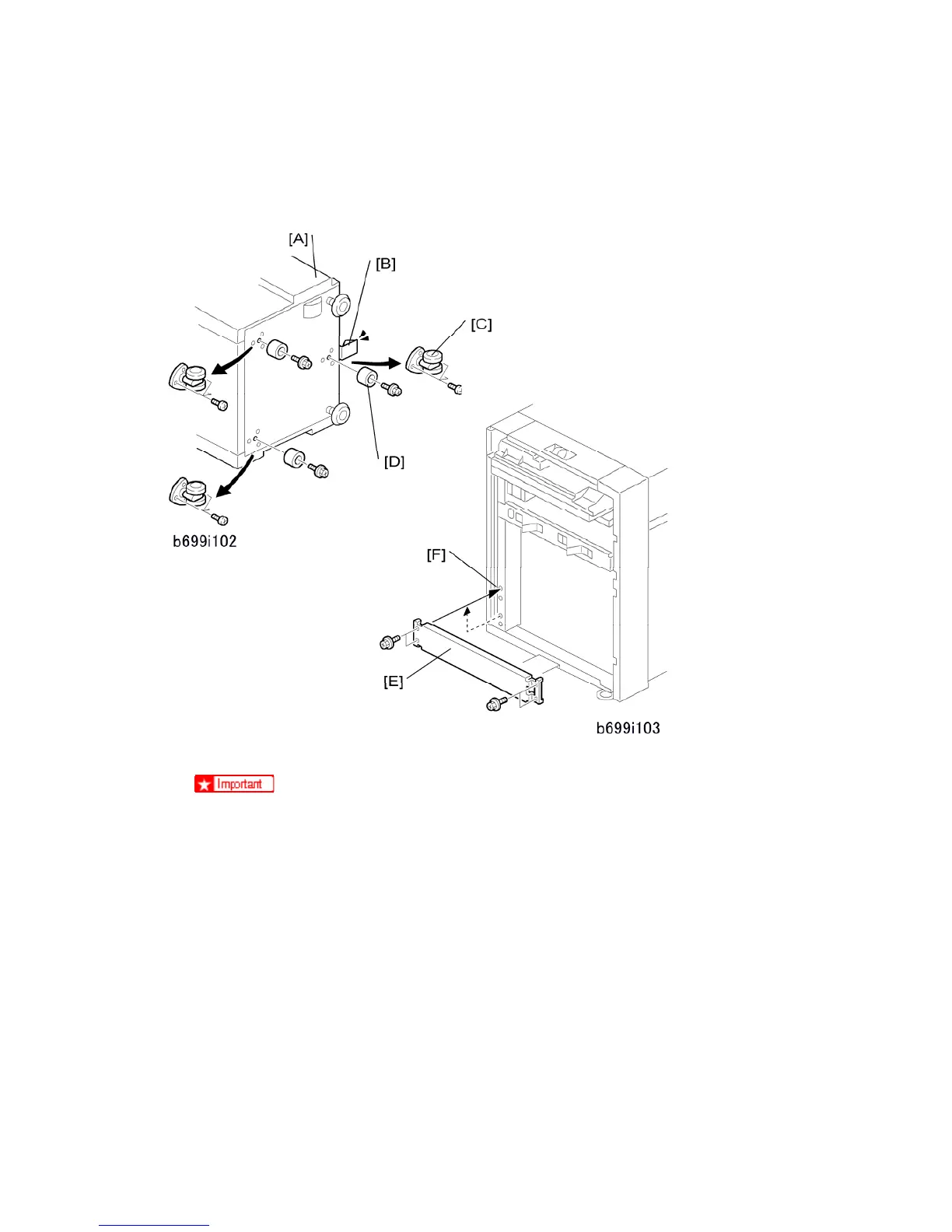
LCT Adapter (B699) Installation
The LCT Adapter Kit B699 must be installed before you install the LCT.
1. Put the LCT [A] on its front side.
Do not put the LCT on its right side (the open side), or you will bend the
ground plate [B].
2. Remove the 3 casters [C] ( x 3 each).
3. Attach the 3 supports [D] ( x 1 each – M3x8 thin screws).
4. Set the LCT in a vertical position.
5. Remove the stay [E] ( x 4).
6. Attach the stay at [F] ( x 4).



 To Next Page