MFP Controller Options
D014/D015/D078/D079 1-184 SM
1.18.19 VM CARD TYPE E (D377)
Accessories
Check the accessories and their quantities against the table below.
Description Qt'y
1. VM SD Card D377 1
2. Keytops 2
3. Decal 1
Installation
1. Switch the machine off.
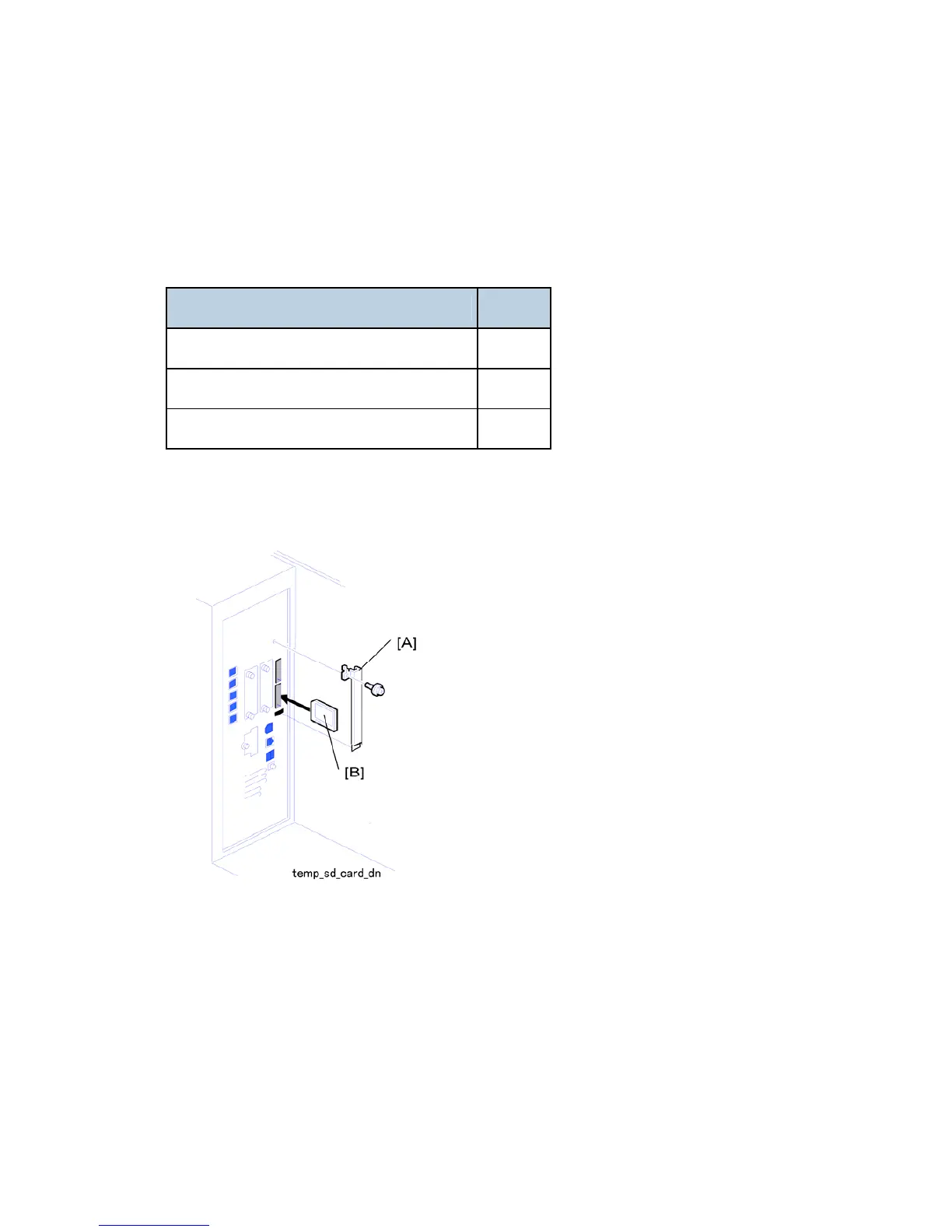
2. Remove the SD card slot cover [A] ( x1).
3. Insert the SD card [B] into the lower slot.
4. Reattach the SD card slot cover.
5. Switch the machine on.
6. On the operation panel, remove the bottom blank keytop and replace it with the keytop
provided.
7. Attach the decal to the copier.



 To Next Page