MFP Controller Options
SM 1-173 D014/D015/D078/D079
Installation
Installation Procedure
Before doing the procedure, turn OFF the main power switch and unplug the
machine from its power source.
1. Make sure that the machine is switched OFF and disconnected from its power source.
2. Disconnect the network cable.
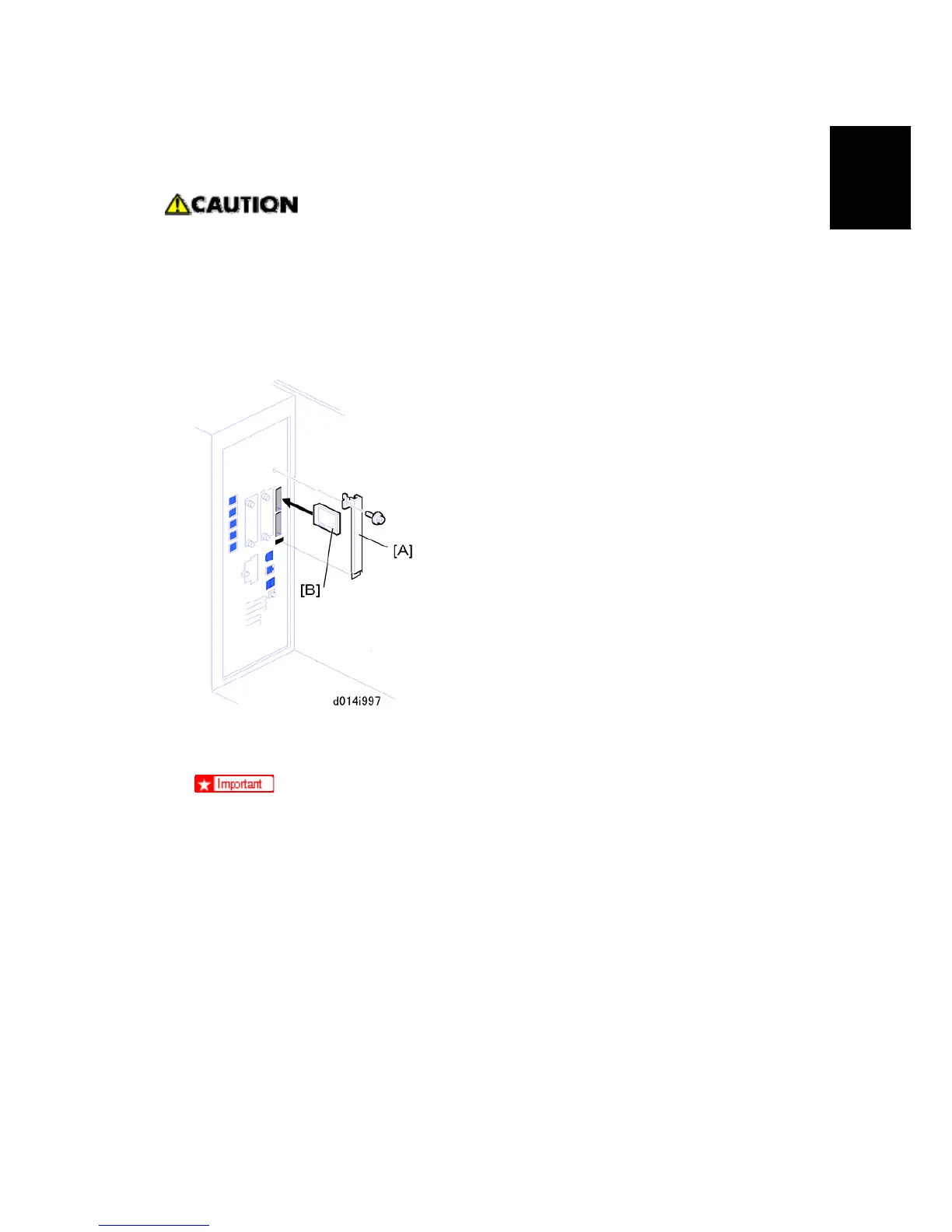
3. Remove the SD card slot cover [A] (x1).
4. Remove the security tape from the SD card wrapping.
If you see "VOID" on the security tape this means that the tape has been
removed.
If the "VOID" notations are visible, do not use the SD card for this installation.
Contact your sales division.
5. Insert the DOS SD card [B] into the upper slot.
6. Reconnect the network cable.
7. Plug in the power cord, and turn the main power switch ON.
8. Do SP5878-1 and push [Execute] to enable the DOS option.
9. Exit out of the SP Mode.
⇒
Rev. 03/2008



 To Next Page