Z-Folding Unit ZF4000 (B660)
SM 1-143 D014/D015/D078/D079
Installation
When the breaker switch is set to the right (the "—" mark will be visible), the
copier is ready to be turned on.
2. Connect the Z-folding unit power cord to the Z-folding unit and connect the other end of
the cord to an ac power source.
3. Push in the breaker test button with the tip of a screw driver until the breaker switch
snaps to the off position.
4. Confirm that the breaker switch is at the off position.
If the breaker switch does not move to the off position:
Confirm that the power cord is securely connected to the power supply.
Push the test button again.
If the breaker switch does not snap to the off position, the breaker switch must be
replaced.
5. Reset the breaker switch to the on position.
Docking the Z-Folding Unit to the Cover Interposer Tray or Copier
The Z-Folding Unit is docked to the Cover Interposer Tray B835, or to the Copier if the
cover interposer tray is not used.
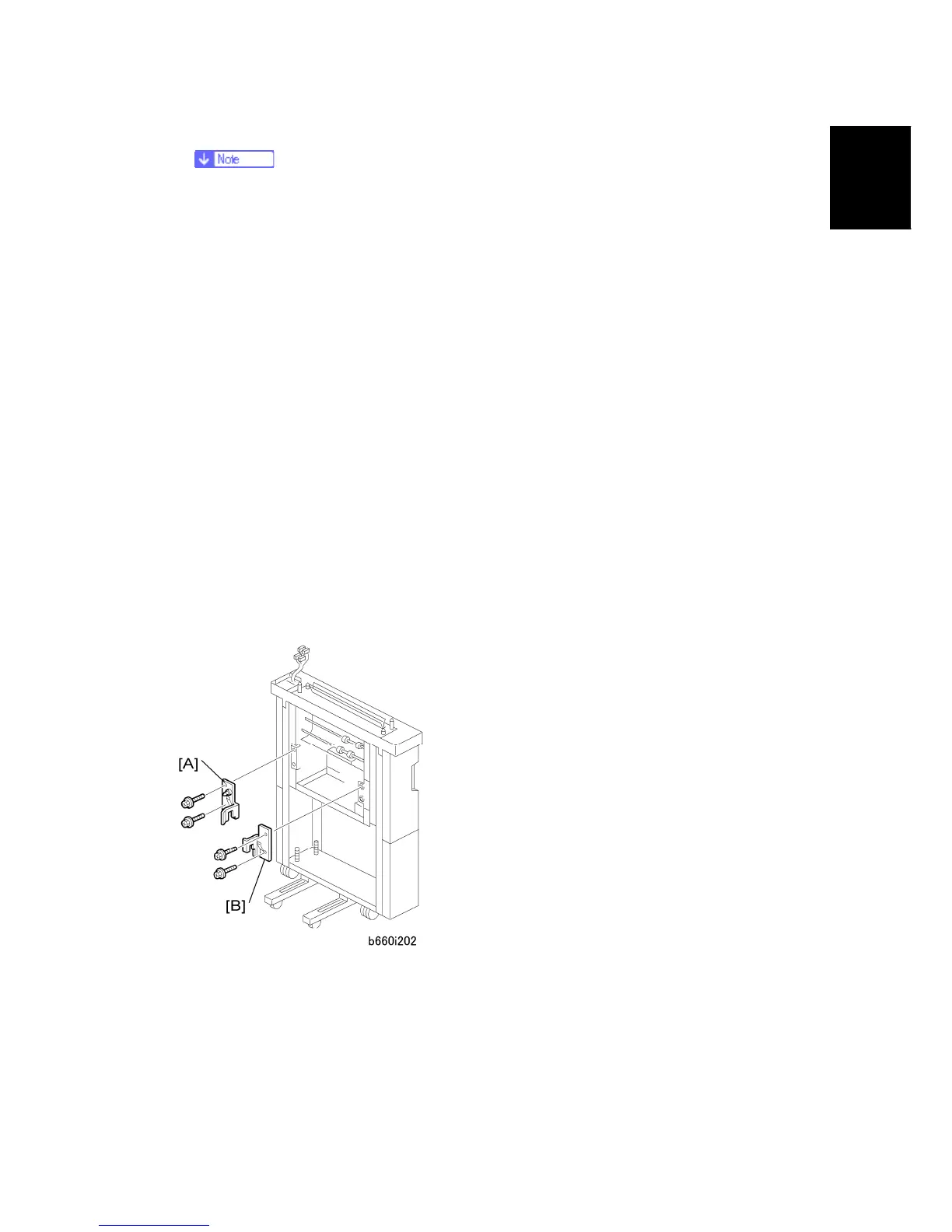
Z-Fold Unit to Cover Interposer Tray B835
1. Attach the rear docking bracket [A].
2. Attach the front docking bracket [B].
3. Connect the Z-folding unit.



 To Next Page