PCU
D014/D015/D078/D079 3-62 SM
3.4.6 SP CODES AFTER REPLACEMENTS
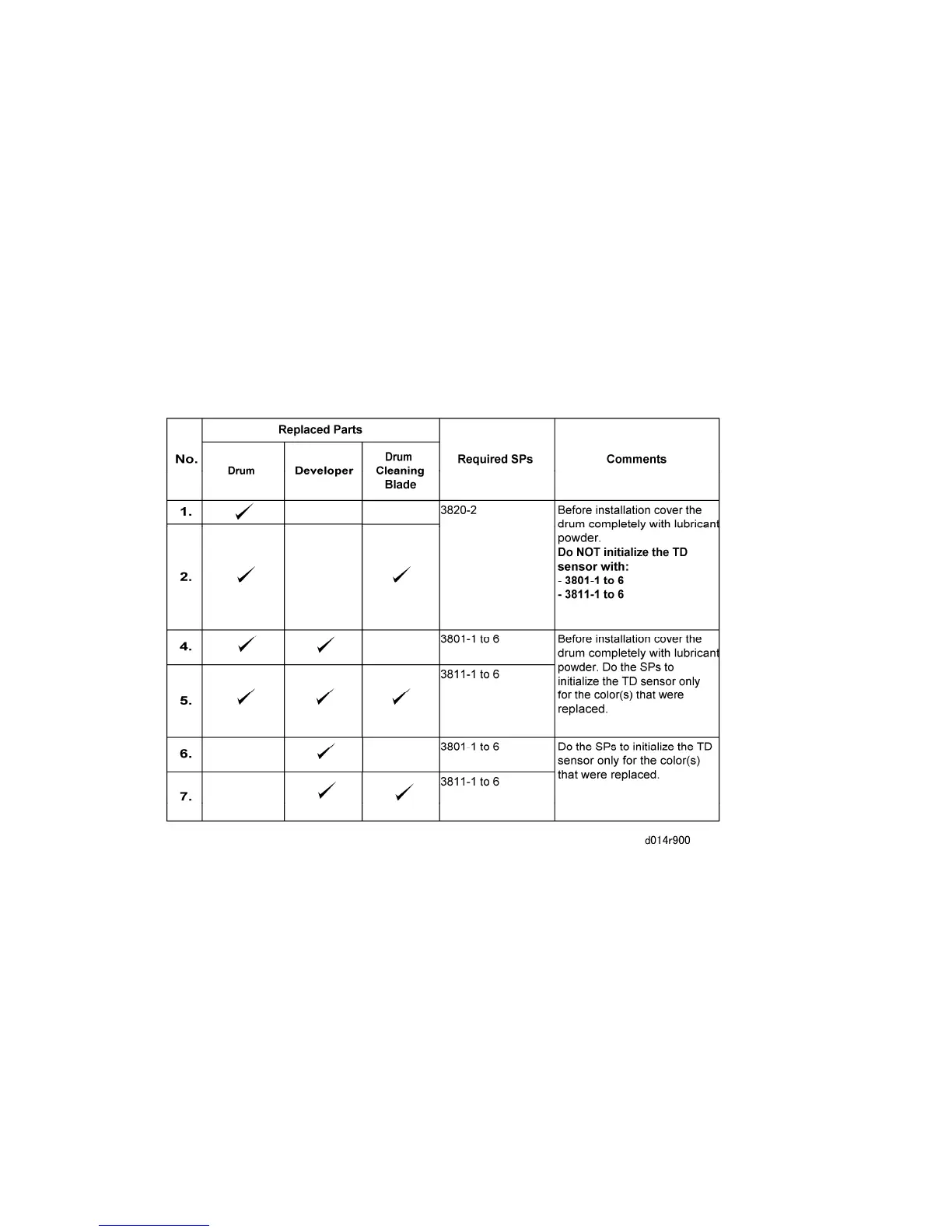
Do the following procedure after you replace the PCU, development, or any related parts.
Pay attention to the combination of replaced parts in the table below (required procedures
are different). Any SPs listed in this table should be performed as described below.
1. Open the front cover, then turn on the main power.
2. After the "Open Cover" message is shown on the display, close the front cover.
3. Execute the required SPs.
Replaced Parts Table
Please refer to the notes below.
1. Initialize the TD sensor once only.
2. If you replace the developer for two colors (C, M, Y), do the developer set up for each
color, one by one. (Never use SP3811-002.)



 To Next Page