PM Counter
SM 2-3 D014/D015/D078/D079
Preventive
Maintenance
2.2 PM COUNTER
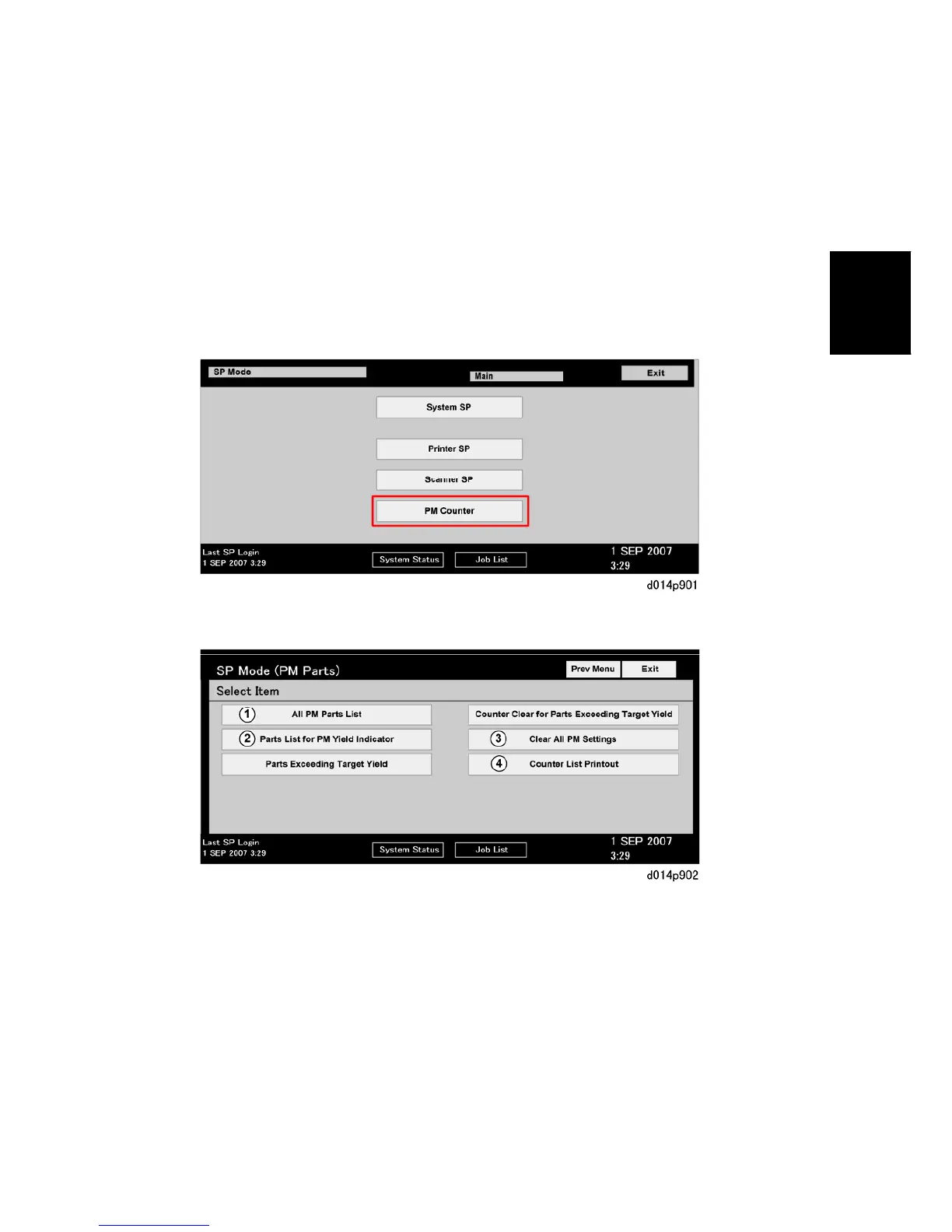
The PM Counter main menu and submenu allows you to review the PM counts for both
units and individual components.
2.2.1 DISPLAYING THE PM COUNTER
1. Push [Clear Modes] (J)> "107"> [Clear/Stop] (D).
2. Touch [PM Counter].
{: All PM Parts List. Displays all PM items (all PM items, not only PM units). Lists all
PM items regardless of PM yield indicator settings.
|: Parts list for PM yield indicator. Displays the items that have their PM yield
indicator settings set to "Yes".
}: Clear all PM settings. Resets all PM counter settings to "0" at the same time. PM
items can be reset one by one with the [Clear] button.
~: Counter list print out. Prints the PM counter on paper.



 To Next Page