Punch Unit (B702)
D014/D015/D078/D079 1-86 SM
1.11.2 INSTALLATION
Always turn the machine off and disconnect the machine power cord before you
do this procedure.
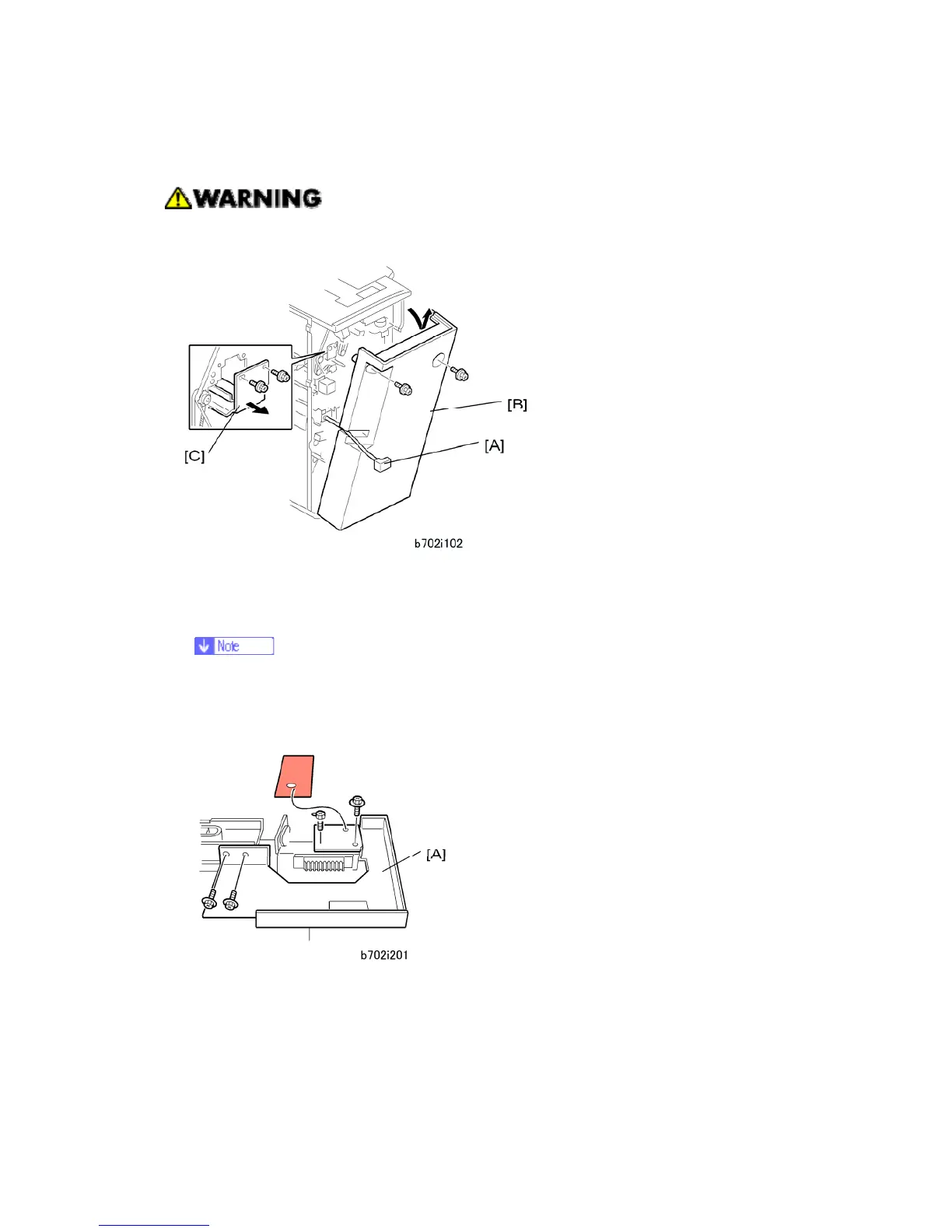
1. If the finisher is connected to the copier, disconnect the power connector [A] and move
the finisher away from the copier.
2. Remove the rear cover [B] ( x 2) and open the front door.
At the bottom of the rear cover, make sure to disconnect the tabs that attach
the cover to the frame.
3. Remove the guide plate [C] ( x 2).
4. Remove the shipping retainer [A] ( x 4).



 To Next Page