Z-Folding Unit ZF4000 (B660)
D014/D015/D078/D079 1-140 SM
5. Pull out the Z-folding mechanism [D] and remove the cushion [E].
6. Open the right vertical transport cover [F] completely (2 steps).
7. Remove four spacers [G] by pulling on the string.
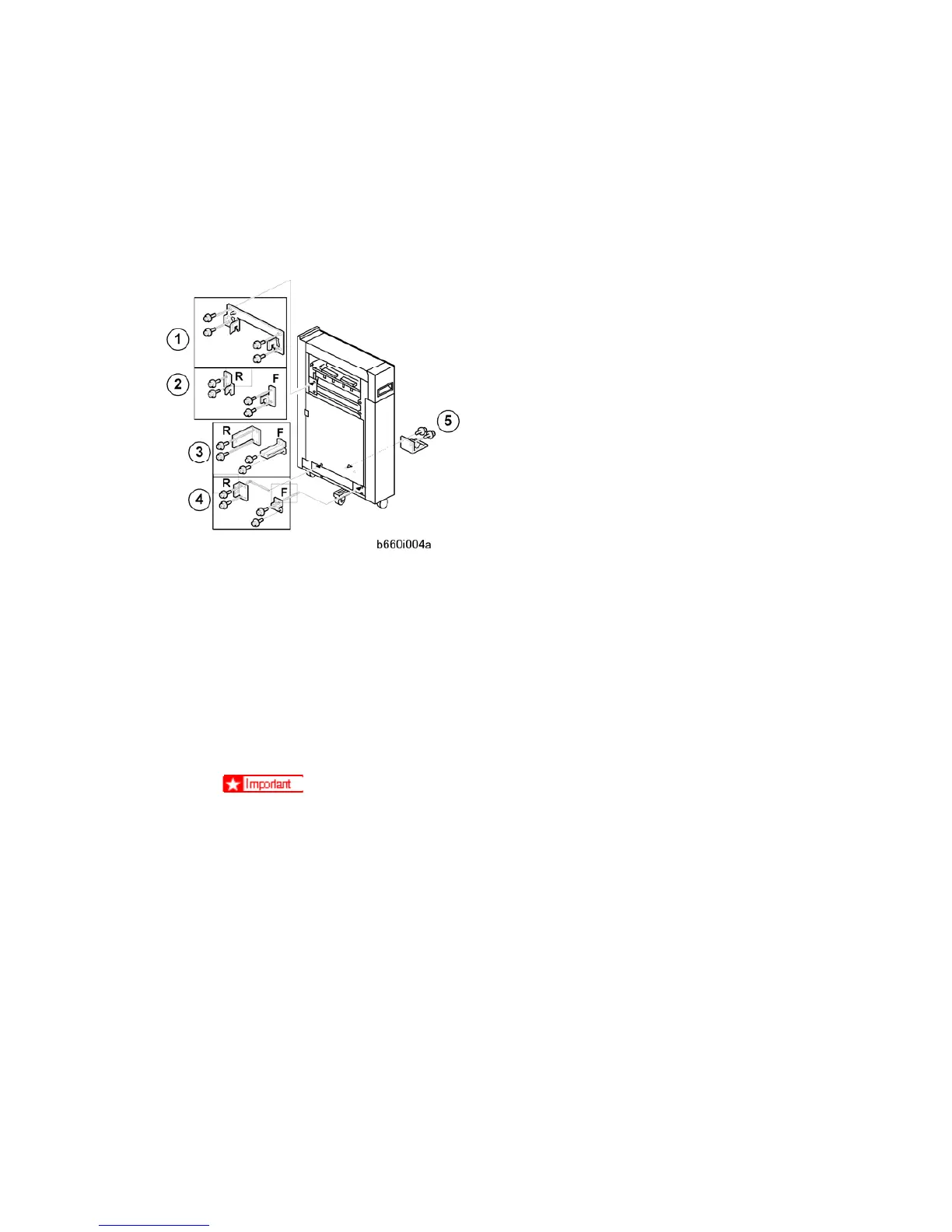
Attaching the Brackets
1. Attach the upper brackets.
If the Z-folder is installed with the 3000-Sheet Finisher B830, install bracket
on
the Finisher B830.
If the Z-folder is installed with the 3000-Sheet Finisher D374, install brackets
(front and rear).
2. Attach the lower brackets.
If the Z-folder is installed with the cover interposer tray, install brackets
.
If the Z-folder is not installed with the cover interposer tray, install brackets
.
Bracket "
-F" is not required when the Z-folder is installed with the
3000-Sheet Finisher B830.
Attach the ground (earth) plate
to the side of the Z-folding unit that is facing the
copier. Use the ground plate for the Z-folding unit. (Item 6 in the accessories list.)
Rev. 02/2008
⇒



 To Next Page