Cover Interposer Tray CI5000 (B835)
D014/D015/D078/D079 1-132 SM
Mounting the Tray Unit
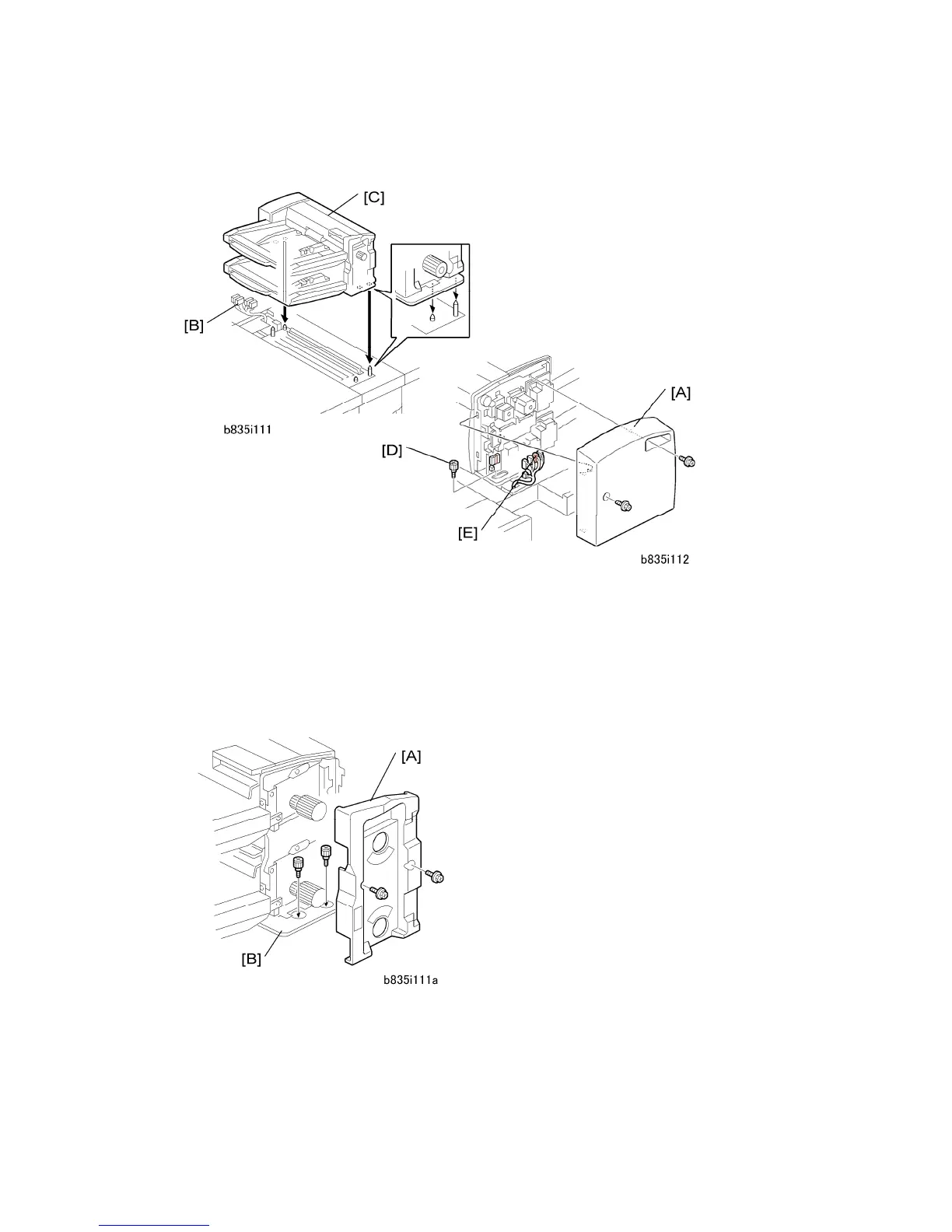
1. Remove the rear cover [A] ( x2).
2. Confirm that the connectors [B] are free.
3. Place the tray unit [C] on top of the cover interposer transport unit.
4. Attach the knob screw [D] ( x1).
5. Connect the harness connectors [E] ( x5)
6. Reattach the rear cover.
7. Remove the front inner cover [A] from the dual-tray unit ( x2).
8. Fasten the tray unit to the top of the transport unit with the knob screws [B] ( x2).



 To Next Page