Copier D014/D015/D078/D079
D014/D015/D078/D079 1-18 SM
Filling the PCU Units with Developer
Before You Begin…
Follow this procedure in the order described below.
Do not turn the machine on or off or open the front door until you are instructed to do
so.
Developer Filling Procedure
1. If you have not already done so, remove the toner hopper unit (described above).
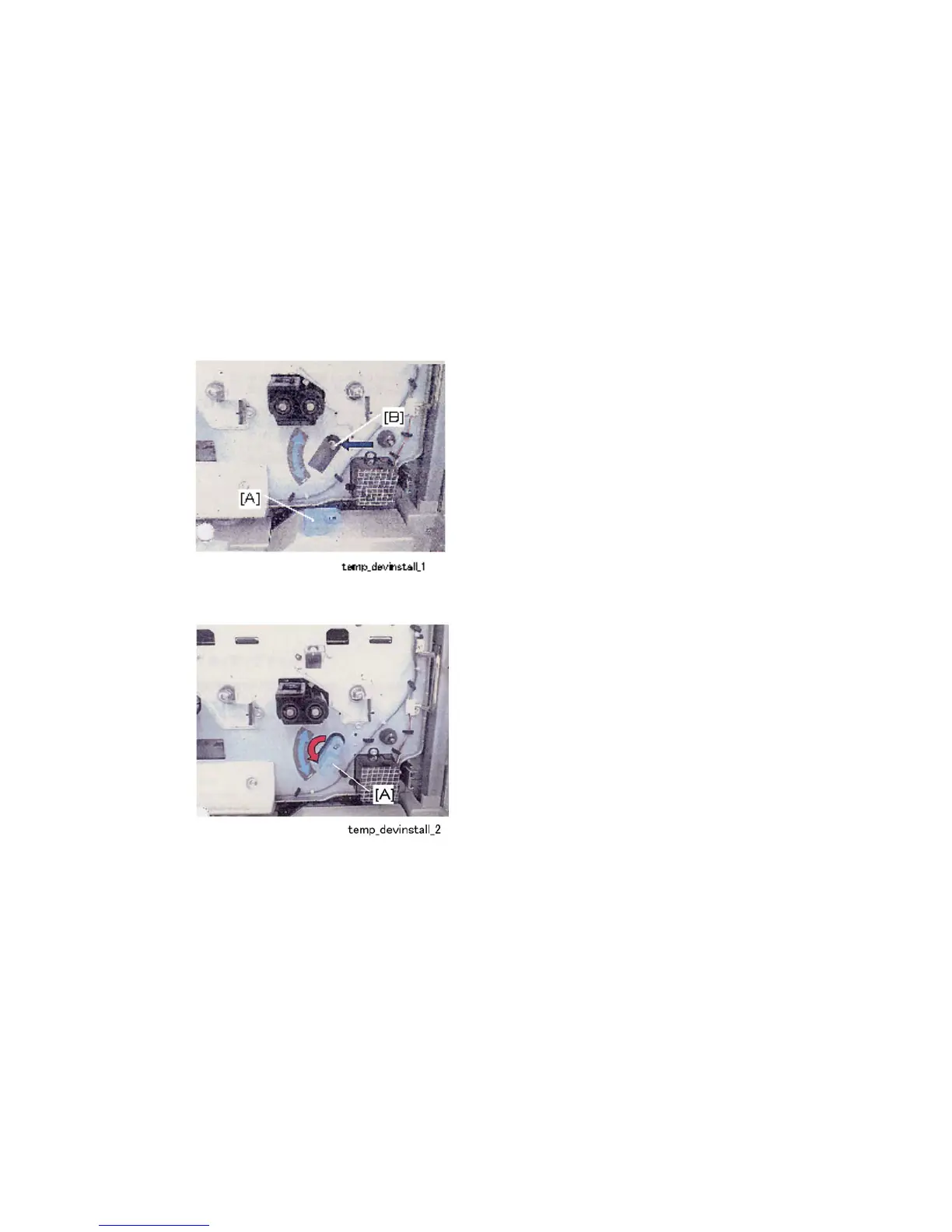
2. Attach the transfer belt release lever [A] to the tip of the shaft [B].
3. Rotate the lever [A] down to separate the transfer belt from the surfaces of the PCU
drums.
4. Before attaching each bottle, loosen the developer to ensure that it will drain
completely.



 To Next Page