A3/11" X 17" Paper Size Tray (B331)
SM 1-39 D014/D015/D078/D079
Installation
1.5.2 INSTALLATION
Always turn the machine off and disconnect the machine power cord before you
do the following procedure.
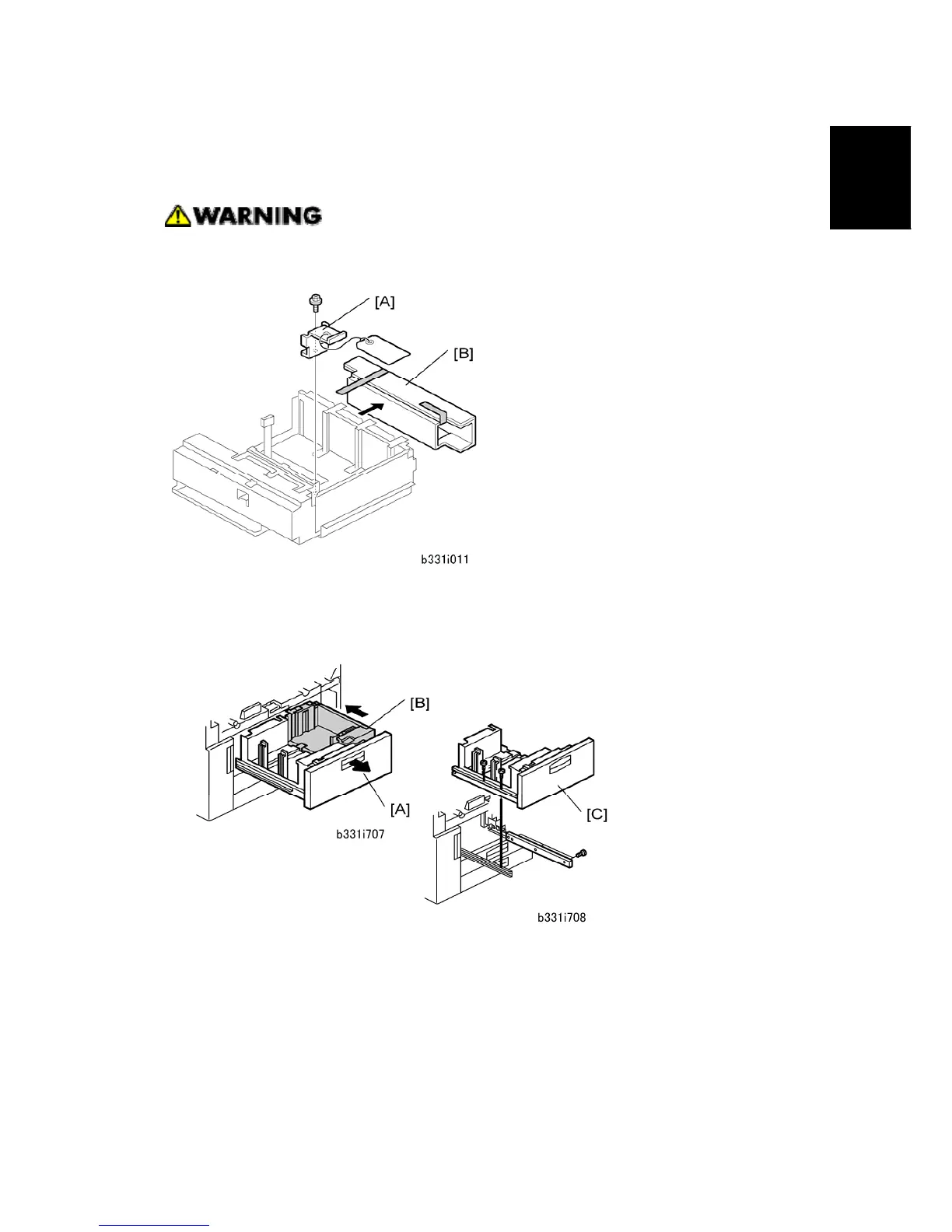
1. Remove the metal retainer [A] and packing material [B] ( x 1).
2. Check the position of the front and rear fences, and make sure that they are set for
DLT or A3.
3. Open the front doors.
4. Pull out the tandem feed tray [A] fully.
5. Push the right tandem tray [B] into the machine.
6. Remove the left tandem tray [C] ( x 2 left, x 3 right).



 To Next Page