A3/11" X 17" Paper Size Tray (B331)
D014/D015/D078/D079 1-40 SM
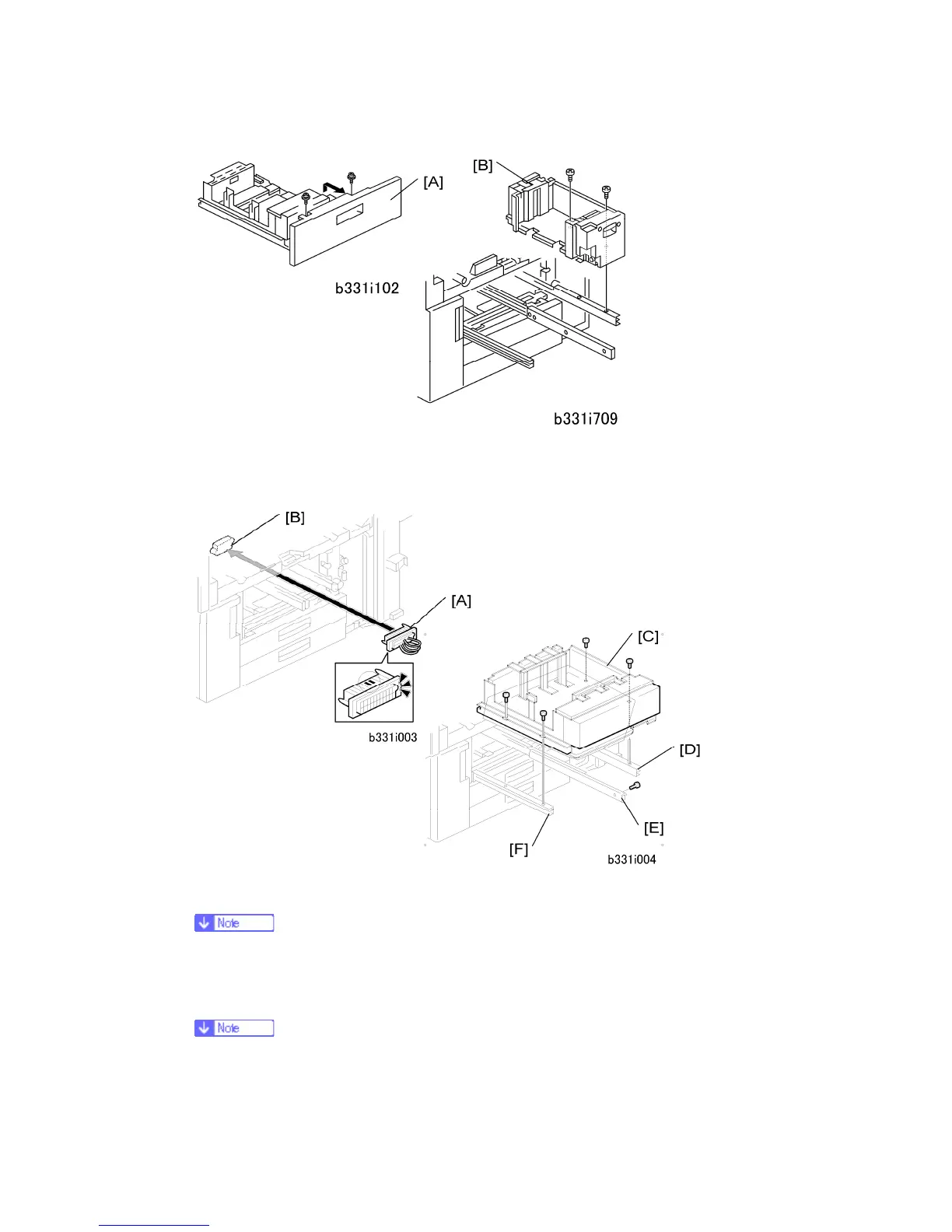
7. From the left tandem tray, remove the front cover [A] ( x 2).
8. Pull out the right tandem tray [B], then remove it ( x 2).
9. Put the short connector [A] into the socket in the machine [B].
Hold the connector as shown in the illustration.
10. Install the A3/DLT tray [C] on the right rail [D], center rail [E], and left rail [F]. Use the
screws that you removed in Steps 6 and 8.
You must use the short, silver screws on the left and right rails. If you use one
of the longer screws, it will stop the movement of the tray on the rails.



 To Next Page