MFP Controller Options
SM 1-175 D014/D015/D078/D079
Installation
Check Operation of the DOS Application
1. Turn "Auto Erase Memory Setting" on:
[User Tools]> "System Settings"> "Administrator Tools"> "Auto Erase Memory
Setting"> "On"
2. Exit User Tools.
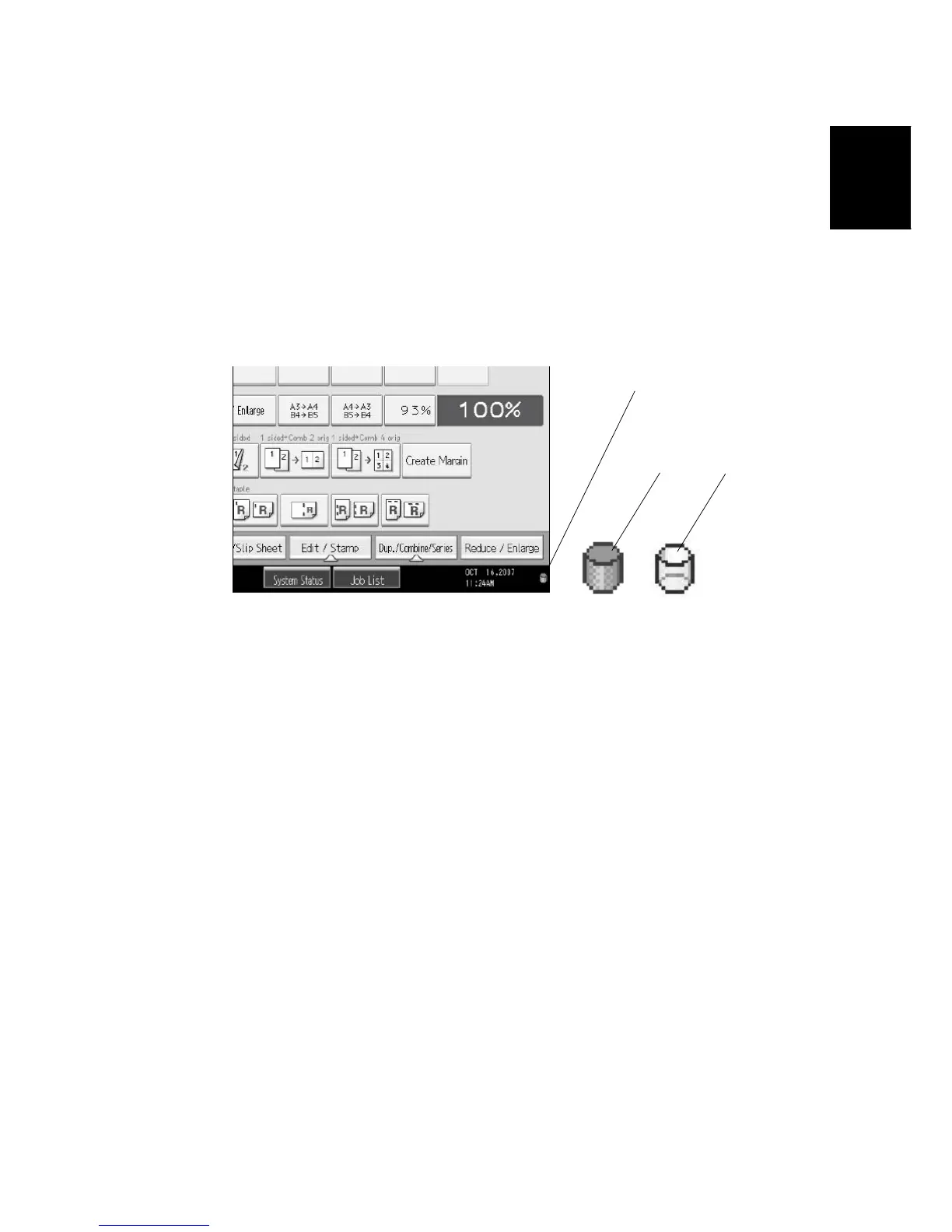
3. Check the display and make sure that the overwrite erase icon [1] is displayed.
4. Check the overwrite erase icon.
• The icon [2]: This icon is lit when there is temporary data to be overwritten, and
blinks during overwriting.
• The icon [3]: This icon is lit when there is no temporary data to be overwritten.
[1]
[2]
[3]



 To Next Page