Z-Folding Unit ZF4000 (B660)
SM 1-141 D014/D015/D078/D079
Installation
Preparing for Docking
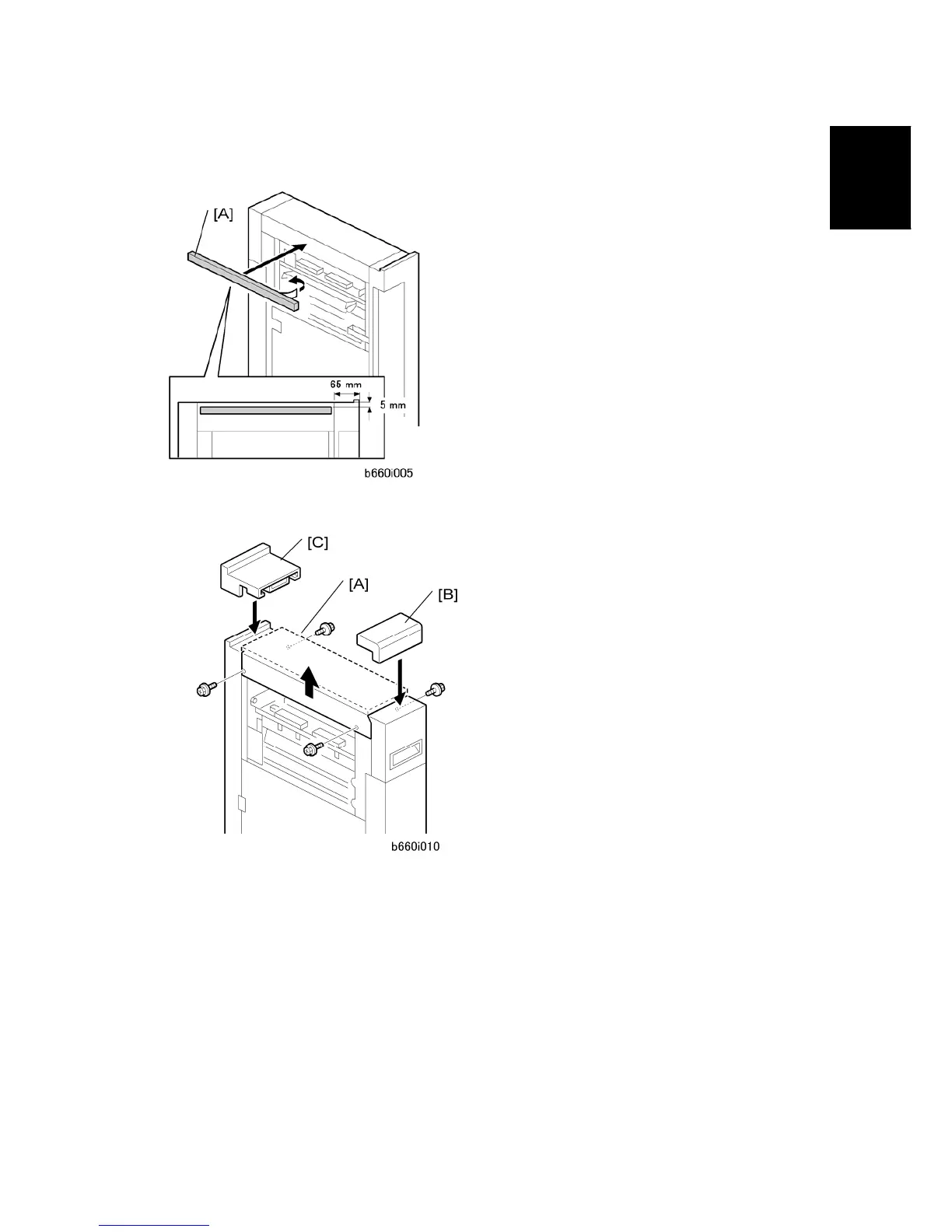
1. Remove the tape from the sponge [A] and attach it to the Z-folding unit.
2. Remove the top cover [A] ( x 4).
3. Remove the seal from the double-sided tape on the bottom of the front spacer [B], then
attach it.
4. Remove the seal from the double-sided tape on the bottom of the rear spacer [C], then
attach it.
5. The spacers align the top of the Z-folding unit with the edge of the copier.
6. Reattach the top cover [A] ( x 4).
7. Make sure that the top cover is level with the tops of the rear and front spacers.



 To Next Page