Common Procedures
D014/D015/D078/D079 3-10 SM
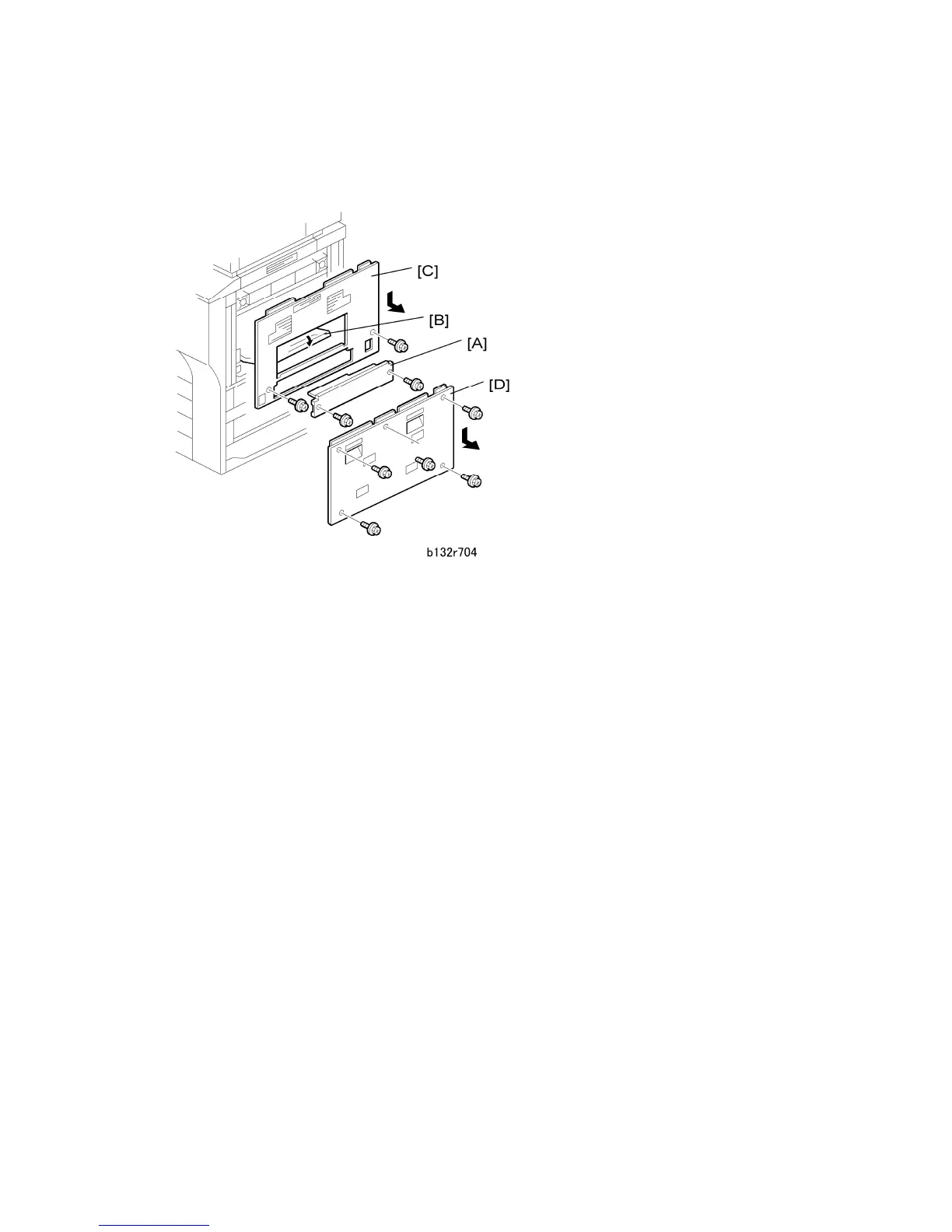
3.2.5 RIGHT COVERS
1. Disconnect and separate the LCT if it is installed.
2. Remove:
[A]: Knockout ( x2).
This has been removed already if the LCT has been installed.
[B]: Open the bypass tray.
[C]: Right upper cover ( x2).
Pull the bottom of the cover down and toward you as you remove it.
[D]: Right lower cover ( x5).
Pull the bottom of the cover down and toward you as you remove it.
Reinstallation
Make sure all the cover tabs are inserted correctly before you fasten the screws.



 To Next Page