Copier D014/D015/D078/D079
D014/D015/D078/D079 1-16 SM
Reattach the Faceplate
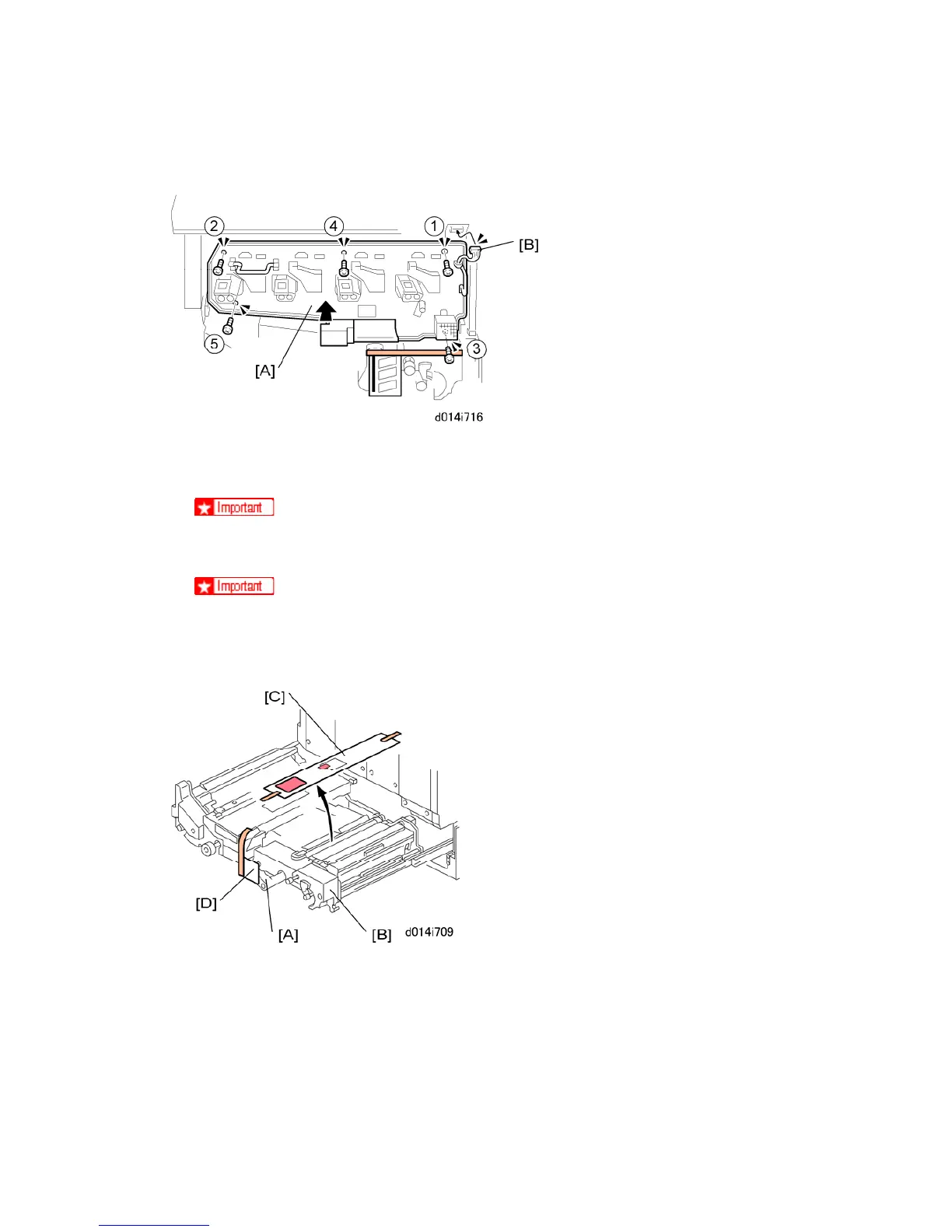
1. Attach the faceplate [A] with the screws in the sequence shown by the numbers above
( x 5).
Do not tighten these screws too much.
2. Reattach the fan [B].
Make sure the fan connector is not pinched behind the faceplate.
Remove Remaining Retainers and Packing Material
1. Turn the lever [A] down to the left, and pull the drawer unit [B] out of the machine until it
stops.
2. Remove the instruction sheets [C] and [D].



 To Next Page